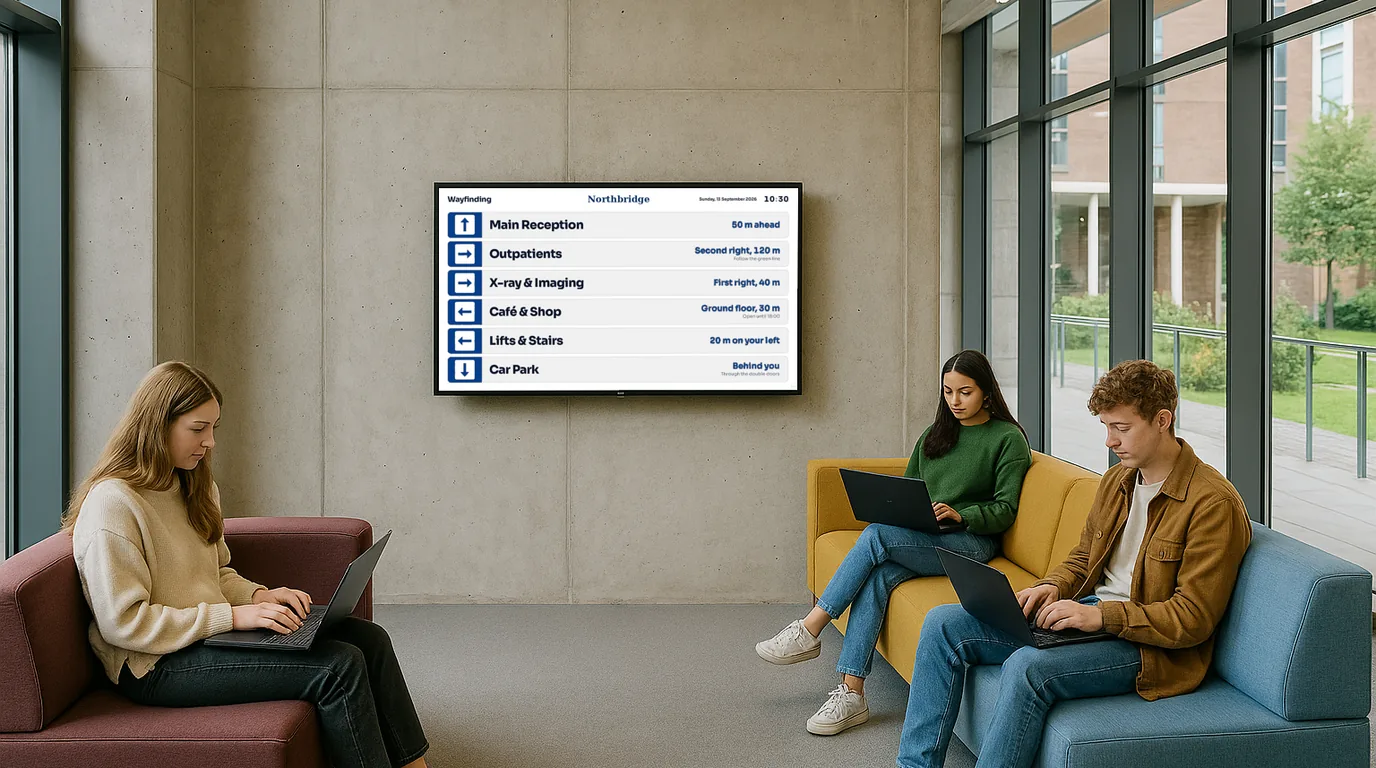
University and college digital signage — timetables, notices and wayfinding across campus

Display lecture timetables, room schedules, student union events, and campus notices on any screen. Managed by departments, updated in minutes, live in 15 minutes from setup.

No credit card required  ·  Cancel anytime  ·  From £10/Location/month

The problem

Paper timetables are out of date before the week begins

The timetable printed on the noticeboard outside Lecture Theatre 4 was correct when it was put up at the start of term. Then a lecturer was ill and the seminar moved. Then the room was needed for an exam. Then a visiting speaker was added. None of those changes made it to the paper notice before students started gathering outside the wrong room at the wrong time.

Reception staff in every department handle a steady flow of the same questions: where is the seminar on Wednesday, which lecturer is taking Thursday's tutorial, where is the visiting professor's talk? These questions take time to answer and are not what reception is for.

Meanwhile, the TV in the student union common room has been showing a screensaver since the last person to plug in a laptop left. The departmental noticeboards are a palimpsest of overlapping A4 sheets from different terms. The sports centre class timetable is on the website, somewhere, if you know where to look. University campuses are information-rich environments where information consistently fails to reach the people who need it.

Why it matters

The cost of information reaching students too late — or not at all

Students miss sessions because of last-minute room changes

A room change communicated only via email the night before means the students who do not check email at 11pm arrive at the original room. A screen at the door solves it instantly.

Reception teams buried in navigation questions

Every department reception answers the same wayfinding questions every day. A screen in the entrance or lobby answers most of them before the student reaches the desk.

Student union events get low turnout

Events promoted only by social media and email never reach students who are not in those channels. A screen in the library, canteen, or halls achieves passive awareness that social posts cannot.

Dark screens waste infrastructure investments

Campuses have screens that cost thousands to install showing screensavers or nothing. A NowBoard Player turns any existing screen into a live information point for less than the cost of a week's worth of printed materials.

The solution

Campus digital signage that departments can manage without IT involvement

NowBoard is university digital signage software designed to be simple enough for an academic department administrator to manage without IT support, while being flexible enough to serve the full range of campus communication needs — from lecture theatre doors to the sports centre class timetable.

Plug a NowBoard Player into any screen on campus via HDMI. Connect to the campus wifi. Your screen is showing content in under 15 minutes. Role-based access means a department administrator can update their screens without affecting any other department. Estates and central communications can manage the whole campus from a single dashboard.

  1. Plug in a NowBoard Player

    An HDMI device that connects to any existing screen on campus. Uses campus wifi. Around £139. Or use an Android TV stick already in use.

  2. Set up your content

    Room timetables, department schedules, student notices, wayfinding. Use NowBoard templates or build your own with faculty branding.

  3. Update in seconds when things change

    Room moved, session cancelled, visiting speaker added. Update from the app and the screen outside the room changes immediately.

Use cases

Six ways universities use NowBoard across campus

Lecture theatre and seminar room doors

The screen that tells students whether this is the right room for their session

A NowBoard display outside each lecture theatre or seminar room shows the current session — module name, lecturer, start and end time — and the next session coming up. When a room is empty, it shows "No booking" so students know not to wait. When a session moves at short notice, the administrator updates it from the app within a minute and the screen reflects the change before students arrive. For large buildings with dozens of teaching rooms, this replaces the paper timetable sheets entirely and stays current without anyone physically visiting each door.

A Russell Group university's School of Engineering replaced paper timetables outside 18 seminar rooms with NowBoard displays. The school administrator manages all 18 from one dashboard. Last-minute room swaps are communicated to students in under two minutes.

Departmental reception welcome

Today's schedule, visiting academics, and upcoming events — displayed at the entrance

A NowBoard screen in the departmental reception area shows today's teaching schedule, any visiting speakers or special sessions, upcoming events, and important notices. First-year students who do not yet know the building find their way without queuing at the desk. Visiting academics see that their talk is listed and feel that the department expected them. The reception team fields fewer navigation questions and more meaningful enquiries. Update the screen each morning before the day begins — it takes five minutes and saves hours.

A Law School reception screen shows the day's moot schedule, visiting lecturer appearances, and career fair dates. The departmental administrator updates it Monday morning each week. Staff say it visibly reduces queue build-up at the desk between 9am and 10am.

Student union events board

What is on this week, which societies are active, and what students should not miss

The student union manages its own NowBoard screen showing the week's events — social evenings, society meetings, job fairs, elections, charity events — without needing to go through central IT or estates. A screen in the union building, the library, the canteen, and the halls of residence reaches students in the environments where they have time to browse and consider attending. Event listings can be updated by student union staff from their phones. Urgent notices — a cancelled event, an added speaker — go up in under a minute.

Library opening hours and occupancy

Current opening hours and whether the library is likely to have seats available

A NowBoard screen near the library entrance or in nearby common areas shows the library's current opening hours, including any extended hours during exam periods and closures during bank holidays. The screen can also display a simple high/medium/low occupancy indicator that library staff update manually throughout the day — a low-effort way to help students decide whether to come now or wait. During exam periods, schedule extended hours automatically so the screen is always accurate without anyone having to remember to update it.

A London university uses a NowBoard screen at the library entrance and in two common areas. Occupancy is updated three times a day by the library duty manager. Students have commented on it in satisfaction surveys as "actually useful".

Sports centre class timetable

Gym classes, swim lanes, court bookings — visible to every student who walks past

The sports centre timetable is exactly the kind of information that lives too deep in a website. A NowBoard screen at the entrance to the sports centre shows this week's classes, their times, and how to book. Schedule it to update weekly. Add a "fully booked" indicator when a popular class is full. Promote new classes when they launch. For universities trying to increase student engagement with campus sports and wellness facilities, a visible, up-to-date timetable at the door is more effective than any email campaign.

Multi-campus estates management

Manage hundreds of screens across a whole university from one dashboard

University estates teams can manage NowBoard across every building on campus — or across multiple campuses — from a single dashboard. Push a campus-wide notice (emergency closures, maintenance works, exam period reminders) to every screen simultaneously. Set building-specific content for individual faculties. Delegate screen management to department administrators who manage only their own screens. Estates retains visibility and control over the whole estate without being a bottleneck for every individual update. Learn more about multi-location management.

Why NowBoard

Why universities choose NowBoard for campus digital signage

Enterprise campus signage systems designed for large deployments require long procurement cycles, dedicated AV teams, and ongoing IT support. NowBoard can be deployed by a single department administrator without any of that overhead — and scaled to a full campus rollout when the value is proven.

Works on existing screens

Any TV with an HDMI port. Lecture rooms, seminar corridors, common areas, sports centres — they all have screens. Plug in a NowBoard Player and they are all information points.

Departments manage their own screens

Role-based access means a lecturer, department administrator, or student union officer can update their own screens without involving IT or estates for every change.

Central oversight across the whole campus

Estates and central communications retain visibility and control. Push campus-wide emergency notices to every screen in one action. Monitor which screens are active across all buildings.

No IT department needed to get started

A department administrator can have a screen running in 15 minutes. No procurement request. No IT setup. No training course. If you can send an email, you can run NowBoard.

Works offline

Campus wifi can be patchy in older buildings. NowBoard screens keep showing the last update if the connection drops and sync automatically when it returns. No blank screens, no error messages.

From £10/Location/month

One Location covers all screens showing the same content in one place. A department with a single corridor display is one Location. The whole campus is billed per active Location. No setup fees. See pricing.

Getting started

Your first campus screen live in under 15 minutes

  1. Sign up for a free trial

    No credit card. 14 days free. One administrator can start a pilot without IT or procurement involvement.

  2. Plug in a NowBoard Player

    Connect to any screen on campus via HDMI. Connect to campus wifi. The player is about the size of a phone charger.

  3. Set up your content

    Room timetable, department schedule, student notices, or wayfinding. Use NowBoard templates or add faculty branding.

  4. Expand to more screens

    Once the first screen is running, add more Locations for other rooms, other buildings, or other departments. Most campus pilots expand to 10+ screens within the first month.

FAQ

Common questions about university digital signage

Can academic staff update their own room displays?

Yes. Role-based access means a lecturer or tutor can be given permission to update their seminar room or lecture theatre display — adding a session, noting a cancellation, or updating a visiting speaker's details — without having access to any other screen on campus. The estates or IT team retains administrative oversight. Individual staff get the autonomy they need without any risk of affecting other departments.

Does it work with existing TVs already installed on campus?

Yes. Any TV with an HDMI port. Plug in a NowBoard Player and that screen becomes a live information point. There is no need to replace existing hardware. If a building already has Android TV devices installed, those can be used directly. NowBoard works with existing infrastructure, which is typically the most important factor for university estates teams managing large screen inventories.

Can we integrate with the university's timetabling system?

NowBoard is currently standalone — timetable information is entered and updated manually through the app. Integration with university timetabling systems is on the roadmap. Most departments find that manual updates work well in practice: the administrator updates the weekly schedule on Monday morning and makes individual changes as they arise throughout the week. The app makes each update quick enough that manual management is sustainable even at scale.

How does pricing work across a large campus?

NowBoard is priced per Location from £10/month. A Location is one place with one content loop — for example, a single lecture theatre door display, or a department reception screen. A corridor with five different room signs would be five Locations. Most universities start with a departmental pilot and expand from there. There are no setup fees and no annual commitments, which makes it easy to start small and grow. See full pricing or book a demo to discuss your campus requirements.

Ready to replace the paper timetables on the wall?

Your students deserve to know where their lecture is before they arrive. Your staff deserve fewer interruptions. Your campus deserves screens that are actually showing something useful.

No credit card required  ·  UK-based support  ·  From £10/Location/month