Digital signage for schools that keeps students, staff and visitors informed
Display assembly schedules, exam timetables, corridor notices and event information on any screen across your school. Update everything from your phone. Set up in minutes.
No credit card required · Cancel anytime · From £10/Location/month
The problem
Important information is not reaching the people who need it
Every school generates a constant flow of information that students, staff and visitors need throughout the day. Which rooms have been changed. When Year 11 mock exams start. What time the parents' evening runs until. Whether after-school clubs are cancelled due to a staff absence.
Right now, that information is scattered across printed notices taped to corridor walls, a whiteboard outside the main office, a hastily sent email that half the staff missed, and a tannoy announcement that nobody in the science block could hear properly.
The printed notice has been there for three weeks and still shows last half-term's schedule. The whiteboard was wiped by accident during break. The email is buried under 40 others. And the office staff are fielding the same phone calls from parents who did not get the message.
Why it matters
The real cost of poor communication in schools
Paper notices and email chains do not just look disorganised. They create a pattern of missed messages, wasted time, and unnecessary confusion.
Students in the wrong room
A room swap gets announced in registration, but Year 9 who had PE first period never heard it. Twelve students arrive at the wrong room. It happens twice a week.
Parents can't find information
A parent arrives for parents' evening and stands in the entrance hall looking for directions. There's a printed map from two terms ago. They queue at the office to ask.
Exam season becomes chaos
A room change on day two means reprinting, re-pinning and hoping students check the board before walking to the wrong hall. Some do not.
Staff chasing buried emails
A head of year sends an update on Monday. By Wednesday three form tutors are asking for the same information. The thread spirals. The actual information is now buried seven emails deep.
The solution
School digital signage that any member of staff can manage
NowBoard is digital signage for schools built for schedules, timetables, notices and information — not advertising loops and video walls. Plug a NowBoard Player into any TV or screen and start displaying clear, up-to-date information within minutes.
No AV contractor. No enterprise software licence. No training manual. Your office manager, head of year, or exams officer can update every screen in the school from their phone, laptop or tablet.
-
Plug in a NowBoard Player
A small device (about the size of a phone charger) that connects to any TV or display via HDMI. Uses your existing school wifi. Costs around £139.
-
Add your content
Timetables, schedules, notices, event information. Use NowBoard's templates or build your own layout with your school's branding and colours.
-
Screens update instantly
Change an exam room, add an assembly notice, or update the parents' evening schedule. Every connected screen refreshes automatically. No USB sticks, no walking around the building.
Use cases
Six ways schools use NowBoard every day
Corridor displays
The screens that stop students asking "where am I supposed to be?"
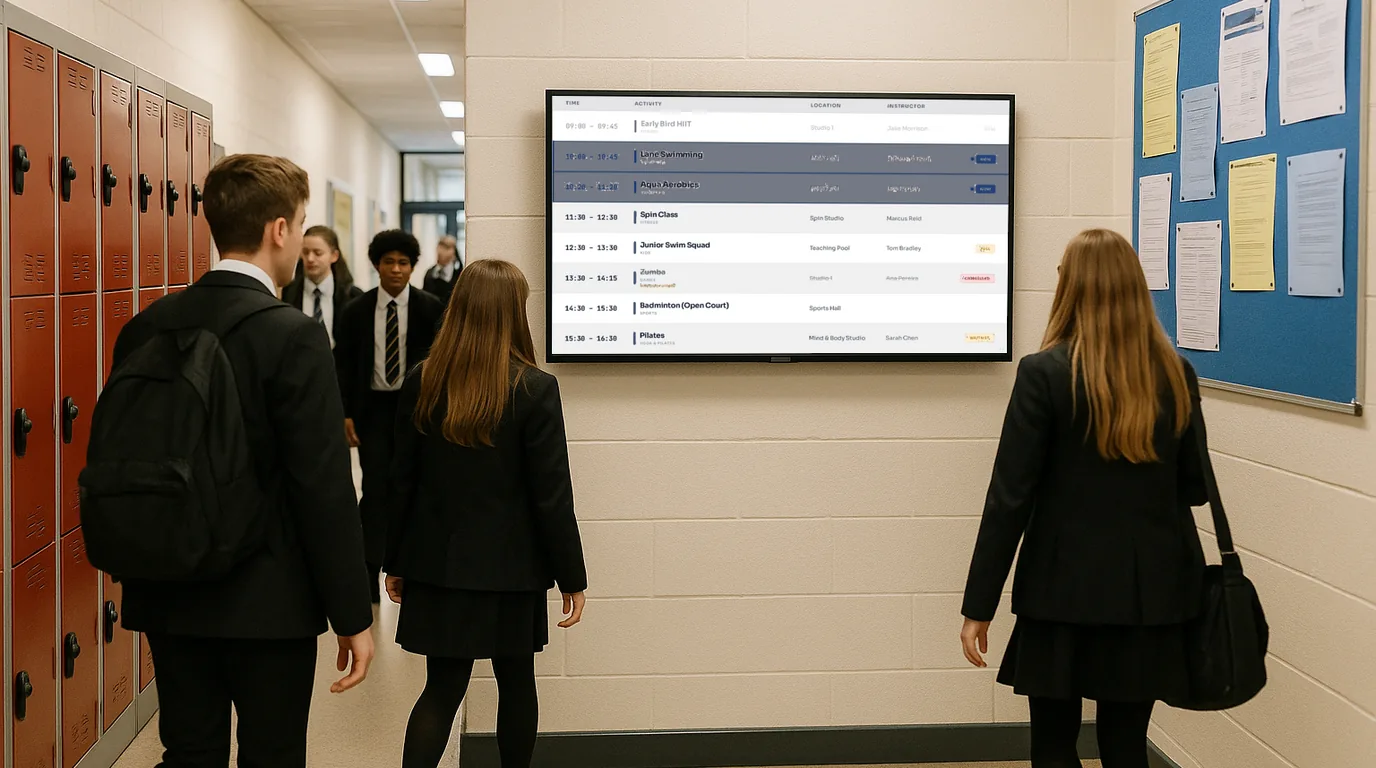
A NowBoard corridor display shows timetable changes, room swaps, cover teacher details, after-school club schedules, and last-minute notices. Place screens at key points — the main corridor junction, outside the hall, near the sixth form common room — and students check the display as they pass, the same way they check their phones. The difference is that this information is always current and managed by staff who can update it in seconds.
Reception & visitor boards
The first thing visitors see when they walk through your door
A NowBoard reception display shows essential visitor information: today's events, safeguarding contacts, fire assembly points, and a welcome message. For parents arriving for a meeting, it shows exactly where to go. For Ofsted inspectors, supply teachers, or contractors, it shows the key information they need before they even reach the desk. A screen showing today's schedule, current achievements and a warm welcome says "organised and professional."
Assembly & daily schedules
The whole school knows what is happening today — without a single email
Assembly schedules change constantly. A year group assembly gets moved. A guest speaker is visiting. NowBoard replaces the morning email chain with screens that show today's schedule clearly and automatically. Tutors glance at the staffroom screen during morning briefing. Students check the corridor display on the way to registration. Everyone is working from the same information. During exam season, the same screens switch to showing exam timetables — one update from the exams officer reaches every screen in the building simultaneously.
Exam timetable displays
Every student knows exactly where to go, when to arrive, and what to bring
NowBoard displays exam timetables on corridor screens and near the exam halls. Show today's exams with subject, tier, room, seat number range, start time, and duration. Highlight afternoon exams separately. Show equipment reminders — black pen, calculator, clear pencil case. When a room change happens, update the screen and every candidate walking past sees the correction immediately.
Event & open evening information
Parents, visitors and prospective families see a school that has its communication sorted
For open evenings, display the programme of talks, subject department locations, and tour times on screens in the entrance hall and at key decision points. Visitors follow the screens instead of asking for directions. Staff can focus on talking to prospective families instead of pointing people towards the science block. Learn more about event signage.
Staff room & department boards
Keep staff informed without relying on emails that get buried
A NowBoard screen in the staffroom shows the information that matters today: cover arrangements, duty rota, meeting schedule, upcoming deadlines, room changes, and SLT notices. Staff see it when they walk in for morning briefing. For department offices, display moderation deadlines, shared resource reminders, or observation schedules. The head of department manages their own screen without involving IT or the main office.
Why NowBoard
Why schools choose NowBoard over enterprise signage systems
Most digital signage solutions are built for retail chains and corporate offices. They are packed with features schools do not need and priced at a level that no school budget can justify. NowBoard is the alternative.
Works on screens you already have
Plug a NowBoard Player into the HDMI port of any existing TV and it becomes a digital notice board. No new screens to buy. The player costs around £139 — less than a set of textbooks.
Anyone on your team can use it
Office managers, heads of year, exams officers, cover supervisors. If they can send a text message, they can update a NowBoard screen. No IT technician required.
Multi-site management for MATs
Running a multi-academy trust? Manage every screen across every school from a single dashboard. Set trust-wide branding centrally. Roll out to a new academy in minutes.
Role-based access
The exams officer manages exam displays. The office manager updates the reception screen. The head of PE updates the sports fixtures board. Everyone sees what they need. Nobody accidentally changes someone else's content.
Works offline
School wifi can be patchy in older buildings. If the connection drops, NowBoard screens keep showing the last update and sync automatically when the connection returns.
From £10/Location/month
No setup fees. No annual contracts. No per-user charges. See pricing. A 10-screen school setup costs less per month than a single supply teacher day.
Getting started
Get your first school screen live in under 15 minutes
-
Sign up for a free trial
No credit card, no commitment, no procurement forms.
-
Plug in a NowBoard Player
Connect it to any TV or display in your school via HDMI. Connect to your school wifi. The player is about the size of a deck of cards.
-
Add your content
Choose a layout, add your school branding, and start entering today's schedule, notices, or timetable information.
-
Go live
Your screen starts displaying content immediately. Update it any time from any device. Most schools are up and running within 15 minutes of opening the box.
FAQ
Common questions about digital signage for schools
Do we need to buy new screens?
No. NowBoard works on any TV or display with an HDMI port. Use the screens already in your reception, corridors, staffroom, or canteen. The only hardware you need is a NowBoard Player (around £139), which plugs into the screen.
Can different staff members manage different screens?
Yes. NowBoard has role-based access. Your exams officer can manage exam timetable displays without being able to change the reception screen. Your head of year can update corridor notices without seeing the staffroom rota. Each person sees only what they need.
Will it work on our school wifi network?
NowBoard uses minimal bandwidth — far less than a single student streaming a video. It works on standard school wifi networks. If your building has areas with weaker signal, the screens keep displaying the last update until the connection returns.
Can we match the screens to our school branding?
Yes. Set your school colours, logo, and fonts in NowBoard. Every screen uses your school's visual identity. For multi-academy trusts, set branding at trust level and it applies automatically to every academy.
How does it handle exam timetables?
Enter your exam schedule in NowBoard and display it on corridor screens near the exam halls. When a room or time changes, update it once and every screen refreshes immediately. You can display different information on different screens — full timetable in the corridor, today's exams only near the hall entrance.
Is there a minimum contract?
No. NowBoard is month-to-month from £10 per Location. Add Locations when you need them, remove them when you do not. No setup fees, no annual lock-in.
Ready to replace the paper notices and corridor printouts?
Your students deserve clear, current information about where they need to be. Your exam candidates deserve timetables that are always accurate. Your office team deserves fewer phone calls asking the same questions.
No credit card required · UK-based support · From £10/Location/month