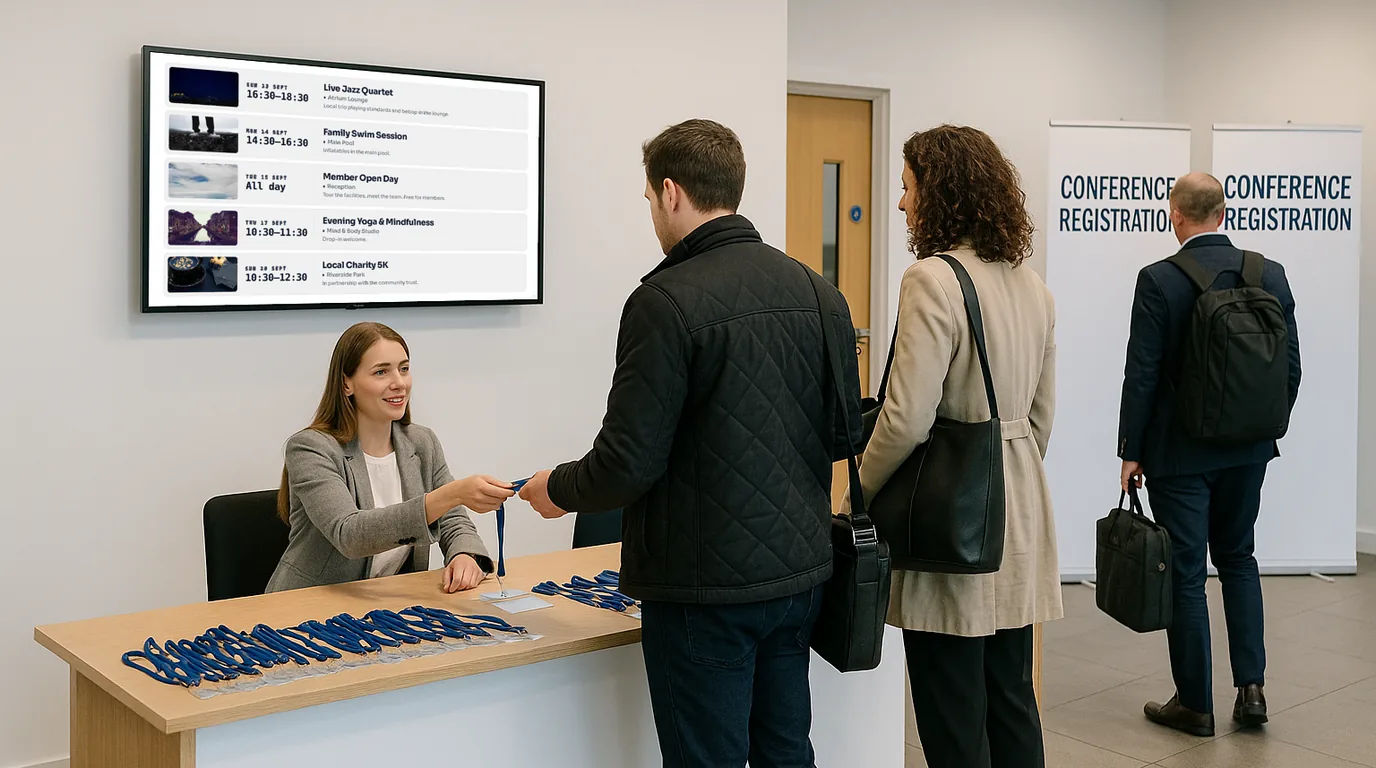
Event signage that keeps delegates informed and your programme on track

Display session schedules, set times, room directions, sponsor boards and live programme updates on any screen across your venue. Conferences, festivals, music venues, exhibitions, trade shows, sports tournaments — update everything from your phone, even mid-event. Set up in minutes.

No credit card required  ·  Cancel anytime  ·  From £10/Location/month

The problem

Your delegates are lost, late, and asking the same questions all day

Every event has the same information problem. Three hundred people arrive at 8:45am and all of them need to know the same things at the same time. Which room is the keynote in. Where the registration desk is. When the coffee break starts. Whether the 2pm panel has moved to a different hall.

Right now, most of that information lives in three places: a printed programme handed out at registration, a set of foam-board signs on easels dotted around the foyer, and the events team — standing at the information desk, answering the same five questions on repeat.

The printed programme was finalised a week ago and already has two speaker changes and a room swap that nobody knows about except the team on the radios. For an industry built on professionalism and first impressions, this is a problem that printed materials cannot solve.

Why it matters

The real cost of static event signage

Programme changes happen constantly

A speaker cancels at 7am. A panel overruns. A breakout session moves rooms because of a projector fault. Every change means hand-writing corrections on signs or making PA announcements half the building cannot hear.

🗺️

Wayfinding in unfamiliar venues is stressful

Conference centres have labyrinthine corridors and rooms called things like "The Brunel Suite" when nobody knows where that is. Without clear directional signage at every decision point, delegates wander, arrive late, and miss sessions.

💼

Sponsors expect visible brand placement

A sponsor paying £5,000 for a Gold package expects their logo displayed prominently — not printed on page 14 of an A5 programme that is already in a bin. When sponsors do not see their branding given prominence, they do not renew.

🔥

Your events team is firefighting

The operations manager is walking the building to check which signs need updating. The registration team is giving directions instead of scanning badges. Everyone is doing signage admin instead of running the event.

The solution

Event digital signage that anyone on your team can update in real time

NowBoard is event signage software built for schedules, wayfinding, and programme displays — not video walls and advertising loops. Plug a NowBoard Player into any screen in your venue and start displaying useful, live information within minutes.

No AV contractor. No enterprise software licence. No training day. Your event manager, venue coordinator, or operations lead can update every screen in the building from their phone, laptop, or tablet — including mid-event, from the back of a session room.

  1. Plug in a NowBoard Player

    A small device (about the size of a phone charger) that connects to any TV or display via HDMI. Uses the venue's wifi. Costs around £139.

  2. Add your event content

    Session schedules, room directories, wayfinding maps, sponsor boards. Use NowBoard's templates or build your own layouts with your event's branding.

  3. Screens update instantly

    Move a session, add a speaker, change a room assignment, extend lunch by 15 minutes. Every connected screen refreshes automatically. No reprinting. No walking the building. No radios.

Use cases

Six ways event organisers use NowBoard on the day

Session schedule boards

The screen that replaces every printed agenda in the building

A NowBoard schedule display shows the full day's programme at a glance: session titles, times, rooms, speaker names, and status. Place them in the registration area, at corridor junctions, in breakout zones, and at the entrance to each session hall. When the programme changes, update the schedule from your phone and every screen refreshes within seconds. Learn more about event signage.

A two-day technology conference in Birmingham with four parallel tracks uses NowBoard screens at the entrance to each floor. When the Day 1 afternoon keynote overruns by 12 minutes, the event manager extends the slot on her phone while sitting in the audience. All schedule screens across the venue update before the keynote finishes.

Wayfinding & directional signage

The screens that stop 300 people asking "Where is Room B?"

NowBoard wayfinding screens show directional information at every decision point: which rooms are on this floor, which direction to walk, where the lifts are, and where to find facilities. Place them at the main entrance, lift lobbies, stairwell landings, and corridor junctions. Unlike printed directional signs, NowBoard wayfinding screens can change between events. Learn more about wayfinding displays.

A purpose-built conference centre in Leeds has 14 meeting rooms across 3 floors. They place NowBoard screens at the lift lobby on each floor. Between events, the venue coordinator updates room names in under ten minutes. The same screens that pointed to "Cardiology Symposium" on Tuesday now point to "DevOps Workshop" on Thursday.

Sponsor display boards

Give your sponsors the visibility they are paying for

NowBoard lets you create dedicated sponsor boards that rotate logos, taglines, and promotional messages on screens in high-traffic areas: the registration desk, the main stage entrance, the networking lounge, and the coffee queue. Tier your sponsor displays to match your packages — headline sponsors get a full-screen takeover, Gold sponsors get a rotating slot, standard sponsors appear in a logo wall. All controlled from one dashboard, adjustable on the day if a sponsor upgrades or sends updated artwork at the last minute.

A healthcare industry exhibition in London sells four sponsorship tiers. When a Gold sponsor emails updated artwork at 8am, it is live on screen by 8:10. The sponsor gets a post-event screen-time summary. They rebook immediately for next year.

Real-time programme updates

The reason event signage needs to be digital, not printed

The programme is alive. It changes. Sessions overrun. Speakers cancel. Rooms swap. NowBoard lets anyone with access make a change from any device and have it reflected across every screen in the building within seconds. The update workflow is simple: open NowBoard on your phone, tap the session, change the time or room, save. Done. For multi-day events, pre-load each day's programme and switch at the end of the day. Day 2's schedule is ready to go the moment delegates arrive — no overnight sign swap.

A three-day academic conference in Edinburgh pre-loads all three days in NowBoard. On Day 1, a presenter falls ill and the 11:15 session is cancelled. The event coordinator removes it on her tablet. Every screen in the building updates. Delegates arriving at 11:10 see a notice that the slot is now a networking break.

Registration & welcome screens

The first screen your delegates see sets the tone for the whole event

A NowBoard welcome screen at the entrance shows the event name, today's date, the day's highlight sessions, registration desk directions, wifi details, and a branded welcome message. It replaces the pop-up banner and the printed welcome pack — all on a single screen. For recurring events, save your layout as a template and reuse it with updated details each time.

A professional association runs a 400-delegate annual conference at a different venue each year. They build their welcome screen template once in NowBoard and reuse it every year with updated content. Setup at the new venue takes 20 minutes: plug in the players, connect to wifi, publish.

Back-of-house crew boards

Keep your production team informed without shouting over radios

NowBoard gives you a crew-facing screen in the production office, green room, loading bay, or backstage area for running orders, crew schedules, contact lists, and operational notices. When the running order changes, update the crew board and everyone sees it — including the AV technician who just missed the radio call and the catering team who need to know lunch service moved forward.

A music festival uses NowBoard in the production tent to display the stage running order and changeover times. When the headline act's soundcheck overruns, the stage manager updates the running order on her phone. The crew screen, the artist green room screen, and the front-of-house screen all update simultaneously.

Why NowBoard

Why event organisers choose NowBoard over traditional signage

Works on screens the venue already has

Most conference centres and event venues have TVs in lobbies, corridors, and meeting rooms. Plug a NowBoard Player into the HDMI port and that screen becomes live event signage. The player costs around £139 — less than a single printed foam-board sign suite.

Anyone on your team can use it

Event managers, venue coordinators, production assistants. If they can send a text message, they can update a NowBoard screen. No training courses. No IT department.

Updates happen in seconds, not hours

Change a room, extend a session, cancel a talk, add a sponsor — do it from your phone and every screen in the venue updates instantly. The programme on screen is always the actual programme, not the one you sent to the printer.

Multi-venue and multi-event management

Run events at 3, 6, or 20 different venues? Manage every screen from a single dashboard. Set event branding per event, reuse templates across your calendar, and deploy signage at a new venue in minutes.

Works offline

Venue wifi during a 500-person conference is not always perfect. If the connection drops, NowBoard screens keep showing the last update. Delegates never see a blank screen or an error message.

From £10/Location/month

No setup fees. No annual contracts. See pricing. A 10-screen event setup costs less per month than a single pop-up banner.

FAQ

Common questions about event signage

Do I need to buy new screens for my venue?

No. NowBoard works on any TV or display with an HDMI port. Use the screens already in your venue's lobby, corridors, and meeting rooms. The only hardware you need is a NowBoard Player (around £139).

Can I update the programme during a live event?

Yes. Open NowBoard on your phone, change a session time, swap a room, or cancel a talk. Every screen showing that programme updates within seconds. No reprinting, no PA announcement.

Can I reuse the same setup at a different venue?

Yes. NowBoard Players are portable. Unplug them at one venue, plug them in at the next. Your content templates and layouts carry across — just update the event-specific details and connect to the new venue's wifi.

Can event organisers preview their signage before the event day?

Yes. Share a preview link with the organiser or client so they can see exactly what will appear on screen. Make changes based on their feedback before the day arrives.

Is there a minimum contract?

No. NowBoard is month-to-month from £10 per Location. Add Locations when you need them, remove them when you do not. No setup fees, no annual lock-in.

Ready to stop reprinting programmes at 7am on event day?

Your delegates deserve clear, current information at every turn. Your sponsors deserve visible, professional brand placement. Your events team deserves to spend the day managing the event, not correcting signs.

No credit card required  ·  UK-based support  ·  From £10/Location/month