
Event signage software: buy today, screens live at your event tomorrow
Your event screens can sell ad slots to sponsors and local businesses too, and you keep up to 92% of every sale. Event organisers need signage that works on the day, not a six-week procurement process. NowBoard lets you set up session schedules, wayfinding, and countdown screens in hours. Update from your phone when the programme changes. Pay only for the days you need.
Day Pass from £5/screen/day • No subscription required • Works on any TV or monitor
The printed programme is wrong by lunchtime. Attendees keep asking where things are.
You spent three days laying out the conference programme. It went to the printers last Thursday. By 10am on the day, there are two room changes, one speaker running 25 minutes late, and a breakout session that has been moved to accommodate an unexpected extra delegate group. The printed programme in 400 people's hands is now wrong, and there is nothing you can do about it except station someone at the door of the wrong room to redirect people.
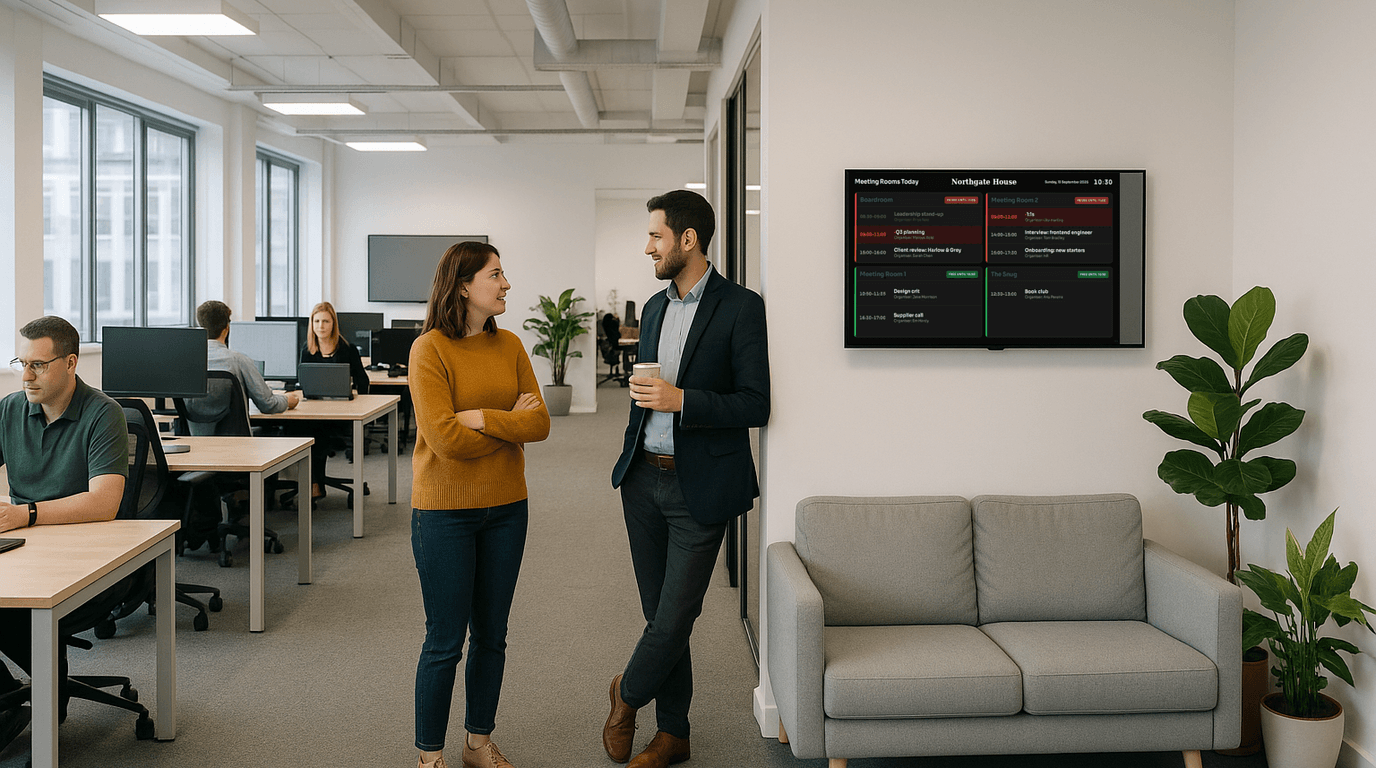
Event digital signage exists to solve this. A screen at each entrance showing the current session and what's next. A wayfinding board at reception showing which room each track is in. A schedule board that you update from your phone and that every screen reflects within seconds. When something changes, and something always changes, your attendees see the correct information before they walk to the wrong room.
Pay for the days you need. No subscription, no lock-in.
Unlike monthly digital signage subscriptions designed for permanent installations, NowBoard's event pricing means you pay only for the duration of your event. Buy a Day Pass the morning of your event and your screens are live within the hour.
Event organisers running multiple events per year often find a monthly subscription more cost-effective. Advertising is included on every plan, Day Pass and Monthly alike. See full pricing to compare.
Ready-made event templates: your programme on screen in minutes
These Boards are designed for conference and event environments: large text, clear layouts, readable from the back of a room or across a busy venue atrium.
How event managers use NowBoard on the day
Every attendee knows what's on, when, and where: without checking a programme
The Session Schedule Board shows your full conference programme on screen. Times, session names, speakers, room allocations. When a session overruns and you push the afternoon programme back by twenty minutes, you update the schedule from your phone and every screen reflects the new times. Attendees see the current programme on screens throughout the venue: at entrance points, in corridors, beside each room. No more queues of confused delegates at registration asking what is happening next.
"We used NowBoard at our two-day industry conference last year. When our opening keynote ran 35 minutes over, I updated the day's schedule from my phone during the coffee break. By the time delegates came out, the screens already showed the revised timings.": Conference Manager, professional associationA screen outside each room showing what is happening now and what is coming next
Place a tablet or small screen outside each breakout room or conference space showing the current session and the one following. Delegates approaching a room see immediately whether this is their session and how long it runs. Room changes, a common occurrence in multi-track events, update on every relevant screen simultaneously. The Now & Next Board is the simplest way to eliminate the "is this where the marketing track is?" cluster of people blocking the corridor entrance.
"The per-room Now & Next boards were the thing attendees mentioned most in feedback. One delegate said it was the first conference where she had not once had to check her phone for the programme.": Events Director, training companyBuild anticipation and keep delegates oriented with countdown screens at registration
The Countdown Board is particularly effective at registration, in networking areas before opening, or during breaks before a keynote. It shows the time remaining until the next major session: and when it reaches zero, you update it to show the session in progress. Use countdown screens in sponsor exhibition areas during breaks to signal to delegates how long they have before the next session. It reduces the flow of people suddenly rushing back at the last minute because they lost track of time.
Direct delegates to the right room without stationing staff at every junction
The Wayfinding Board shows which sessions are in which rooms, floor by floor, along with any registration points, catering areas, and toilets. For multi-floor venues or venues where conference space is spread across a building, wayfinding screens at key decision points dramatically reduce the number of delegates asking for directions. When room allocations change, as they often do in the final days before a large conference, you update the wayfinding screen once and every display across the venue corrects immediately.
From sign-up to live screens on the day of your event
Sign up and choose your plan
Create a NowBoard account. Choose a Day Pass, Event Pass, or monthly plan. No procurement process. No waiting for a vendor to provision access. You are in the platform within minutes.
Build your Boards before the event
Set up your session schedule, wayfinding, and Now & Next boards in advance. Add your event branding. Preview exactly what will appear on screen. Invite your team so they can make updates on the day.
Connect screens at the venue
Plug NowBoard Player Pro devices into venue TVs or bring your own screens. Alternatively, display NowBoard on a laptop or tablet in browser mode, no hardware required for a simple single-screen setup.
Update from your phone throughout the day
When something changes (and it will) update your Boards from your phone. Every connected screen refreshes within seconds. No running between rooms with printed notices. No radio calls to someone at a screen.
Why event managers choose NowBoard over venue AV systems
No waiting for the venue AV team
Most venue AV systems require a technician to update screens. With NowBoard, you update from your phone. Schedule changes go live immediately without involving anyone else.
Works on any screen
NowBoard Player Pro devices work on any TV or monitor with HDMI. NowBoard also runs in any modern browser, handy for laptops or tablets. Use venue screens, bring your own, or mix both.
Event pricing: pay only for the days you need
No annual contract for a one-off event. Day Pass, 3-day or 7-day Event Passes mean you pay for the duration of your event, not a permanent subscription.
Team access on the day
Add your event team to your NowBoard account. Your registration coordinator updates the schedule. Your AV contact updates technical session information. Everyone has the access they need.
Offline resilience at venues
Venue wifi is not always reliable. If the connection drops the screen keeps showing the last Board it loaded.
Reuse across multiple events
Your NowBoard account persists between events. Build templates for your recurring conferences and adjust content before each one. Monthly subscribers get a ready-to-update setup for every event.
Common questions from event managers about NowBoard
How quickly can I get screens set up before an event?
Most event managers have their first screen live within an hour of signing up. Creating a Board, adding your session schedule, and connecting a player to a screen takes less time than most venue briefings. For a more complex multi-room setup, allow an afternoon the day before your event.
Do I need dedicated hardware?
Not necessarily. For simple setups, NowBoard runs in a browser on any laptop or tablet, plug the device into a screen via HDMI or use a tablet with a stand. For a more permanent or professional setup, a NowBoard Player Pro (around £139) gives you a dedicated device that connects directly to any HDMI screen.
What is the difference between a Day Pass and a monthly subscription?
A Day Pass (£5 per Screen per day) activates a Screen for 24 hours. An Event Pass covers 3 days (£12) or 7 days (£20) per Screen. A monthly subscription (£10 per Screen per month) is more cost-effective if you run events regularly or if you want NowBoard between events for other uses. For a single annual conference, an Event Pass is usually the right choice.
Can I update the schedule from my phone during the event?
Yes. This is one of the core reasons event managers use NowBoard. Open the NowBoard dashboard on your phone, edit the session, and save. Every connected screen updates within seconds. You do not need to be near the screens.
Can I give my event team access without giving them access to everything?
Yes. NowBoard's role-based access lets you control what each team member can update. Your registration team sees the schedule board. Your AV contact sees the Now & Next boards. You keep full control across everything.
What happens if the venue's wifi is unreliable?
If the connection drops the screen keeps showing the last Board it loaded. For mission-critical event signage, we recommend connecting NowBoard Player Pro devices to a dedicated event network or a mobile hotspot.
Set up your event screens today: not next week
You do not need a lengthy procurement process to get digital signage at your next event. Sign up, add your programme, and your screens are live. Day Passes mean you pay only for the days your event runs.
No subscription required for one-off events • Day Pass from £5/screen • Works on any screen