
Two apps. Every screen, managed from your pocket.
NowBoard gives you two apps: the NowBoard Player App turns an Android TV or Google TV stick into a managed display, and the NowBoard Operator App lets you manage every screen from your pocket. Set up a NowBoard Player Pro with a QR code. Edit a schedule from the sofa. Check screen status from the car park.
Free with every NowBoard plan. No extra charge.
Why you need more than a browser tab
Most digital signage setups rely on a browser running in full screen on a TV. It works: until someone bumps the remote, the browser crashes overnight, or the Wi-Fi drops for ten minutes. Then you arrive in the morning to a frozen screen or a "page not found" error, and nobody noticed.
The NowBoard digital signage player is purpose-built software that does one job: display your boards, reliably, every single day. It starts automatically when the TV powers on. It recovers after internet outages. It does not show browser toolbars, update pop-ups or error messages. It just works.
And when you need to make a quick change, a room swap, a cancelled class, an urgent announcement, you should not have to find a laptop and log in to a dashboard. The NowBoard Operator App puts screen management in your pocket so you can update content from wherever you are.
NowBoard Player Pro: Display App
NowBoard Player Pro, your screen, sorted
The NowBoard Player Pro is a dedicated digital signage player that turns any TV, tablet or kiosk into a managed display. Plug it in, pair it, and walk away.
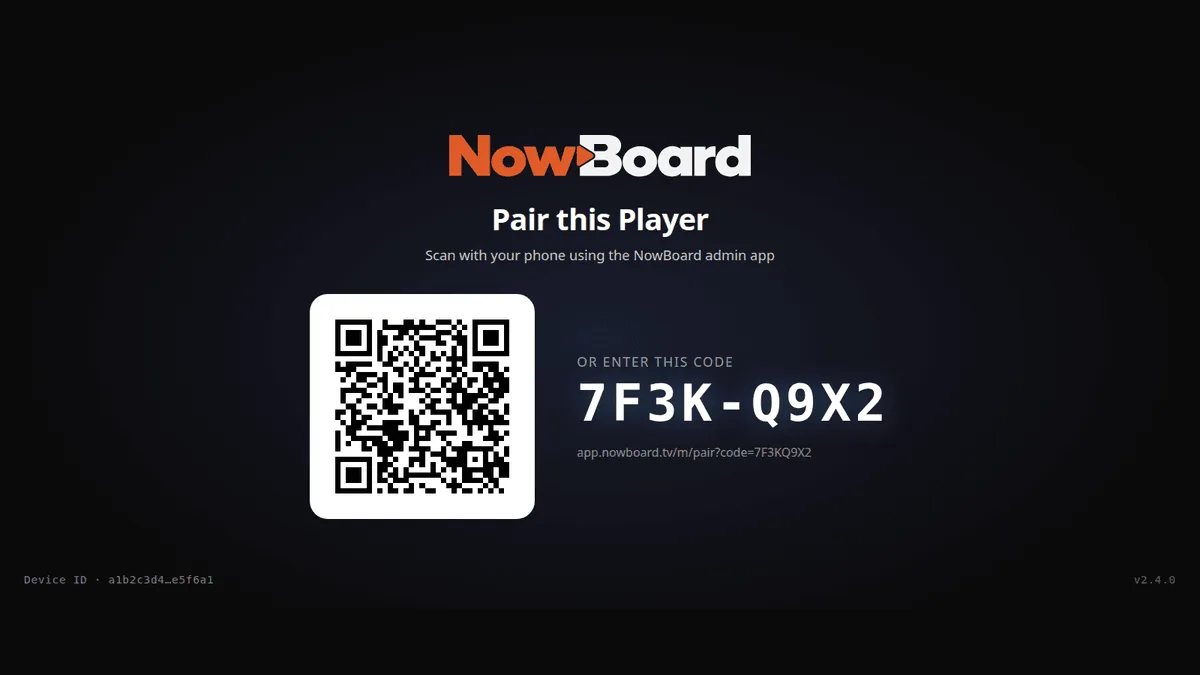
Set up a player with a QR code in under two minutes
Plug a NowBoard Player into your TV. It shows a QR code and an 8-character code on screen. Scan the code with your phone, or type the 8 characters in at app.nowboard.tv, choose a board, and your screen is live.
- Set up a new screen in a care home lounge without calling IT
- Deploy a meeting room display in the time it takes to mount the bracket
- Get a reception screen running at a hotel before the first guests arrive
- Add a screen to a school corridor without touching the school network first
Keeps showing the last Board it loaded
If the connection drops the screen keeps showing the last Board it loaded. When the connection returns, it updates automatically.
Runs on the hardware you already have
If it has an HDMI port or a screen, there is a good chance NowBoard works with it.
NowBoard Web Player (Chrome)
Try it, or use a PC you already have
Needs a Player Licence for each screen
Open your NowBoard Screen in Google Chrome. A laptop or small desktop PC wired to a screen can run a Board all day in full screen.
Trying NowBoard out, or driving a screen from a laptop or mini PC you already own.
NowBoard Player App (Android TV)
Reliable, on hardware you buy
Needs a Player Licence for each screen
An app for a Google Play Certified Android TV or Google TV stick, box, or Android tablet.
A reliable, always-on screen on Google Play Certified hardware.
Amazon Fire TV, Apple TV and Roku are not supported.
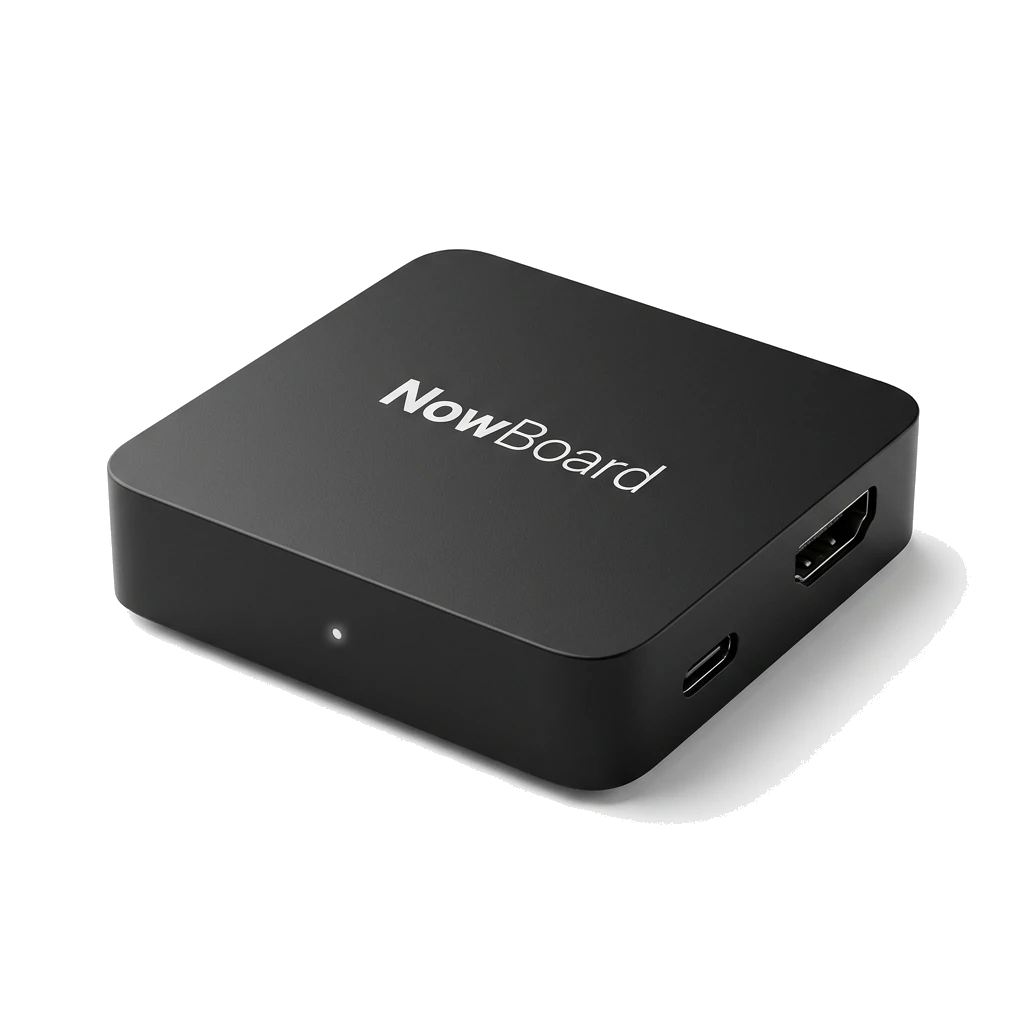
NowBoard Player Pro
For live NDI video
£199 ex VAT, UK only
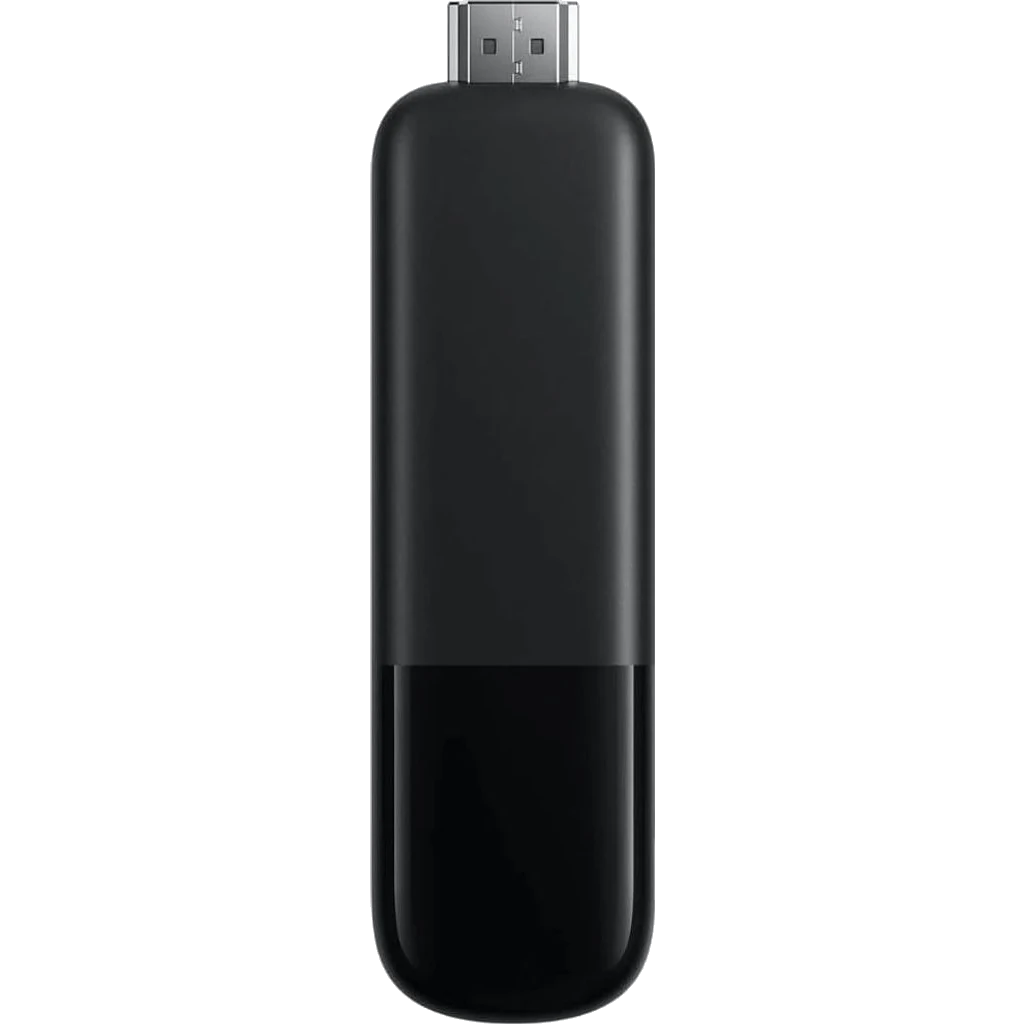
Our most powerful HDMI device, It can also show live video from an NDI source on your network. Plug in, scan the QR code, done.
Live video from an NDI source on your network, and the most reliable set-and-forget option for an unattended screen.
NowBoard Player
Plug in and go
£149 ex VAT, UK only
Our dedicated HDMI device for everyday screens. Plug in, scan the QR code, done.
Menus, notices, schedules and slideshows on a screen that runs all day without anyone touching it.
Live video from an NDI source needs the NowBoard Player Pro.
NowBoard Windows App
For a Windows PC
Needs a Player Licence for each screen
A player app for Windows. The PC driving your screen starts up, signs in and carries on showing your Boards without anyone touching it.
A screen run from a Windows laptop or mini PC you already own.
Available now. Download it from the Players page in the NowBoard app.
NowBoard Operator App: Mobile Management
Manage every screen from your phone
The NowBoard Operator App is a web app that installs from your browser on phone, tablet or desktop. It gives you the same management tools as the full dashboard, designed for quick edits on the go.
Quick-edit schedules and announcements
Tap into any board and make changes in seconds. Swap a room. Reschedule an activity. Post an urgent notice. Your edits go live on every connected screen the moment you tap save. No need to find a computer. No need to wait until you are back at your desk.
- Update a care home activity schedule from your phone during the morning handover
- Change a conference room assignment while walking between meetings
- Post a weather closure notice to every screen in a school from the car park
- Cancel a gym class and see it disappear from the reception screen instantly
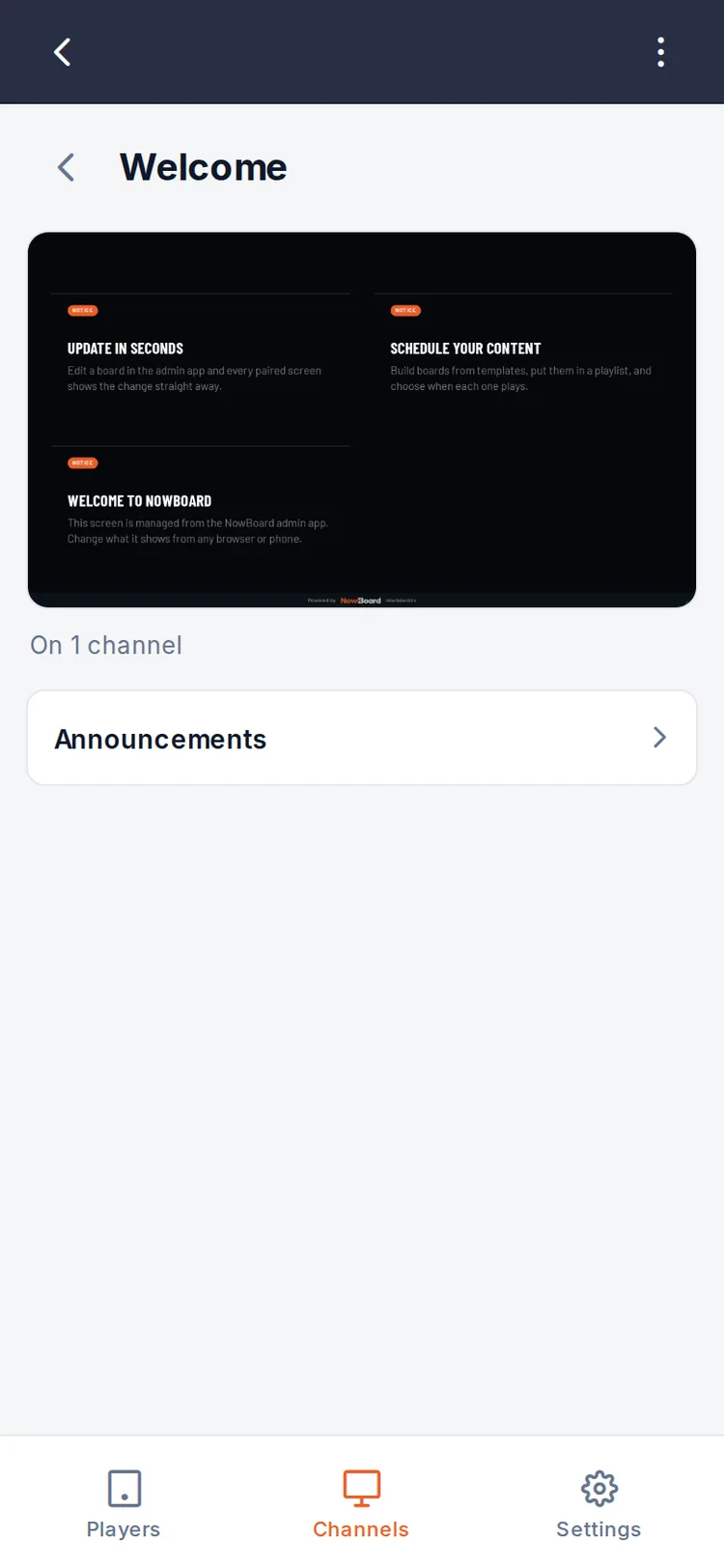
Multi-site visibility on the go
Managing screens across multiple locations? The app gives you a single view of every screen, every site. Filter by location. Drill into a specific site. See at a glance whether every screen in the organisation is online and showing the right content, all from your phone.
- Monitor twenty care homes from head office without logging in to a laptop
- Check that every school in a trust is showing the correct timetable
- Spot a problem at one location while visiting another
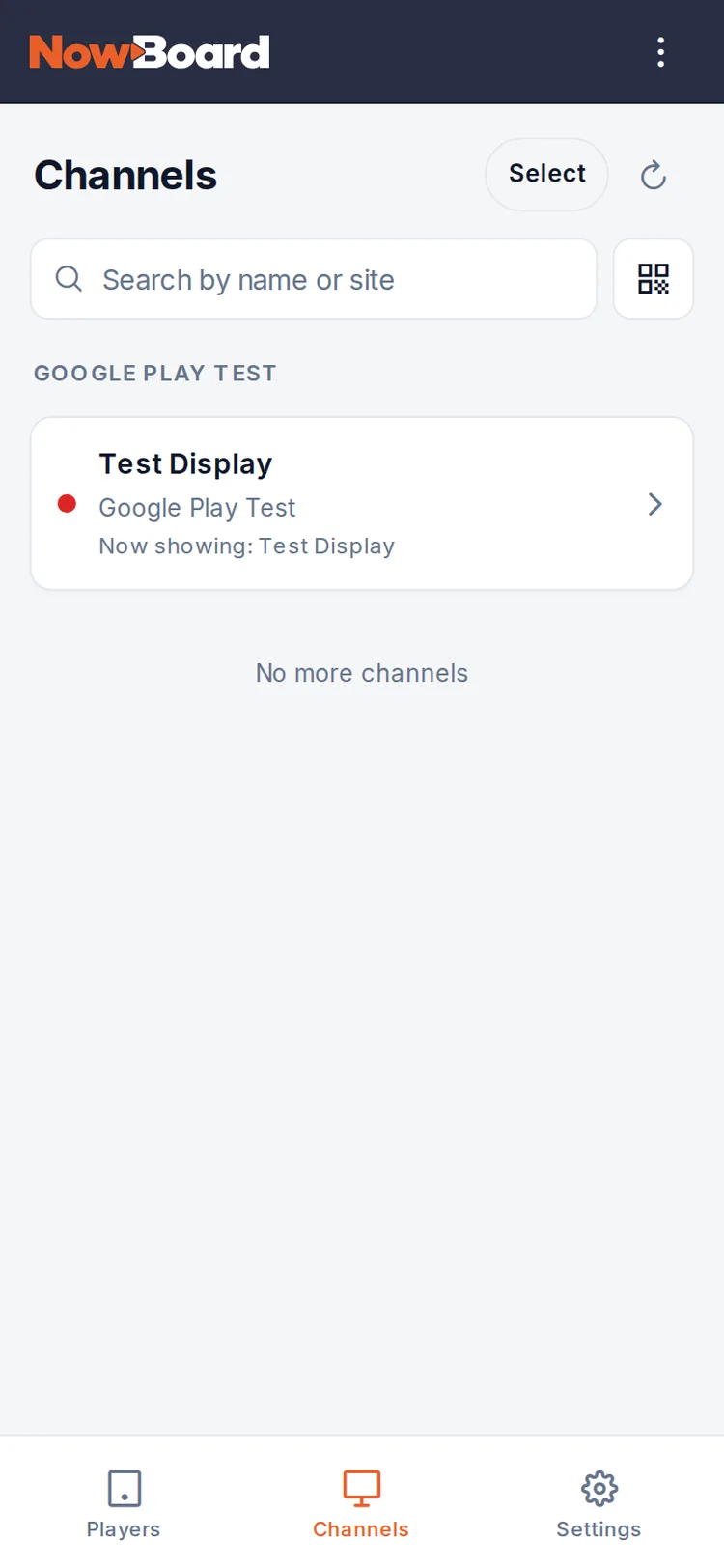
Desktop App
Full management from any desktop
Prefer to work from a computer? The NowBoard web app runs in any modern browser and can be installed as a desktop app for quick access. It is the same platform, same boards, same screens, same controls, with the extra space of a full-sized screen for detailed editing.
No software to install. No IT department required. Open the web app, log in and you have full control of every screen in your organisation.
- Build and edit detailed schedule layouts with the space of a full-sized monitor
- Run the app alongside your calendar while planning the week's schedule
- Install the PWA on a shared office computer so anyone on the team can make updates
- Access screen management from a Chromebook, Mac or Windows PC
Get started in three steps
Install and sign in
Install the NowBoard Operator App from your browser (phone, tablet or desktop). Already have an account? Sign in and your screens appear immediately. New to NowBoard? Sign up free.
Set up your screens
Plug a NowBoard Player into a TV. Scan the QR code it shows, or enter the 8-character code in the NowBoard Operator App, and choose which board to display. Your screen is live in under two minutes.
Manage from anywhere
Edit schedules, post announcements, check screen status and get notifications: all from your phone, tablet or desktop. Every change goes live instantly across every connected screen.
Download NowBoard
NowBoard Player App
On Google Play, for a Google Play Certified Android TV, Google TV stick or tablet. Needs a Player Licence for each screen.
NowBoard Operator App
Manage screens and edit content from your phone.
Want the most reliable, set-and-forget option? The NowBoard Player is a dedicated HDMI device for £149 ex VAT, and the NowBoard Player Pro (£199 ex VAT) can also show live video from an NDI source on your network. The Operator App is free with every NowBoard plan, no separate subscription.
Join our founding customers
NowBoard is built in the UK for organisations that need reliable, simple digital signage. We are looking for founding customers who want a better way to manage their screens.
Early adopter pricing available. Be the first in your sector to try NowBoard and help shape the platform.
Book a demoYour screens, managed from your pocket
Get the apps. Set up a screen in two minutes. Manage every screen from anywhere. Sign up free.