
Meeting room displays from £10/month: no booking system required
Those same screens can sell ad slots to local businesses too, and you keep up to 92% of every sale. Show what's in each room, what's coming next, and which rooms are free. A tablet on the wall or a screen by the door. Simple to manage. No calendar integration needed. Just clear information exactly where people need it.
No credit card required • Cancel anytime • From £10/Screen/month • No minimum commitment
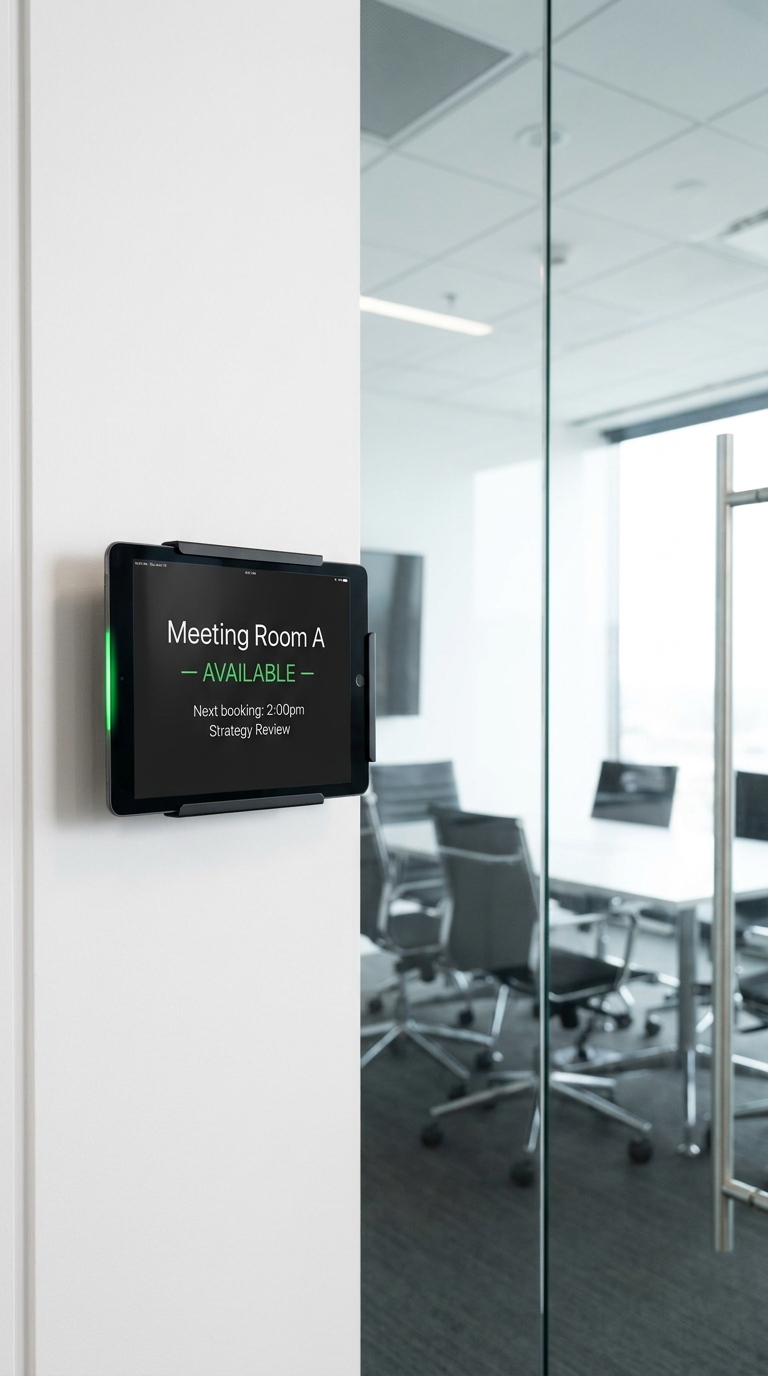
Double-booked rooms, people checking every door, and a booking system nobody actually uses properly
Every office with more than one meeting room has the same three problems. First, people walk around checking whether rooms are free by physically looking through the glass panel in the door. Second, a room gets booked in the calendar but someone starts using it anyway because there is nothing on the door to signal it is taken. Third, the booking system your IT team bought two years ago is only used by about half the office because it is complicated to set up on a phone.
NowBoard is not a room booking system. It is a display system. You manage what appears on screen, a tablet mounted by the door or a small screen in the corridor, and it shows whoever is passing what is happening in that room right now and what is coming next. Manually managed. Simple to update. Cheaper than Joan or Roomz. And the people who need to check room availability can do it without leaving their desk, by looking at the NowBoard display that faces the corridor.
Being upfront about what NowBoard is and is not
NowBoard meeting room displays can be managed manually, or kept in sync automatically from any calendar that publishes an iCal (.ics) address, including Outlook and Google Calendar. Manual updates take a couple of minutes each morning and mean zero IT setup; calendar sync removes that step once you have a published calendar address to point at.
Want automatic sync set up for your rooms? Book a demo and we can walk through it with you.
The real cost of unclear room availability in your office
Time wasted checking which rooms are free
Someone walks to the meeting floor, checks three rooms, finds one free, walks back to tell their team. That is five minutes of their time, three times a day. A screen showing room status from the corridor eliminates every one of those trips.
Rooms get squatted by people who don't book
A team sets up in a room informally. An hour later someone with a legitimate booking arrives. The room has nothing on the door to signal it is taken. The conversation is awkward. The display on the door would have prevented it.
Dedicated booking systems cost far more than most offices need
Joan starts at around £19/room/month. Roomz is similarly priced. For a 6-room office, that is over £1,000/year just for the room signs, before you pay for the hardware. NowBoard covers all 6 rooms for £60/month.
IT-managed booking systems create dependency
Every calendar integration, every authentication setup, every new joiner's room booking access is an IT ticket. NowBoard is managed by the office manager, no IT involvement required for day-to-day operation.
What your meeting room displays will look like
These are the actual Boards your screens will show. Add your room names, today's bookings, and your company branding. Done in minutes.
How office managers use NowBoard beyond meeting room signs
A screen by each room door showing who has it and when it is next free
The Meeting Room Board shows the room name, who has it booked (individual or team name), the current session and its end time, and the next booking after that. Colleagues approaching the room see at a glance whether they can use it. The "is this room free?" question gets answered before anyone asks it. Your office manager updates the schedule each morning, or each time a booking changes, from their laptop. No integration needed. No IT ticket. Two minutes and it is done.
"We have four meeting rooms and a boardroom. Before NowBoard, people would knock on the door to see if a room was free while a meeting was in progress. Now the screen outside each room shows exactly what is booked. Nobody has knocked on a meeting room door in three months.": Office Manager, professional services firm, BristolGreet visitors with a branded screen that tells them they are in the right place
A reception screen shows your company name, today's visitors and who they are meeting, a welcome message, and any information visitors need: floor directory, wifi code, safety notices, where to sign in. For offices with multiple companies or tenants, each can have its own welcome display on the screen. The reception team updates visitor information as bookings come in, it takes less time than writing in the visitor book. When a visitor arrives, they see their name on screen and know they are expected.
"Our London office has a very modern reception area but we had nothing on the large TV in the corner. We put NowBoard on it: it now shows visitor names, our meeting schedule for the day, and a welcome message. Visitors and clients remark on it. It costs us £10 a month.": EA to the CEO, technology companyGet notices to people without another all-staff email
The Announcements Board in the kitchen, the break area, or the corridor handles the notices that would otherwise go in an email nobody reads until a week later. Building works next Tuesday. Fire drill this Thursday at 10am. New parking arrangements from Monday. Post it once on NowBoard and it appears on every relevant screen in the office automatically. Set an expiry date so old notices disappear. No stale posters. No messages in the wrong Slack channel.
Tell visitors and new starters where to find who
A directory board in reception or by the lift shows which teams are on which floor, key contacts, and department locations. For offices where teams move around regularly or where new starters frequently need to find people, a screen showing the current layout is significantly more useful than a paper floor plan printed six months ago. Update it once when teams move. Every screen with that Board shows the current information immediately.
Get your first office screen up in under 15 minutes
Sign up and create your Boards
Choose the Meeting Room Board template. Add your room name, today's bookings, and your company logo. Done in minutes, no design skills needed.
Connect a screen at each room
Plug a NowBoard Player Pro into a wall-mounted TV, a small screen by the door, or a tablet on a stand. Connect to your office wifi. The screen is live immediately.
Update the schedule each morning
Your office manager opens NowBoard on their laptop, adds today's bookings, and saves. Every room screen updates instantly. Takes about two minutes.
Add reception, announcements, and more
Once your room screens are running, add a reception welcome board and an announcements screen. Each is a separate Board: same account, no extra setup.
NowBoard versus dedicated room booking systems
| Feature | NowBoard | Joan / Roomz |
|---|---|---|
| Meeting room display | Yes: manually managed | Yes: calendar-integrated |
| Calendar sync (Outlook/Google) | Coming Phase 2 | Yes |
| Works on existing screens | Yes: any HDMI screen | Proprietary hardware only |
| Reception welcome screen | Yes | No |
| Company announcements | Yes | No |
| Office directory | Yes | No |
| Monthly cost (6 rooms) | £60/month | ~£114–180/month |
| IT setup required | No: managed by office manager | Yes: calendar integration |
| Free plan | Permanent, no credit card | Varies |
Prices approximate. Joan and Roomz pricing based on published rates at time of writing. NowBoard syncs from any published calendar (iCal) address; book a demo to see it set up for your rooms.
Common questions from office managers about NowBoard
Does NowBoard sync with our Outlook or Google Calendar?
Yes. Add the published iCal address from Outlook or Google Calendar and NowBoard keeps the room schedule in sync automatically. Prefer to skip the setup? Your office manager can also update the schedule manually each morning, and for offices where that is acceptable, the simplicity is a real advantage.
What hardware do I need for a room display?
Any screen with an HDMI port plus a NowBoard Player Pro (around £139). For a room sign, a 32-inch TV or a tablet works well. NowBoard Player Pro devices are small, about the size of a phone charger, and plug directly into the screen's HDMI port. Alternatively, you can use a tablet in a tablet stand, which needs no additional hardware.
How much does it cost for six meeting rooms?
NowBoard bills per Screen, not per TV. A single office with six meeting room screens, a reception screen, and an announcements screen all counts as one Screen, £10/month total. If your office is spread across two buildings, that would be two Screens at £20/month. Advertising is included on every plan. See full pricing for Professional features and annual savings.
Can the office manager update screens without involving IT?
Yes. This is the core reason many office managers choose NowBoard over calendar-integrated systems. Adding a booking, changing a meeting name, posting an announcement, all done from a browser on any device. No IT ticket. No integration to maintain. No authentication to set up for new starters.
Can NowBoard show more than meeting room schedules?
Yes. The same account handles reception welcome screens, company announcements, and staff directories. A single NowBoard subscription can power every informational screen in your office, from the room sign to the reception TV to the break room announcements board.
What if our office wifi is unreliable?
If the connection drops the screen keeps showing the last Board it loaded. In most office environments this is rarely an issue, but it matters during a connectivity blip.
Sort your meeting room signage this week, not after a procurement process
NowBoard takes 15 minutes to set up. Start free, build your room displays, and see them live on your screens before the end of the day. No IT. No contract. No minimum term.
No credit card required • Cancel anytime • From £10/Screen/month • UK-based support