
We’re here to help.
You can have your first screen live in about 15 minutes. If you get stuck, we’ve got you.
FAQ
Answers to common questions about getting started, pricing, hardware and your account.
Read the FAQ →Setup guide
The step-by-step guide below gets you live on your first screen in 15 minutes.
Jump to setup guide →Email support
Can’t find the answer? Email our team directly. We reply within one working day.
hello@nowboard.tvSetting up for the first time?
Live on any screen in 15 minutes: no engineers, no IT, no fuss.
Sign up free
Sign up at app.nowboard.tv/register. Create your account with your name, email and a password. No credit card needed.
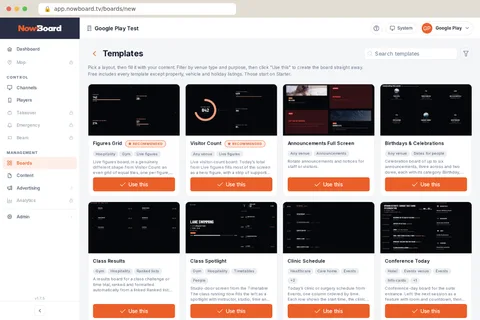
Pick a Board and add your content ~5 min
Choose a template: welcome screen, timetable, menu, noticeboard. Add your text. It’s like filling in a form.
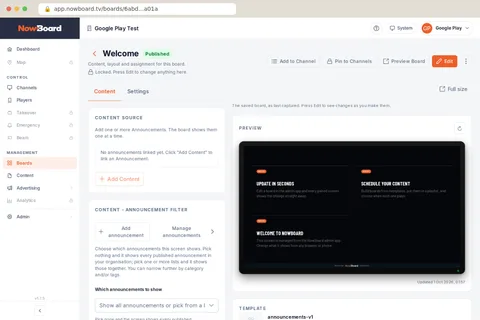
Plug in and display ~8 min
Try NowBoard in any browser, install the NowBoard Player App on an Android TV or Google TV stick, or plug in a NowBoard Player (£149 ex VAT) or Player Pro (£199 ex VAT) via HDMI and scan the QR code. Connect to Wi-Fi. Your Board appears instantly.
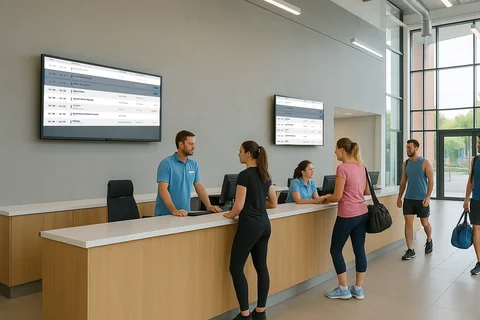
Need more detail? Read the FAQ → or email us.