
One dashboard. Every screen. Every building.
Every screen on that dashboard can also sell ad slots to local businesses, and you keep up to 92% of every sale. You manage the buildings. You should not also be managing thirty notice boards by hand. NowBoard gives facilities managers a single dashboard to control what appears on every display screen across corridors, receptions, common areas and entrances, updated from your phone, your laptop, or your desk. No printing. No walking site to site.
No credit card required • Cancel anytime • From £10/TV/month ex VAT • Multi-site management on Professional
Managing displays across buildings should not be a second job
Facilities managers are responsible for the physical environment people work, learn, and live in. Heating, ventilation, cleaning, security, maintenance, compliance. Somewhere near the bottom of that list, but somehow consuming hours every week, is the task of keeping notice boards and information displays current across every building on site.
A facilities manager at a multi-academy trust looks after four school buildings spread across a town. Each school has a reception area with a notice board, a staff room with a whiteboard, and a corridor with printed information for parents. That is twelve separate display points. Each one needs updating when something changes: a new safeguarding poster, a change to term dates, a building closure for maintenance. The FM does not sit in any of these buildings full time. Every notice board update means getting in the car, driving to the site, finding the keys, printing the notice, pinning it up, and driving back. Four times. And when the date changes, the whole process starts again.
Paper notice boards do not scale. Neither do spreadsheets, emails, or hoping someone else does it.
Paper boards require physical visits
For someone managing multiple buildings, a notice that needs to go up in five buildings is a logistics problem. Every update means travel, printing, pinning: and when things change again, the whole process repeats.
Information is inconsistent across sites
When updates are distributed manually, some buildings get updated and some do not. There is no way to verify, from your desk, whether every board in every building is showing the right information right now.
Nobody owns the notice board
Reception staff pin things up. The cleaning supervisor takes old notices down, or does not. Department heads add their own posters. The result is a board that looks like a collage. Nobody curates it because everybody contributes to it.
Urgent updates travel slowly
A burst pipe. A car park closure. A fire alarm test. With paper, printing and distributing a notice takes hours. The gap between "something has happened" and "everyone knows about it" should be measured in seconds, not hours.
Manage every screen in every building from one place: updated in seconds, not hours
NowBoard gives facilities managers a single dashboard to control what appears on display screens across all their buildings. Change one screen or change them all. See the status of every display at a glance. Know that every building is showing the right information right now.
Plug a NowBoard Player into any screen
A small device, about the size of a phone charger, connects to any TV or monitor via HDMI. Uses existing wifi. Costs £149 ex VAT per TV, UK only, or £199 ex VAT for the Player Pro, which can also show live video from an NDI source on your network. Use TVs you already have or ask us about UK TV supply from £300–£3,000 ex VAT per TV by specification.
Organise screens by building and location
Group your displays by site: Main Building Reception, East Wing Corridor, Sports Centre Entrance. Each screen can show different content. The dashboard shows them all.
Add your content
Type your announcements, schedules, safety notices, and building information. Choose layouts that match each screen's purpose, a reception welcome screen looks different from a corridor safety board.
Update from anywhere
Boiler service on Thursday? Add a notice from your desk. Fire assembly point changed? Update every screen in every building in sixty seconds. Water shutdown in Block B? Post the notice to Block B screens only. All from your phone.
How facilities managers use NowBoard across different types of buildings
Multi-site organisations: consistent information on every screen, updated from one desk
NowBoard lets you push content to specific buildings, groups of buildings, or every screen at once. A fire safety notice goes to all screens. A local maintenance notice goes only to the affected building. A welcome message goes to all reception screens but not the staff room screens.
Education estates: keeping students, staff and visitors informed across campuses
Schools, colleges, and universities have display needs that shift daily. Room changes. Exam timetables. Inset day reminders. Visitor information in reception. NowBoard gives education facilities teams a way to manage all of this from one dashboard. When a classroom is out of use because of a water leak, the facilities manager posts a notice to the corridor screen outside that room: from their phone, while they are on the phone to the plumber.
Healthcare and care settings: displays that families, staff and residents can rely on
NowBoard screens in care settings show live information that is updated as things change. The activities coordinator updates the lounge screen when the afternoon session changes. The receptionist updates the waiting room screen as delays build. The facilities manager updates safety information across all sites from the central dashboard. Each screen shows a timestamp so people can see when it was last changed.
Corporate offices and business parks: building notices that reach everyone
NowBoard screens in office lobbies, lift lobbies, break rooms, and common areas show building notices where people actually look. The facilities manager updates all of them from one dashboard without sending another email that nobody reads.
Leisure and community facilities: keeping visitors and staff informed across large spaces
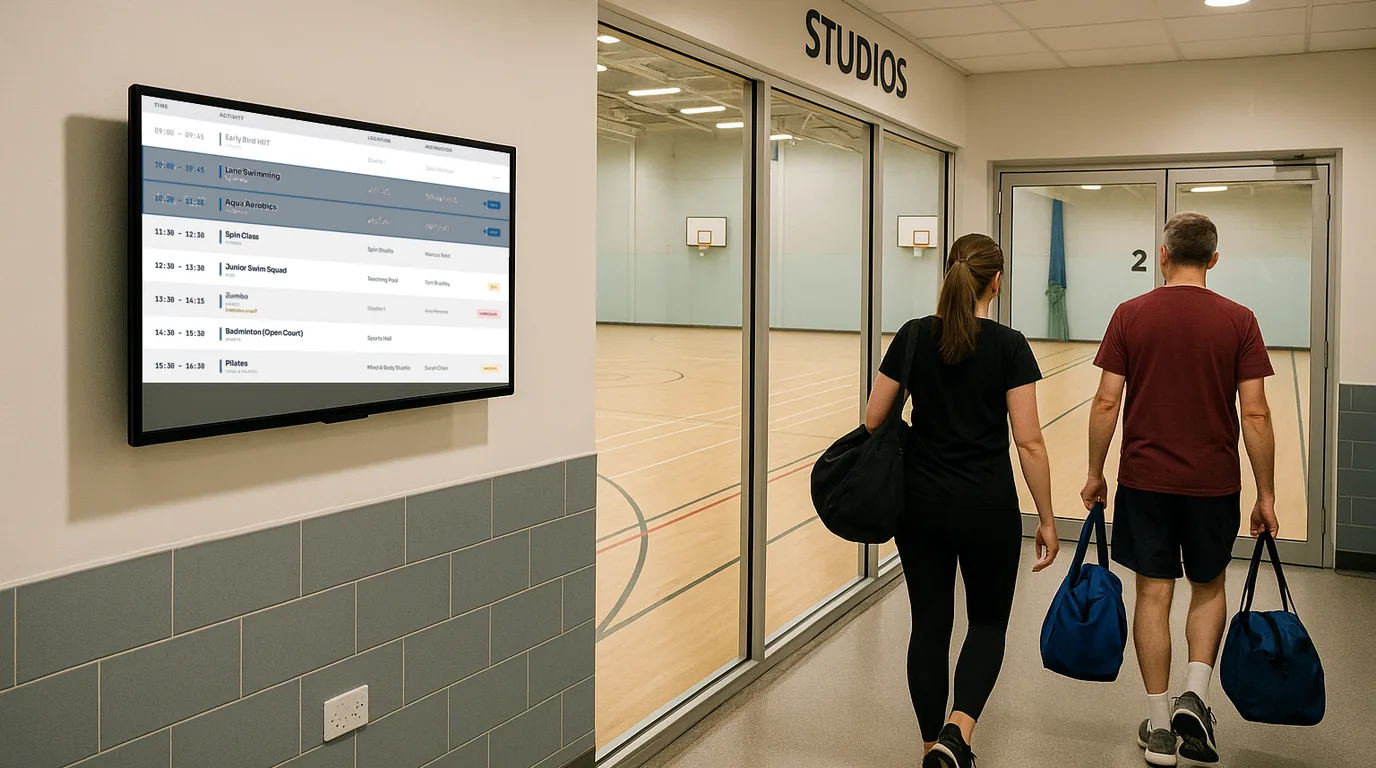
NowBoard screens at entrance points, in corridors, and near key facilities show live, current information. The entrance screen shows today's programme and any facility closures. The corridor screen shows the sports hall booking schedule. The facilities manager publishes building notices to all screens while the programming team manages activity content.
Why facilities managers choose NowBoard over enterprise digital signage
Multi-site management from one dashboard
See every screen in every building. Group displays by site, floor, or purpose. Push content to one screen, one building, or all buildings at once.
Delegate without losing control
Invite your on-site staff to update their own notices, with no per-seat charge. Owner and Admin roles work today, and roles that limit someone to certain screens are coming.
Works on any screen you already have
A TV in a corridor. A monitor behind reception. A screen in a common room. If it has an HDMI port, it works with NowBoard. A NowBoard Player costs £149 ex VAT, UK only, or £199 ex VAT for the Player Pro.
No design skills required
Type your announcement. Enter your schedule. The screen handles the layout. Facilities managers are not graphic designers, and they should not need to be.
Offline resilience
If the wifi drops, and in older buildings, it drops, the screen keeps showing the last Board it loaded.
Affordable at scale
£10 per TV/month on Starter, £20 per TV/month on Professional (with Scheduled Boards, takeover and emergency alerts), all ex VAT. Four TVs across four buildings = £40/month on Starter, £80/month on Professional, ex VAT. No setup fees. No annual contracts. Advertising is included on every plan. See pricing.
Get screens up and running across your buildings in a day: not a quarter
Sign up free
Create your account online. The Free plan needs no credit card and no procurement approval.
Plug NowBoard Player Pro devices into your existing screens
Any TV or monitor with HDMI. Connect to your building's wifi. Each player takes under five minutes to set up. Start with one building and expand when you are ready.
Organise your screens
Name each screen and group them by building. Main Building, Reception. East Wing, Corridor. Sports Centre, Entrance. The dashboard shows them all.
Add your content and delegate access
Type your announcements, schedules, and notices. Invite your on-site staff, coordinators and receptionists to update their content, while you keep oversight of everything.
Common questions from facilities managers about NowBoard
Can I manage screens across multiple buildings from one account?
Yes. NowBoard is built for multi-site management. Group your screens by building, floor, or purpose. Push content to one screen, one building, or all buildings at once. There is no limit on the number of buildings or screens per account.
Can I give different staff access to different screens?
Not yet. Today you invite people as Owner or Admin, and an Admin can change any screen. Roles that limit someone to certain screens are coming.
What screens and hardware do I need?
Any TV or monitor with an HDMI port. For corridors and reception areas, a 32–43 inch screen works well. If you already have TVs or monitors in your buildings, you can use those. Each screen needs a NowBoard Player (£149 ex VAT, UK only) or Player Pro (£199 ex VAT) which connects via HDMI.
How much does it cost for multiple sites?
Starter is £10 ex VAT per TV per month. Twenty TVs across four buildings cost £200/month, ex VAT. Optional hardware and UK installation are separate. See pricing. For larger estates, fifty screens or more, contact us for volume pricing.
What happens if the wifi goes down in one of my buildings?
If the connection drops the screen keeps showing the last Board it loaded. Especially useful in older buildings (schools, housing schemes, community facilities) where wifi coverage can be inconsistent.
Can I see the status of all my screens remotely?
Yes. The NowBoard dashboard shows the status of every screen: online, offline, and what content is currently displaying. If a screen in a remote building goes offline because someone unplugged the TV, you will know from your desk.
Is this different from the digital signage systems our AV contractor quoted?
Probably. Most AV contractors quote enterprise digital signage platforms designed for video playback and media-heavy displays. These cost significantly more, require design skills, and often need IT involvement. NowBoard is a text-based building display tool: designed for notices, schedules, and announcements. No video editing. No design software.
How long does it take to set up?
A single screen takes under five minutes. A building with three or four screens takes under thirty minutes. Most facilities managers have their first building running within an hour of signing up. No installation beyond plugging the player into a screen and connecting to wifi.
Stop driving between buildings to update notice boards
Every hour you spend on manual display updates is an hour not spent on the work that actually keeps buildings running. One dashboard. Every screen. Every building. Updated in seconds.
No credit card required • Cancel anytime • UK-based support • From £10/TV/month ex VAT
Managing a large estate? Get in touch, we will walk you through how NowBoard works for multi-site facilities teams.