
Screens that pay for themselves
Everything you need to keep
your screens running
Every NowBoard screen can sell ad slots to local businesses, and you keep up to 92% of every sale. NowBoard is cloud digital signage built around a clear product model: Boards, Channels and Players. Every feature follows from that.
Free plan. No credit card required.
Earn revenue from your screens
Every NowBoard screen can sell ad inventory. Define what is for sale, set the price, and let advertisers book slots directly. We handle payments and content moderation - you keep the revenue.
Ad Space
Define sellable inventory on each Screen. Set price, slot length, accepted creative types.
Three selling models
Exclusive (sponsorship-style) · Shared lanes (round-robin) · Auction (highest bid).
"Advertise here" QR code
Put the Advertise Here Board in your loop and a QR code on screen takes local businesses to your public booking page. They book in minutes, no NowBoard account needed.
Stripe payments
We handle the payment, take a small commission, and pay out the rest to you through Stripe.
Proof of play
Every ad play is logged as it happens, so you and your advertisers can see how many times an ad ran.
Content approval
You approve every booking before it plays. Brand-safe by default.
Commission rates: Free 30% · Starter 20% · Professional 13% · Enterprise 8%. Learn more about the Ad Space →
Content, Boards, Channels and Players
- ContentWrite it once, link it to any Board
- BoardA Template plus the content it reads
- ChannelArrange Boards and set their timing
- PlayerChoose the Channel to show
- TVOne licence per connected display
Everything on this page
Twelve features, one product model. Pick the one you need and jump straight to it.
Write it once. Every Board using it changes.
Your menus, timetables, notices and team lists live in one library, kept separate from the screens that show them. The same menu can feed the restaurant Board, the foyer Board and the lift lobby Board. Change it at 11am and all three are right within seconds, with nothing to republish.
Schedules and times
Timetables, Events, Rooms & bookings, Opening Times, Countdowns, Fixtures & results.
Notices and media
Announcements, Info Cards, Media, QR Codes, Web URLs, YouTube, Photo Albums, Social Links, Reviews, Job Vacancies.
People and places
People, Dates for people, Places, Teams.
Menus, numbers and listings
Menus, Ranked lists, Live figures, Property listings, Vehicle listings, Holiday listings, Safety Counters, Products.
100+ digital signage templates, ready to go
A Board is a ready-made screen layout. Pick one, link it to your content, and it is live. Every Board is designed to be read from across a room: large text, clear structure, high contrast. No design skills needed.
Schedule / Timetable
Daily or weekly programme. Works for activities, classes and sessions.
Noticeboard
Notices, updates and messages for residents, staff or visitors.
Announcements
Urgent and routine notices, colour-coded, urgent ones first.
Countdown
Count down to an opening, a launch or the big night.
Pool Schedule
Morning, afternoon and evening sessions with full and cancelled marked.
Specials Board
Chef's specials, drinks and happy hour, with sold-out items crossed off.
Queue & Wait Time
Now serving, estimated wait and the notices patients need while they sit.
Exhibitions
What is on, where, and until when, with photos.
Opening Times
Hours, holiday changes and what is open now.
Weather
Local forecast beside your own messages.
Image Slideshow
Upload photos and display them in a rotating gallery.
Quick Board Professional
A minimal Board with title, subtitle, image and body text, built in seconds from any device.
Custom Boards Starter+
Customise standard templates with your own colours, logo and font. Your branding, applied across every Board in your account.
Grid editor Starter
Build a Board from scratch with your own layout, zones and content blocks. Full creative control when the standard templates aren’t quite right.
Templates are organised by sector: care homes, hotels, offices, schools, gyms, events. Each Template ships with sample content tailored to your sector so you never start from a blank screen.
100+ Templates × 10 Styles
A Style is a house look for your screens: the typefaces, the background, whether rows sit on cards or on hairlines, how much air a row gets, and where your brand colour is allowed to appear. Pick one on your Brand and every Board follows it, so a playlist reads as one set of screens rather than 100+ unrelated ones. Override it on a single Board when that Board needs to stand apart.
- Hairline
- Plate
- Aurora
- Signal
- Editorial
- Broadsheet
- Soft
- Ledger
- Poster
- Duotone
Your Board is not redrawn for each Style and your content is not copied: one layout, rendered 10 ways. That is over a thousand ways your screens can look, from the same 100+ Templates you already have. See one Board in all 10 Styles →
Rotate Boards, and change them by time of day
A Channel brings your Boards together. Choose their order, how long each plays, and when they appear. The TVs connected to that Channel follow along automatically.
- Rotate Welcome, Timetable, and Announcements every 10 seconds
- Show the Menu Board at lunch but not at other times
- Add a one-off Board for a special event without disrupting your normal rotation
- Reorder Boards by drag and drop
Board rotation is managed inside the Channel. TVs sharing a Channel show the same sequence; choose different Channels to show different content.
Make yourself
at home.
Good company. Something for everyone.
Meet your
neighbours.
Friday · 10am · Everyone welcome
Illustrative preview: each Board plays for 4 seconds here. Set your own timings in NowBoard.
Different content at different times of day
Scheduling lives on the Channel. Choose different Board sequences for different time windows, and let NowBoard switch them automatically, no one needs to log in at 8am to change the board. Time-of-day scheduling is on every plan. Scheduled Boards for a specific date and time are on Professional and Enterprise.
Within your Channel, assign a Board sequence to any time window and any combination of days. NowBoard switches automatically, no one needs to log in to change the board at 8am.
- →Different Boards morning, lunch and evening
- →Weekday vs weekend schedules
- →Set it once: runs automatically every day
- →Change the content without touching the schedule
Channels and your sites
One Player Licence per connected TV, from £10 ex VAT per TV per month on Starter. Any number of licensed TVs can share a Channel or show different content. Three TVs cost £30/month on Starter, ex VAT. Paid plans include unlimited Boards, Playlists and Channels.
- Billing is per connected TV, not per Channel or user
- Each Channel manages its Board rotation and timing
- Any number of licensed TVs can share one Channel
- Manage all Screens from one dashboard
Brands Professional: Unlimited
A Brand is a set of logos, colours and display settings applied to any Screen. Free and Starter include 1 Brand. Professional and Enterprise include unlimited Brands, ideal for franchise groups, multi-venue operators, or white-label deployments.
Team access and permissions
Invite your team and give each person the right level of access. Owner and Admin roles are enforced today; more granular roles are coming.
Roles (all plans):
- Owner has full access, including billing
- Admin has full content and location control, without billing access
- Invite as many users as you need, no per-seat pricing
| Access | Owner | Admin | Manager (coming) | Editor (coming) | Viewer (coming) |
|---|---|---|---|---|---|
| Boards | ✓ | ✓ | Coming | Coming | Coming |
| Playlists | ✓ | ✓ | Coming | Coming | Coming |
| Screens | ✓ | ✓ | Coming | Coming | Coming |
| Billing | ✓ | – | Coming | Coming | Coming |
Two ways to take over every screen
Takeover is for the moment you want to make. Emergency is for the moment you have to manage. Both put one message on every screen in seconds, and both end the moment you say so.
Takeover: the right message on every screen, right now
Takeover is for the moments you want to make, not the ones you have to manage. A client walks in, a sponsor arrives, the raffle is drawn, the match kicks off: one tap from your phone and every screen shows it. Screens go back to their normal rotation the moment you switch it off. For safety messages, use Emergency below.
Impress a visitor
"Welcome, Harlow & Grey" on the lobby screen as the client steps out of the lift. "Thank you to tonight's sponsor" across the conference foyer as they arrive.
Seize the moment
Happy hour starts now. The raffle winner is table 12. Kick-off in five minutes. A birthday in the lounge. Say it on every screen while it matters.
From your pocket
Title, subtitle, message and an optional image, built in seconds on your phone. Push it to every Screen or just one site. No access to the TVs needed.
Gone when you say
One tap to activate, one to end it. Screens return to their Playlists instantly, with nothing to reset per TV.
Emergency: one click, every screen
When something urgent happens, you need every screen in the building to show the same message immediately. Emergency does exactly that.
Instant override, all screens
Ready-made presets: pick one, adjust the wording, activate. The same icons appear on screen.
- Fire Evacuation
- Critical Alert
- Test / Drill
- Maintenance Mode
- Missing Person
Activate an Emergency from your dashboard and it takes over every Screen in your Organisation, or just a specific Site. Type your message, choose a background colour, and hit activate. Every screen updates within seconds. Deactivate when the situation is resolved and Boards return to their normal rotation.
Works on any TV
NowBoard works with off-the-shelf hardware - no proprietary boxes, no specialist contracts.
NowBoard Web Player (Chrome)
Try it, or use a PC you already have
Needs a Player Licence for each screen
Open your NowBoard Screen in Google Chrome. A laptop or small desktop PC wired to a screen can run a Board all day in full screen.
Trying NowBoard out, or driving a screen from a laptop or mini PC you already own.
NowBoard Player App (Android TV)
Reliable, on hardware you buy
Needs a Player Licence for each screen
An app for a Google Play Certified Android TV or Google TV stick, box, or Android tablet.
A reliable, always-on screen on Google Play Certified hardware.
Amazon Fire TV, Apple TV and Roku are not supported.
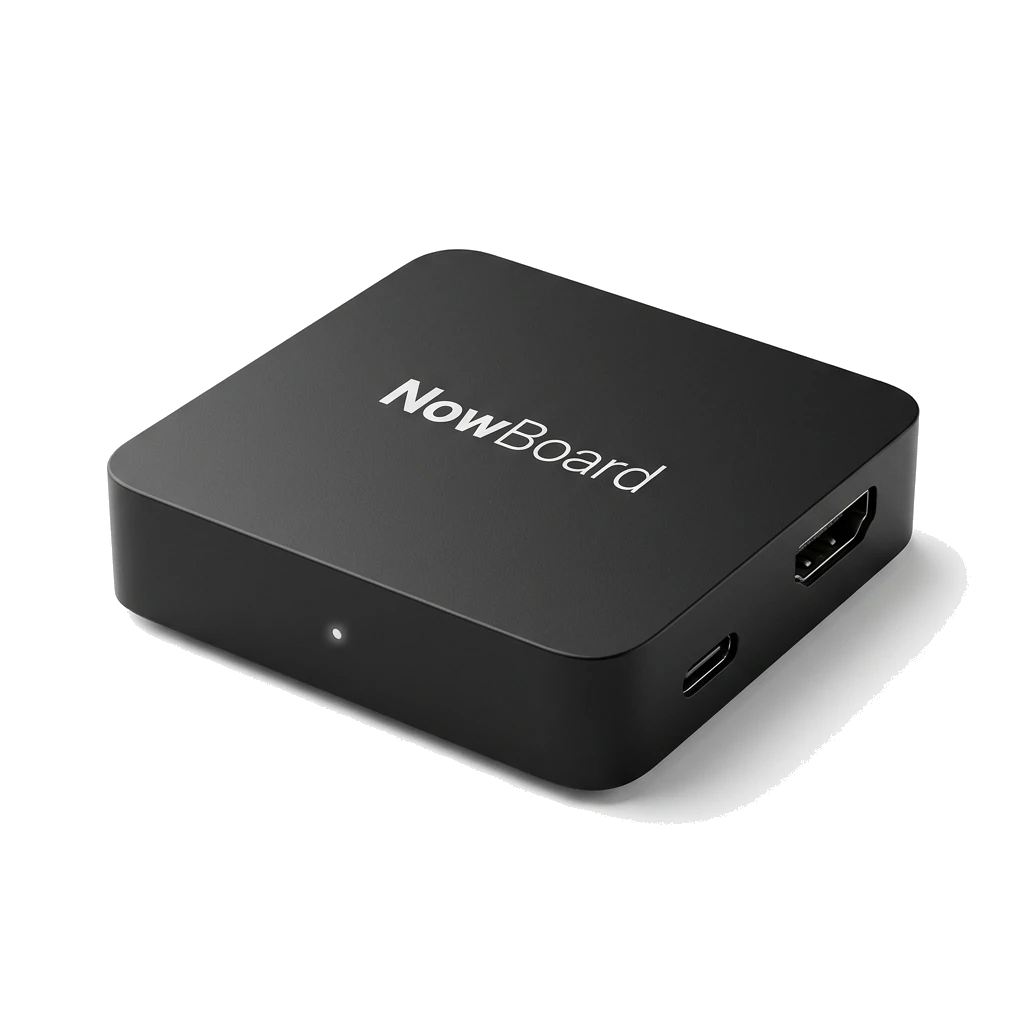
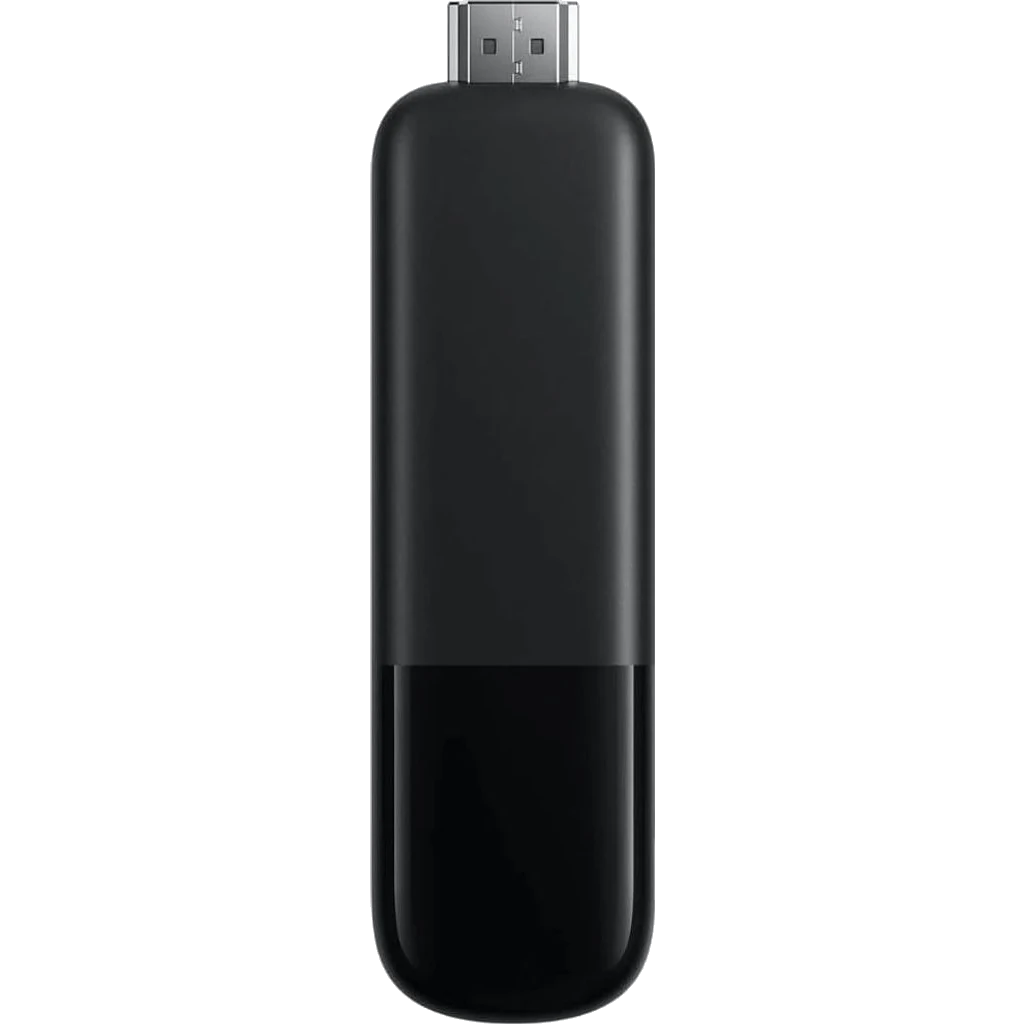
NowBoard Player Pro
For live NDI video
£199 ex VAT, UK only
Our most powerful HDMI device, It can also show live video from an NDI source on your network. Plug in, scan the QR code, done.
Live video from an NDI source on your network, and the most reliable set-and-forget option for an unattended screen.
NowBoard Player
Plug in and go
£149 ex VAT, UK only
Our dedicated HDMI device for everyday screens. Plug in, scan the QR code, done.
Menus, notices, schedules and slideshows on a screen that runs all day without anyone touching it.
Live video from an NDI source needs the NowBoard Player Pro.

NowBoard Windows App
For a Windows PC
Needs a Player Licence for each screen
A player app for Windows. The PC driving your screen starts up, signs in and carries on showing your Boards without anyone touching it.
A screen run from a Windows laptop or mini PC you already own.
Available now. Download it from the Players page in the NowBoard app.
The NowBoard Player is the best option for permanent, unattended displays, and the NowBoard Player Pro adds live video from an NDI source on your network. Compare hardware options →
Every TV connects through a Player Licence
Every TV connects through a Player Licence you can open in any browser, no login needed. Use it to preview a Board on your laptop, or point a TV or tablet browser at it to display your boards.
NowBoard Player and Player Pro: set it up once, it runs itself
The NowBoard Player and Player Pro are dedicated HDMI devices that plug into any TV. Designed for unattended, always-on displays. Choose the Player Pro to show live video from an NDI source on your network.
Auto-start on boot
Powers on, connects to Wi-Fi, and loads your Boards automatically. No daily setup.
Offline resilience
If the connection drops the screen keeps showing the last Board it loaded.
Kiosk mode
Locks the device to NowBoard. No way for a visitor to accidentally navigate away.
Display hours
The screen goes dark outside the hours you set and wakes by itself. No need to switch it off by hand.
Remote management
Reboot, update, or change content on any NowBoard Player or Player Pro from your dashboard, without touching the device.
From £149 ex VAT, one-off
Buy once: £149 ex VAT for the Player, £199 ex VAT for the Player Pro. No ongoing hardware fee. Works with any HDMI TV, including existing wall-mounted displays. Learn more →
Describe a Board. Make it yours. Professional
Tell AI Designer what the Board is for. It makes three designs. Choose one, then ask for changes in plain words. Save it as a Board and add it to a Channel. Starter includes manual custom layouts, without AI. See an example.
Describe
Answer a few questions: what the Board is for, which way the screen faces and which brand colours to use.
Choose and change
Pick one of three designs. Ask for a change and get a new version. Earlier versions stay, so you can go back.
Monthly images
Each design or change uses one image. Professional includes 50 images a month and Enterprise includes 200.
Compare every feature by plan
Everything each plan includes. Paid plans are priced per TV per month; see pricing for prices in your currency.
| Feature | Free | Starter | Professional | Enterprise |
|---|---|---|---|---|
| Screens and content | ||||
| TVs | 1 | One licence per TV | One licence per TV | One licence per TV |
| Channels | 1 | Unlimited | Unlimited | Unlimited |
| Playlists | 1 | Unlimited | Unlimited | Unlimited |
| Boards | Up to 5 | Unlimited | Unlimited | Unlimited |
| Ad Spaces | Unlimited | Unlimited | Unlimited | Unlimited |
| Edit from phone or desktop | Included | Included | Included | Included |
| Design | ||||
| Templates | All except listings | 100+, including listings | 100+, including listings | 100+, including listings |
| Styles | Signal, Soft and Poster | All 10 | All 10 | All 10 |
| Your logo and colours | Included | Included | Included | Included |
| Remove the NowBoard footer | Not included | Included | Included | Included |
| Manual custom Board layouts | Not included | Included | Included | Included |
| Four languages | Included | Included | Included | Included |
| Scheduling and alerts | ||||
| Time-of-day scheduling | Included | Included | Included | Included |
| Sync any published calendar (iCal) address | Not included | Included | Included | Included |
| Scheduled Boards on a specific date and time | Not included | Not included | Included | Included |
| Takeover and emergency alerts | Not included | Not included | Included | Included |
| AI Designer | Not included | Not included | 50 images a month | 200 images a month |
| Advertising | ||||
| Commission on ads you sell direct | 30% | 20% | 13% | 8% |
| Support and billing | ||||
| Priority email support | Not included | Not included | Included | Included |
| Tailored onboarding | Not included | Not included | Not included | Included |
| Account management | Not included | Not included | Not included | Shared; dedicated from £7,500/month ex VAT |
| Contractual SLA | Not included | Not included | Not included | From £7,500/month ex VAT |
| Volume pricing | Not included | Not included | Not included | Included |
| Direct Debit, BACS and invoice billing | Not included | Not included | Not included | Sign up, then ask from the Billing page |
Listings are the Property, Motor and Holiday templates.
Sign up free for 5 free Boards
Pick your first Board, add your content, and display it on any TV: any browser, the NowBoard Player App, or a NowBoard Player (£149 ex VAT) or Player Pro (£199 ex VAT). No credit card. No commitment.
See pricing plans