
Gym digital signage, show today's classes on every screen
Show today's classes on the lobby TV and update the timetable from your phone when something changes. You can also sell ad slots on your Class Schedule Board to the local sports nutrition shop and other local businesses, and keep up to 92% of every sale.
No credit card required · From £10/TV/month ex VAT · Cancel anytime
- Works with your TVs Use the TVs you have with our Player App or Player Pro.
- From £10 a month Per TV, ex VAT. One TV is free.
- Class timetables Cancel a class from your phone and the screen changes.
- Ranked leaderboards Show challenge results in the right order automatically.
- Sell Ad Space Sell slots to local businesses and keep up to 92%.
The problem
Members can't see your class timetable
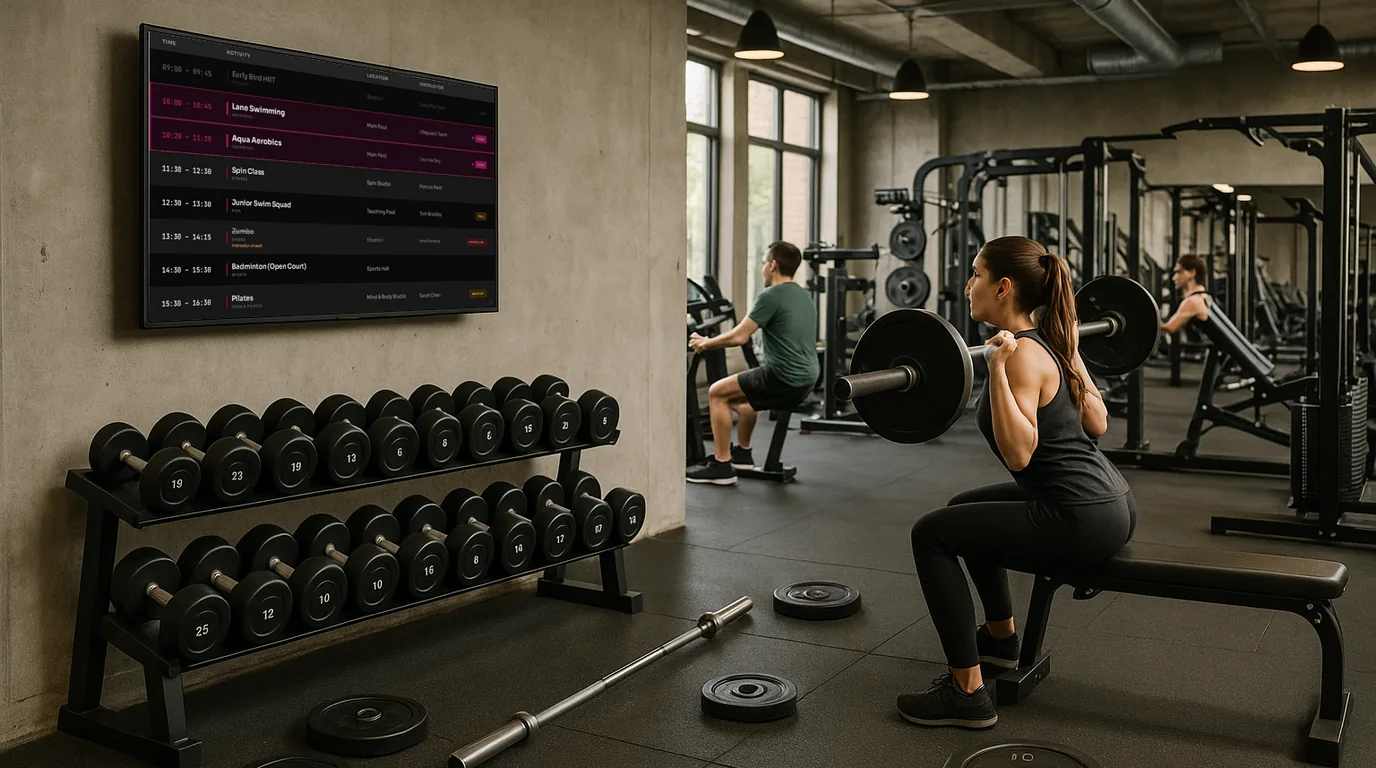
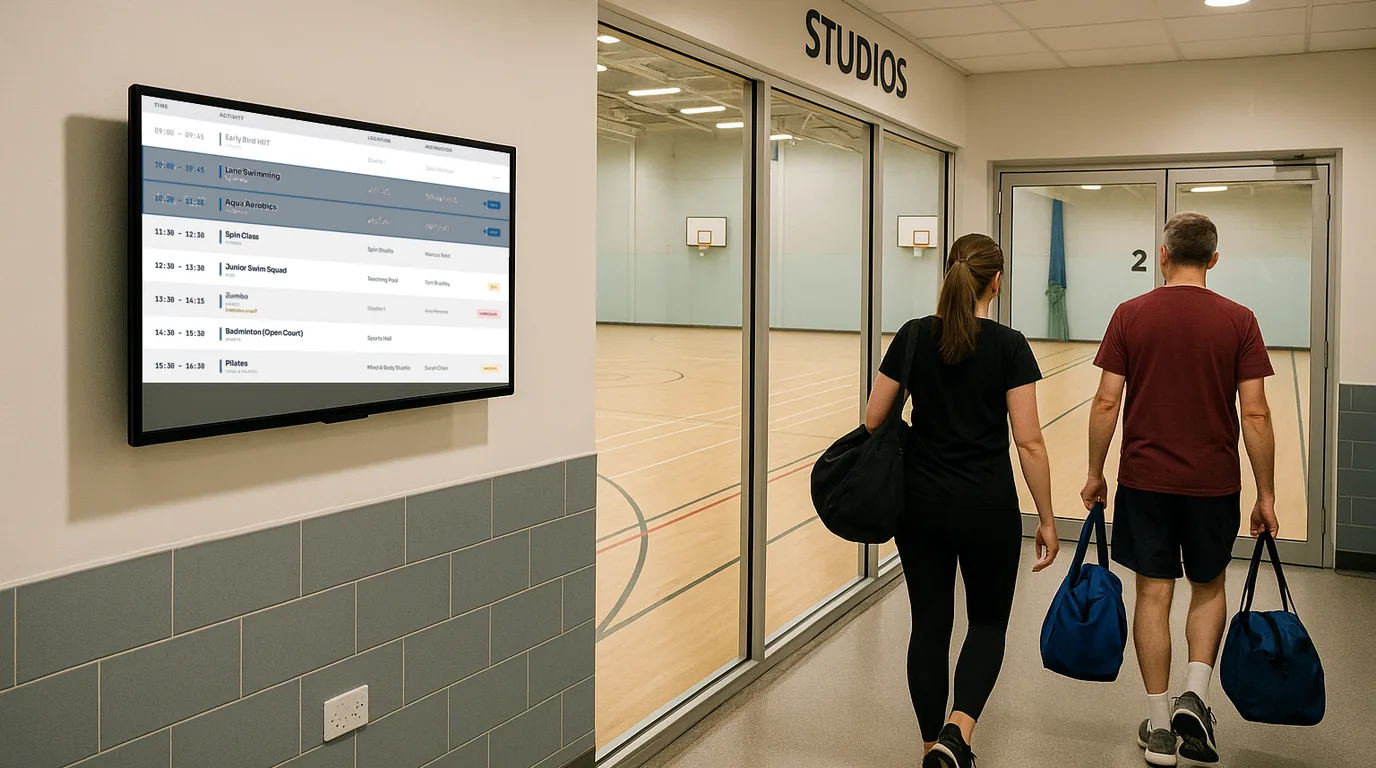
It lives on a paper sheet by the door, a PDF on your website and a screenshot in the WhatsApp group from six weeks ago. When you cancel a class on Thursday, members turn up anyway and reception answers "what time is spin?" all morning. A lobby screen shows today's classes, instructors and rooms, and changes when you change it.
Board previews
Ready-made gym Boards
Pick one, add your classes and branding, and your lobby TV is ready.
Use cases
What gyms and fitness studios put on their screens
Class timetable
Today's full schedule on the lobby TV
List every class with its time, instructor and studio. If you have more than one room, members can see where to go without stopping at the desk.
Now & Next
What's on now and what starts next
The Now & Next Board shows the class in progress and the next one in large type. A walk-in member can see that yoga started 20 minutes ago and HIIT starts in 15, and decide whether to wait.
Last-minute changes
Cancellations on screen before members arrive
When an instructor calls in sick at 7am, swap in cover or mark the class cancelled from your phone. Every screen in the building shows the change.
Welcome and information
The details new members ask about
Put the wifi password, locker rooms, weekend opening hours and personal training enquiries on the Welcome Board. Rotate it with your timetable and any member challenges on the same screen.
More than one site
Every gym in one account
Each site keeps its own timetable and welcome screen. Send a new class launch or a group-wide notice to every screen at once.
How it works
Set up gym digital signage yourself
-
Sign up free
Create your account online. The Free plan needs no credit card.
-
Plug a NowBoard Player into any TV
It connects over HDMI and uses your gym's wifi. It costs £149 ex VAT, UK only. To show live video from an NDI source on your network, choose the Player Pro (£199 ex VAT).
-
Choose a Board and add your classes
Pick the Class Schedule, Now & Next or Welcome Board, then add your classes, instructors, rooms, logo and colours.
-
Update it from your phone
Change an instructor or cancel a session, and every connected screen updates when you save.
One Player Licence per connected TV, from £10 per TV per month ex VAT on Starter, so three TVs cost £30 a month. Paid plans include unlimited Boards, Playlists and Channels. Advertising is included on every plan.
FAQ
Common questions about gym digital signage
Do I need special screens or hardware?
No. Any TV or monitor with an HDMI port works. You need a NowBoard Player (£149 ex VAT, UK only) or Player Pro (£199 ex VAT) for each TV.
Can my class timetable update from my booking system?
NowBoard doesn't connect to booking systems such as Mindbody or Gymdesk. If your booking system publishes an iCal (.ics) address, point NowBoard at it and the schedule stays in sync; otherwise you enter classes in NowBoard.
Can different staff members update the class schedule?
Yes, as Admins, and an Admin can change any screen. Roles that limit someone to certain screens are coming.
Can I show more than the class schedule?
Yes. Rotate several Boards on one screen, such as the timetable, Now & Next and your announcements, and set the order and timing yourself.
What if the gym wifi drops?
If the connection drops the screen keeps showing the last Board it loaded.
Is there a minimum contract?
No. The Free plan needs no credit card, and paid plans are month to month. Cancel anytime.
Put your timetable on the lobby TV
Show members what's on today and change it from your phone when plans change.
No credit card required · From £10/TV/month ex VAT · UK-based support