
Event signage that shows delegates what is on, where it is, and what is next
Those screens can sell ad slots to sponsors and local businesses too, and you keep up to 92% of every sale. Display your conference schedule, session boards, and live programme updates on any screen at your venue. When a speaker cancels or a session moves room, update every screen from your phone in seconds. No AV contractor. No reprinting. No enterprise software. Set up in minutes, update in real time.
No credit card required • Cancel anytime • From £10/TV/month ex VAT
- What's on, and where Show each room and what is on now and next.
- Event countdowns Count down to doors, the keynote or the last order.
- Guest photo walls Guests send photos with a QR code. You approve each one.
- Sell Ad Space Sponsors book and pay for slots on your screens.


Three hundred delegates arrived ten minutes ago and half of them do not know where to go
You have a programme. It took weeks to finalise. Speakers confirmed, rooms allocated, timings balanced. The programme is done. The problem is getting that programme out of your spreadsheet and into the heads of the people standing in your foyer with a lanyard and a coffee, looking for Room 3.
Between printing and the day itself, a speaker pulls out, two sessions swap slots and the venue moves lunch to another floor. By 10:30am on day one, a projector fault has moved a session to a different room. Those changes sit in your head, a WhatsApp group and a clipboard at registration. The printed programme in every delegate's bag shows none of them.
Every minute your signage is wrong, your event feels disorganised
Late arrivals disrupt speakers and delegates already seated
A speaker begins their talk to a half-empty room. The missing delegates are not disinterested, they are lost. They arrive eight minutes late in a cluster that interrupts the opening. The session never recovers its rhythm. This happens in every room, at every session change, all day long.
Your events team becomes a human information desk
Instead of managing the event, checking AV, liaising with speakers, coordinating catering, your team is standing in corridors giving directions. Every answer takes 30 seconds. Multiply that by 200 delegates asking across six session changes and your operations team has spent its entire day as a signpost.
Programme changes cascade faster than you can communicate them
A speaker cancels at 9am. That is one change. But it means the session after now starts 30 minutes early, or you insert a break, or you move sessions to fill the gap. One cancellation becomes five changes across three rooms. Each change needs communicating to delegates scattered across the building.
Printed programmes become litter by lunchtime
Delegates pick up the booklet at registration, glance at it once, and put it down on the nearest table. Your carefully designed, professionally printed programme, the document that cost £1,500 and three rounds of proofing, has a useful life of about 45 minutes.
Programme displays that update as fast as your programme changes
NowBoard is event signage software that puts your conference schedule, session boards, and "what's on now" information on any screen at your venue, and lets you update all of it from your phone in seconds. It is not an event management platform. It does one thing well: it displays your programme on screens and keeps those screens accurate when things change.
Plug in a NowBoard Player Pro
A small device (about the size of a phone charger) that connects to any screen via HDMI. Uses the venue's wifi. Costs £149 ex VAT, UK only, or £199 ex VAT for the Player Pro, which can also show live video from an NDI source on your network. Works on any TV or display the venue already has.
Build your programme display
Enter session titles, speakers, times, and room assignments. Choose a layout: single-track timeline, multi-track grid, or "what's on now" spotlight. Apply your event branding: colours, logo, fonts.
Go live and update in real time
Speaker cancelled? Session moved room? Lunch extended by 15 minutes? Change it on your phone. Every screen refreshes instantly. No AV contractor to brief. No enterprise software to learn.
Ready-made event signage templates: programme, countdown and welcome
These are the actual Boards your screens will show at the venue on the day.
How event organisers use NowBoard to display programmes and schedules
Conference schedule boards: the full day at a glance
For a single-track conference, the schedule board is a simple timeline, session title, speaker, time, room, running from the opening keynote to the closing remarks. For a multi-track conference, the schedule board becomes a grid: tracks across the top, time slots down the side, sessions filling each cell. Place schedule boards where delegates naturally pause: the main entrance, the coffee station, the lift lobby, and outside the plenary hall. The more screens showing the programme, the fewer people asking your team for directions.
"What's on now" displays: answering the question delegates ask most
A "what's on now" display is a screen that shows only the sessions currently in progress and the sessions starting next. Place these screens at decision points: the main staircase, the corridor split between tracks, the entrance to the breakout wing. At each point, the delegate glances at the screen, sees their session, sees the room number, and walks. No programme booklet. No phone. No asking.
Session boards outside rooms: the digital door sign for events
Outside each session room, a small screen shows what is happening inside: the session title, the speaker's name, the time, and how long until the session ends. Session boards solve the problem of delegates arriving at a door and not knowing whether this is their session. They also solve the problem of delegates arriving at the right room at the wrong time: the screen shows how long the current session has left, so someone who arrives five minutes early can see "Session ends in 4 minutes" and wait rather than opening the door.
Multi-day programme displays: different day, same screens
A three-day conference means three different programmes. With NowBoard, you pre-load each day's programme before the event starts. At the end of day one, the screens switch to day two's content automatically, or your event coordinator taps "publish Day 2" from her phone while walking to the car park. No overnight team. No early-morning setup. No bin bags full of yesterday's foam boards.
Programme displays for small events: when an app is too much and a printout is not enough
Not every event is a 500-person conference. Training days, away days, workshops, seminars, AGMs, and small networking events all have programmes. They have the same problem as large conferences: the programme changes on the day and the printout on the table does not. For a 30-person training day, a single NowBoard screen in the meeting room lobby shows the full programme. For a 50-person AGM, a screen in the entrance shows the agenda. These events do not need a conference app. They need one or two screens showing a clear schedule that someone can update from their phone when things change.
Festival and fringe programme boards: dozens of events, one screen
A NowBoard programme board at a festival information point or venue entrance shows what is on today, filtered by time, venue, or category. When events run late, get cancelled, or are added at the last minute, as they always do at festivals, the programme board updates instantly. The volunteer at the information desk does not need to memorise the changes. The screen behind them shows the current truth.
Why NowBoard is the event signage solution for organisers who need it to work on the day
Set up in minutes, not weeks
Plug a player into a screen, add your programme, and the screen is live. Most event organisers have their first screen running in under 15 minutes. No procurement process. No vendor onboarding.
Update from your phone, mid-event
This is the point. When a speaker cancels at 9am, you open NowBoard on your phone, remove the session, and every screen in the building updates. That is the entire workflow.
Works on any screen the venue already has
Lobby TVs, corridor displays, meeting room screens, a television on a stand from the AV hire company. Plug in a NowBoard Player Pro and the screen becomes event signage. No specialist hardware.
Your event branding on every screen
Set your event's colours, logo, and fonts once. Every screen uses your visual identity. For organisers running events for different clients, each event gets its own branding applied automatically.
Works offline
Venue wifi under load during a 400-person conference is not always reliable. If the connection drops the screen keeps showing the last Board it loaded.
From £10 ex VAT per TV/month
Ten Screens for a conference: £100/month ex VAT. No setup fees. No annual contracts. No per-user charges. Advertising is included on every plan. Cancel after the event if you only needed it for three days. See pricing.
Get your first event screen live in under 15 minutes
Sign up free
Create your account online. The Free plan needs no credit card and no commitment.
Plug in a NowBoard Player Pro
Connect it to any TV or display at your venue via HDMI. Connect to wifi. The player is about the size of a deck of cards and costs £149 ex VAT, UK only (Player Pro £199 ex VAT).
Build your programme display
Enter session titles, speakers, times, and room assignments. Choose a layout. Apply your event branding.
Go live and update any time
Session moved? Speaker changed? Lunch extended? Update from your phone. Every screen refreshes instantly.
Common questions about event signage
Do I need to buy screens for the venue?
No. NowBoard works on any TV or display with an HDMI port. Most conference centres, hotels, and event venues already have TVs in lobbies, corridors, and meeting rooms. Plug a NowBoard Player into the HDMI port and that screen becomes event signage. The only hardware you need is the player itself (£149 ex VAT per TV, or £199 ex VAT for the Player Pro, UK only).
Can I update the programme during a live event?
Yes: and this is the main reason event organisers choose NowBoard over printed signage. Open NowBoard on your phone, change a session time, swap a room, or cancel a talk. Every screen showing that programme updates within seconds. No reprinting, no PA announcement, no walking the building with a marker pen.
Can I show multiple tracks on one screen?
Yes. NowBoard supports multi-track grid layouts that show parallel sessions across columns, with time slots running down the screen. Delegates can see all tracks at a glance and find their chosen session and room.
What about multi-day events?
Pre-load each day's programme before the event starts. Screens switch to the next day's content automatically each morning, or you trigger the switch manually from your phone. No overnight sign changes. No early-morning setup crew.
Can I reuse NowBoard players across different events and venues?
Yes. NowBoard Player Pro devices are portable. Unplug them after one event, take them to the next venue, plug them into whatever screens are available, and connect to the new venue's wifi. Your layouts and templates carry across, just update the programme details for the new event.
What happens if the venue wifi goes down?
If the connection drops the screen keeps showing the last Board it loaded. This matters at events, venue wifi under the load of hundreds of devices is not always reliable.
How much does it cost?
£10 ex VAT per TV per month. Ten Screens at a conference venue: £100/month. No setup fees. No annual contracts. No per-user charges. Permanent Free plan to start. See pricing.
Is NowBoard an event management platform?
No. NowBoard is event signage, it displays your programme on screens and lets you update it in real time. It does not handle ticketing, registration, attendee networking, or lead scanning. If you need those things, you need an event management platform like Cvent or Bizzabo. If you need screens that show the schedule and update when things change, NowBoard is what you need.
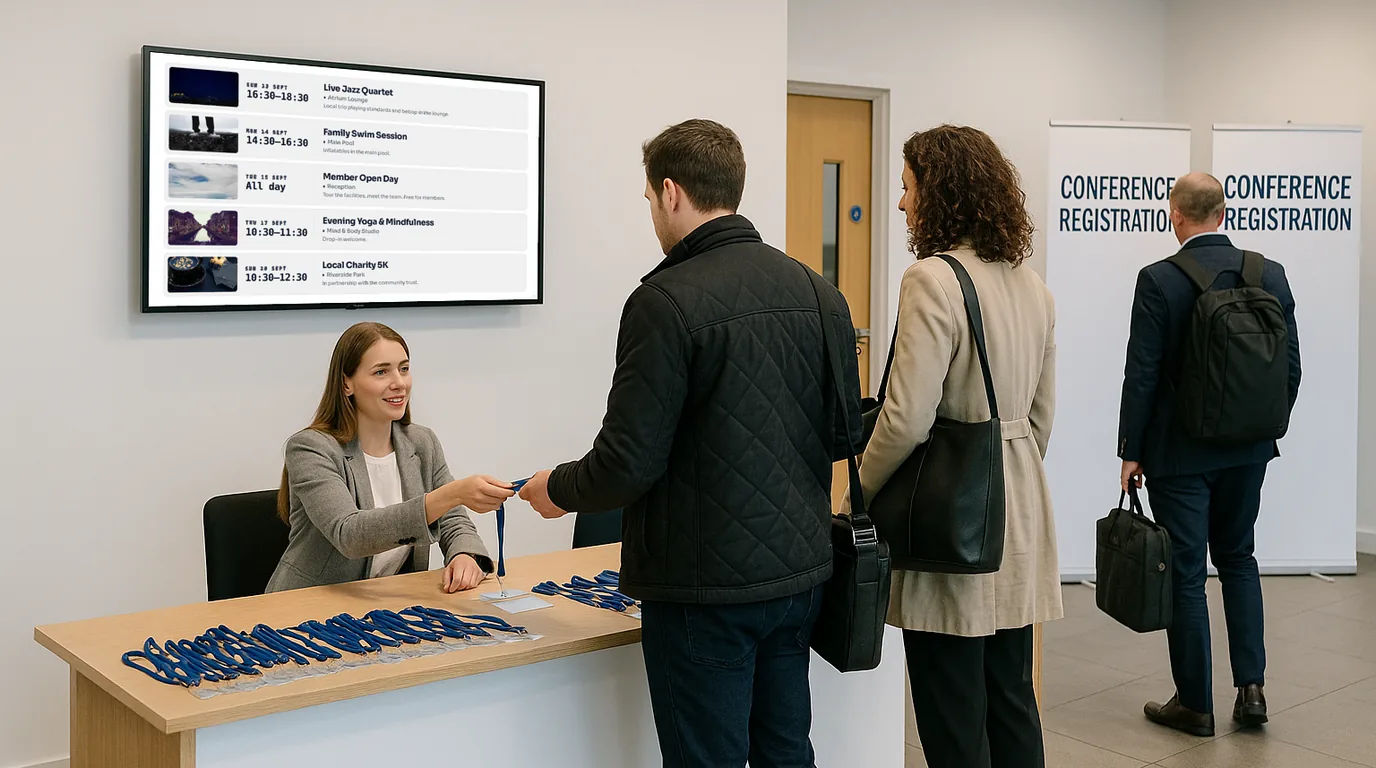
Your programme changes on the day: your signage should too
Every event has the same moment. A speaker cancels. A session moves room. Lunch runs late. And someone on your team reaches for a marker pen to correct a printed sign that was wrong before the ink dried. NowBoard replaces that moment with a tap on your phone. Change the programme, and every screen in the building shows the new version before you finish your coffee.
No credit card required • Cancel anytime • UK-based support • From £10/TV/month ex VAT
Questions? Get in touch, we are happy to walk you through how NowBoard event signage works for your next event.