
The now and next display board: one screen for what's on
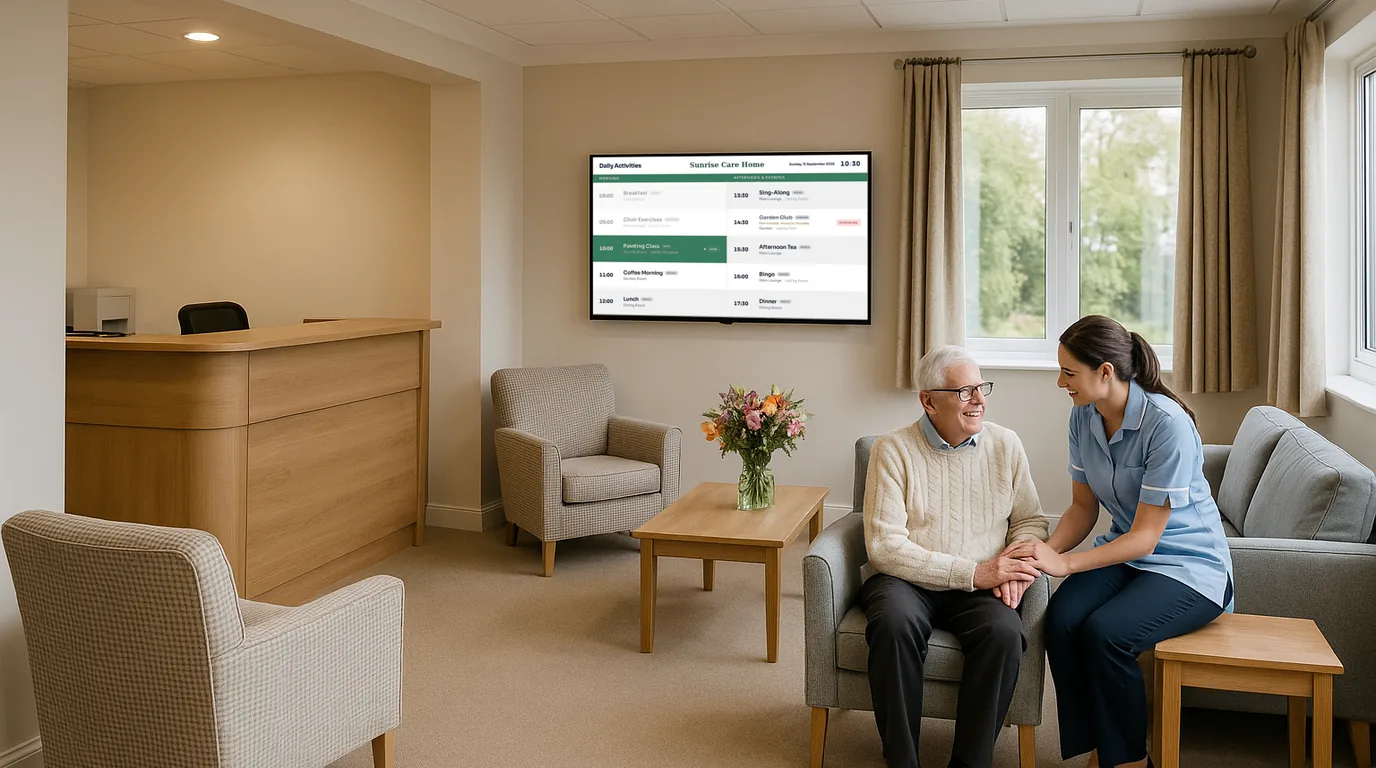
Most of the questions people ask in a reception, an office or a communal lounge come down to two: what is happening now, and what comes next. A single screen that answers both, with the time and date beside it, replaces a lot of asking. This guide explains what goes on a now and next board, where to put it, and how to keep it right with a few minutes of work a week.
What a now and next board is
A now and next board shows the current activity or session, the one after it, and the time. It leaves out the rest of the day. With one or two items in large type, people can read it from across a room, where a full timetable would need small text and a long look.
The idea suits any building where the day runs to a schedule that people need to follow without holding a printout:
- A care home lounge, where residents want to know whether the singer has started and what is after lunch.
- A community centre or library foyer, with classes and groups through the day.
- An office kitchen or break-out area, showing today's all-staff sessions and visitors.
- A training venue, where delegates move between rooms.
What to put on the screen
The now and the next
Each item needs a title, a time and a place. "Armchair exercise, 10:30, Garden Lounge" is enough. Add a short note only when it changes what someone does, such as "bring a coat" or "moved to the conservatory today".
The time, the day and the date
A clock with the day of the week and the full date helps everyone, and in a care home it helps residents who lose track of the day. Show them in large type, high contrast, with no scrolling text or animation.
Something for the quiet hours
After the last activity, the board should not look broken. Show tomorrow's first item, the weather, or a short daily item such as a quote or an awareness day.
Where to put it
Put the screen where people already pause: beside the lounge door, opposite the lift, at the end of a corridor where it turns towards the activity rooms. In a lounge with seated residents, mount it lower than you would in a foyer, so the centre of the screen is close to the eye line of someone sitting down, and check it from the chair furthest away. Avoid a spot opposite a window, where glare hides the text for part of the day.
For example
You could put one screen in the main lounge showing the Now & Next Board and the Clock / Date Board in turn, and a second by the front door showing the full day for visiting families. Both Boards show the same Timetable, so a change you make once reaches both screens.
How to keep it current with little effort
Enter the regular week once, then change only what changes on the day.
Enter the regular week once
In NowBoard, a Timetable holds sessions that repeat. Give each session a start time, an end time, a title and a room, and set it to repeat daily, on weekdays or on specific days. You can import the whole week from a CSV file if it already lives in a spreadsheet. A Timetable block shows today's sessions that are on now or start later, and after the last one it shows "No further sessions".
For one-off events, such as a visiting choir or a fire drill, add an Event with a start time and a room. Boards that show events pick it up without any change to the Board.
Change the day from a phone
On the day, staff use the NowBoard Operator App. The Today tab lists the day's schedule for their Channel. From a row they can choose Cancel today, Mark Full or Mark Waitlist, add a note, or add a one-off session for today only. The weekly pattern stays as it was.
Let other systems do some of the typing
If your activities or meetings already live in Google Calendar or Microsoft 365, add the calendar's iCal address as a calendar feed into a Timetable or an Events list. NowBoard syncs about every 15 minutes. Notices can carry an end date, so "Hairdresser in on Thursday" leaves the screen on Friday without anyone removing it.
A ten-minute weekly routine
- Monday morning: check next week's one-off events are entered.
- Check the photos and names on any celebration or welcome Boards.
- Look at the screen from the far side of the room once, in daylight.
- Delete or archive notices that have no end date and no longer apply.
- Confirm display hours still match the building's hours, so the screen sleeps at night.
Building one in NowBoard
Start from the Now & Next template, add your Timetable or Events, and add a Clock / Date Board to the Channel's Playlist. Set how many seconds each Board shows. Set display hours on the Channel so the screen sleeps overnight and wakes before the first activity. The digital display boards page covers offices, libraries and housing schemes, and the care homes page shows activity, menu and welcome Boards for a home. The Free plan covers one TV, which is enough to try a lounge screen; see pricing for more, or book a demo to see the Operator App change a session live.
See it on your own screens
We show you NowBoard with the Boards for your kind of place. Or sign up free.