
12 ideas for a dental practice waiting room screen
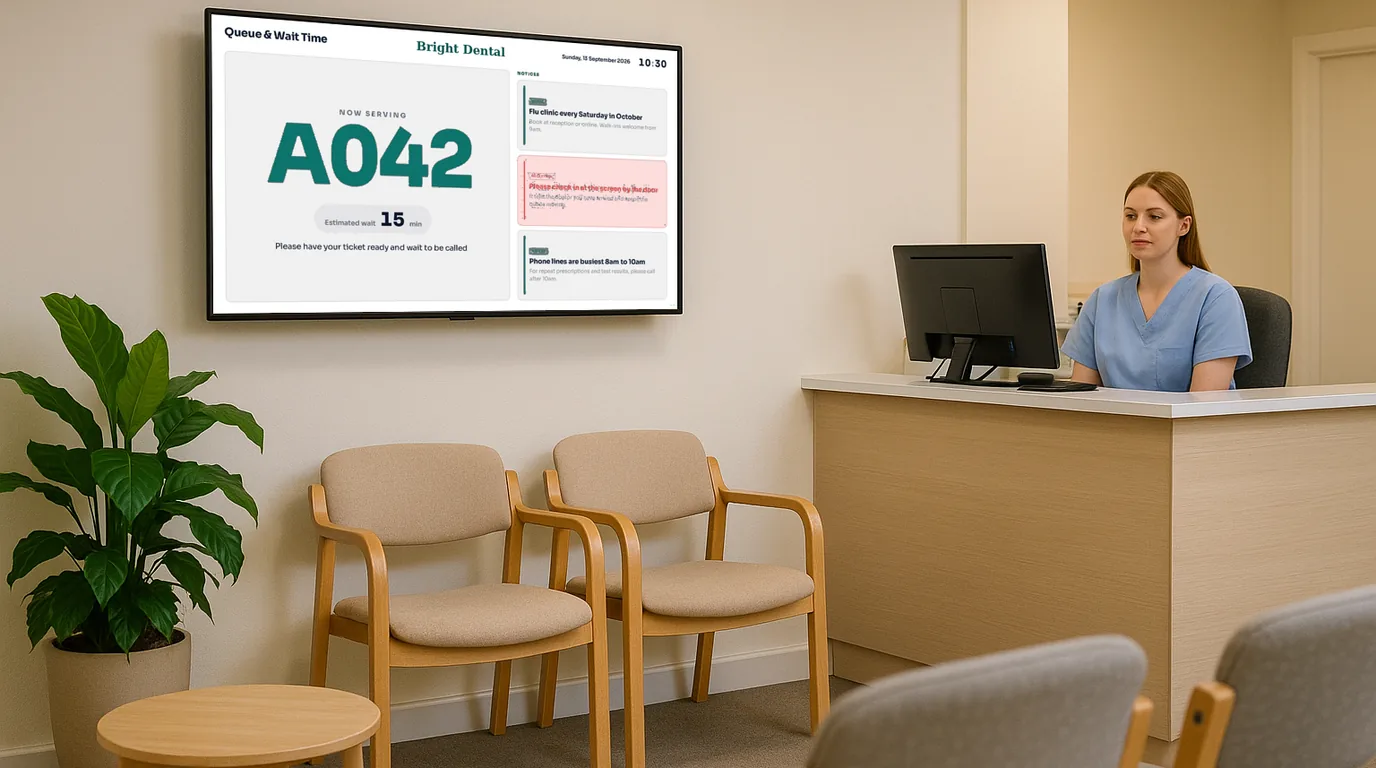
A dental waiting room screen has a few minutes of each patient's attention, several times a year. Here are twelve ideas for what to put on it, from treatments and the team to reviews and QR codes, with a note on how to set up each one.
Ideas that answer patients' questions
1. The running delay
A short line such as "Surgery 2 is running about 15 minutes behind" settles a waiting room and saves reception from the same question all morning. Update it when the delay changes by enough to matter, and remove it when the list catches up.
2. Opening times and the out-of-hours number
Show the week's hours, the lunch closure if you have one, and the number to call for an urgent problem when you are closed. Add bank holiday closures a few weeks before each one, so patients booking a check-up at the desk see them.
3. What happens at a first visit
A new patient may be nervous and may not know what to expect. Three or four short slides help: arrive ten minutes early, bring a list of your medicines, here is who you will see, the check-up takes about half an hour. Adjust the details to your own practice.
4. NHS and private fees
Patients ask what a check-up costs, what the NHS bands cover and whether you offer payment plans. Put the answers on screen in the same words as your printed price list. A patient who reads the price before reaching the desk asks better questions at it.
Ideas that show what you offer
5. Treatments patients may not know about
Patients who have come to you for years may not know you offer hygienist appointments, whitening, aligners or a sports mouthguard. One Board per treatment, with a photo, two lines of text and "Ask at reception", works better than a crowded list.
6. Meet the team
Show each dentist, hygienist and nurse with a photo, their name and one friendly line. Patients who see a face before they go in may find the visit easier, and a new associate gets introduced to every patient in the room.
7. Reviews from real patients
Show a few of your Google reviews, with the patient's first name only. Add a QR code that opens your review page, so a happy patient can leave a review while they wait for their next appointment card.
8. A booking or recall QR code
A QR code to your online booking page lets a patient book the hygienist or a family member's check-up from the waiting room. Write the purpose above the code: "Book your next hygiene visit".
9. Guest Wi-Fi
If you offer Wi-Fi, show the network name and the password in large text next to a Wi-Fi QR code. Reception stops spelling out the password.
Ideas that keep the screen fresh
10. Oral health tips by season
Short tips that change with the year: sugar at Halloween, sports mouthguards in September, mouth cancer awareness in November. Use the same sign-off you use for a waiting room poster before any health message goes up.
11. Practice news
A new hygienist, extended Thursday hours, a refurbished surgery. Give each item an end date, so old news does not sit on the screen for a year.
12. Celebrations for the team
A nurse's ten years at the practice or a welcome for a new receptionist. It shows patients a settled team, and the team notices it too.
Leave these off
- Patient names, appointment times or anything that identifies a patient.
- Before-and-after photos without written consent from the patient shown.
- Daytime television, especially with the sound on.
- Clinical photos in a room where children and anxious patients sit.
- Long paragraphs. A patient reads a Board in the time between two names being called.
Where to put the screen
Mount it where most chairs face it, not behind the reception desk. In a seated waiting room, keep the centre of the screen lower than you would in a shop, so patients do not tilt their heads back. A 43 or 50 inch screen suits most practice waiting rooms. If you have a second, smaller waiting area upstairs, it can show the same Channel on its own TV.
Keep the loop short: six to eight Boards, each on screen for 12 to 20 seconds. Put the delay and opening times in more than once, so a patient sees them within a minute.
How NowBoard does it
Each idea above has a matching Board template or content type in NowBoard.
- Delay and practice news: Announcements, with a priority and an end date. Reception posts one from the NowBoard Operator App on a phone.
- Opening times: Opening Times, with weekly hours, notes and dated exceptions. The UK bank holidays button adds New Year's Day, Christmas Day and Boxing Day for you.
- First visit and fee list: Slides. Save your PowerPoint or Google Slides as a PDF, and each page becomes a slide.
- Treatments: the Menu template shows a price list with sections, or use a Slideshow of treatment images.
- Team: the Meet the Team template, from a People list with photos and roles.
- Reviews: the Reviews template shows one review at a time, featured reviews first, with a "Leave a review" QR code.
- QR codes and Wi-Fi: the QR Code template, and a Guest Wi-Fi board that shows the password next to the code.
- Celebrations: the Celebrations template, from Dates for people.
The dental clinics page shows the waiting room Boards, and digital display boards covers screens for other kinds of waiting area. The Free plan runs one TV. Paid plans are on the pricing page, all ex VAT. To see these Boards with your practice's details, book a demo.
See it on your own screens
We show you NowBoard with the Boards for your kind of place. Or sign up free.