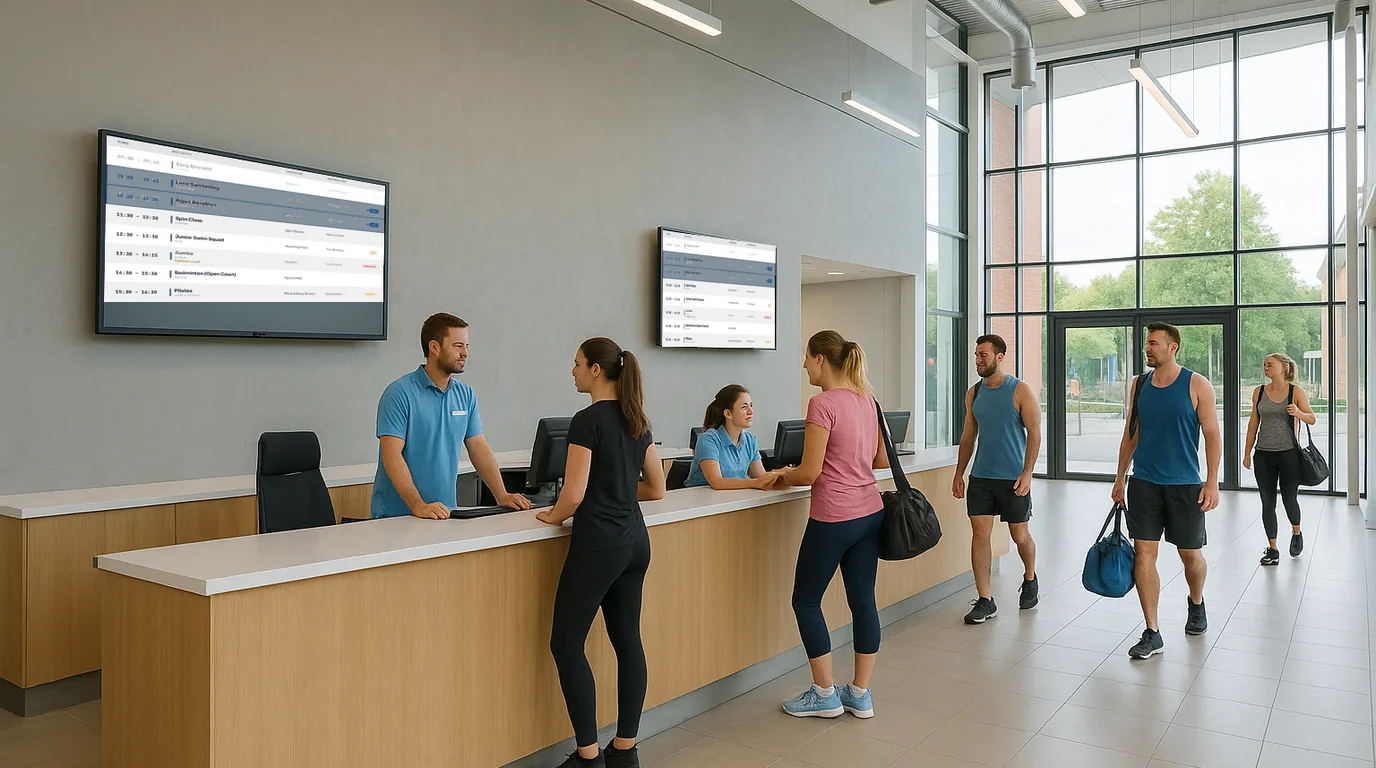
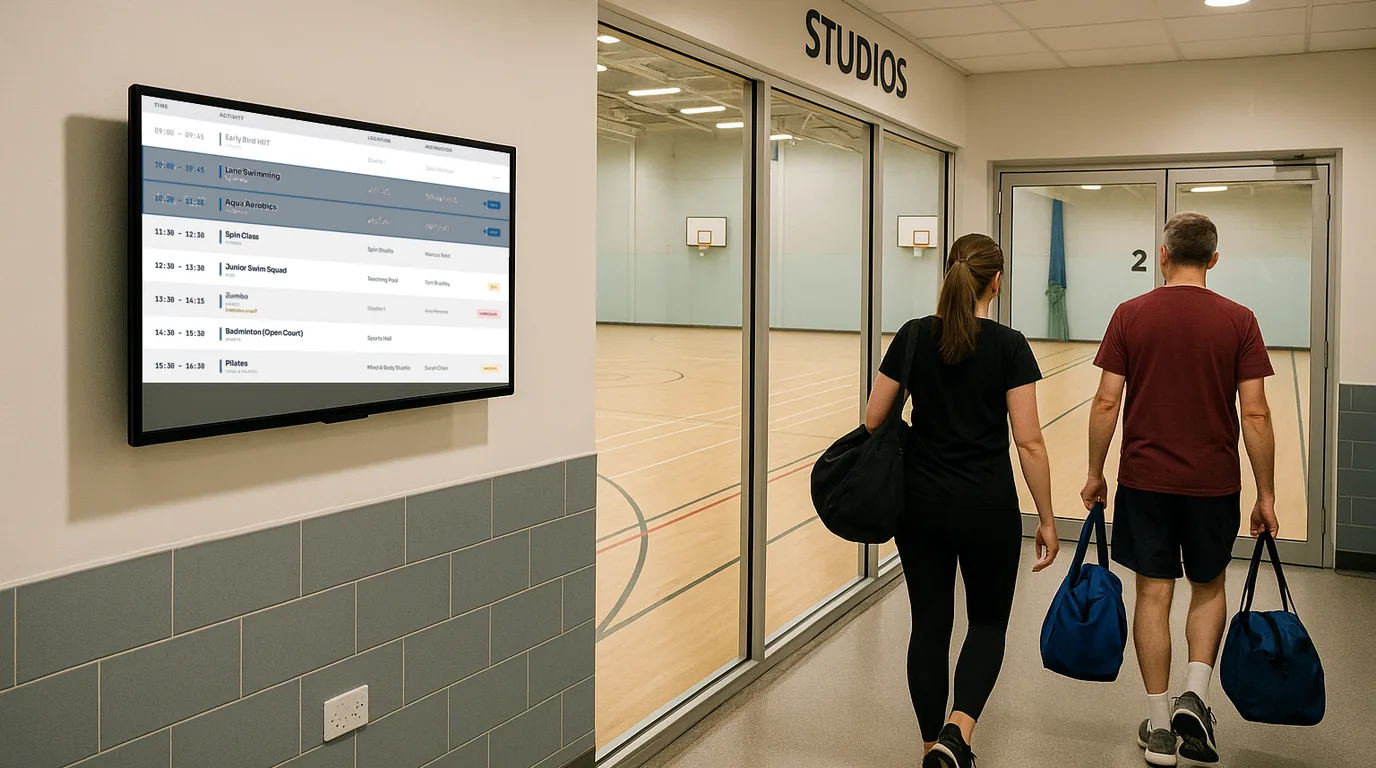
Leisure centre digital signage — pool timetables, gym classes and facility info on every screen

Replace the laminated sheets by the pool and the out-of-date class timetable by the studio door. Update every screen across your leisure centre from your phone. Live in 15 minutes.

No credit card required  ·  No IT required  ·  From £10/Location/month

The problem

Pool lanes on paper. Class timetables a month out of date. Reception staff fielding the same questions all day.

Leisure centres and sports facilities run on schedules that change constantly. Lane swimming sessions, aqua aerobics, school bookings, junior lessons — the pool alone can have a dozen different session types across a week. Right now, most of that information lives on a printed sheet taped to the changing room wall, and it was printed three weeks ago.

In the gym, the class timetable on the studio door is a laminated A4 sheet that nobody has updated since the new instructor joined. Members wander around asking staff where to go. The reception desk becomes the default answer to every question about "what's on" — while there's a queue of people waiting to be let through the turnstile.

The problem is not that the information does not exist. The problem is that updating the signs requires printing, laminating, and walking around a building — so nobody does it as often as they should. NowBoard changes that equation entirely.

Why it matters

The real cost of outdated information in your leisure centre

Poolside confusion costs swim time

When swimmers cannot tell which lanes are for lessons, public swim, or lane swimming, they stand around at the pool edge asking a lifeguard. That is lost swim time and unnecessary friction for paying members.

Outdated class timetables cause complaints

A member drives in for the Tuesday Pilates class that was moved to Wednesday three weeks ago. The studio door still shows the old time. That complaint ends up at reception — and sometimes in an online review.

Reception handles questions meant for signage

"What time does the pool open?" "Is there a class on now?" "Which court has the badminton booking?" Every answer your reception gives is 30 seconds they are not processing memberships or handling actual problems.

Multi-site operators manage chaos manually

Councils and leisure operators running multiple sites update each location separately. A holiday opening times change means printing and driving to each site — or hoping the staff there will update the notice board themselves.

The solution

Digital signage for leisure centres that your duty manager can update from their phone

NowBoard is digital signage software designed for timetables, schedules, and notices — exactly the kind of content a leisure centre needs to display. Plug a NowBoard Player into any TV in your pool hall, gym, or reception and start showing up-to-date information within minutes.

No AV contractor. No specialist software. No IT department. Your duty manager, facility coordinator, or front desk supervisor can update every screen in the building from their phone between member check-ins.

  1. Plug in a NowBoard Player

    The NowBoard Player Pro is a small HDMI device (£139) that connects to any TV and your centre's wifi. Or use the NowBoard Player App on any Google Play Certified Android or Google TV device you already have. Most centres are live within 15 minutes.

  2. Build your timetables and notices

    Add your pool lane schedule, gym class timetable, court booking board, or facility information. Use NowBoard's templates or build your own layouts with your leisure centre's branding and colour scheme.

  3. Update instantly from anywhere

    Class cancelled? Lane bookings changed? Bank holiday opening hours? Update from your phone and every connected screen refreshes automatically. No printing, no laminating, no walking around the building.

Use cases

Six ways leisure centres use NowBoard every day

Pool lane timetable

Show lane types, session times, and lesson blocks on a screen at the poolside entrance

A NowBoard pool display shows today's full session programme at a glance: which lanes are open to public swimming, which are reserved for lessons, which are lane swimming only, and what time each session starts and ends. When the school group runs late and the public session is delayed, update the screen from the duty manager's phone before the first members arrive at the pool edge. Clear, up-to-date poolside information reduces the load on lifeguards who would otherwise spend half their time redirecting confused swimmers.

A leisure centre in Coventry replaced three laminated A4 sheets by the pool entrance with a single NowBoard screen. The duty manager updates the session timetable each morning on their phone. Lifeguard interruptions for "which lane?" questions dropped significantly in the first week.

Gym class studio door display

The screen outside the studio that tells members what class is on now and what is coming up next

NowBoard studio door displays show the current class name, instructor, start and end time, and the next session. When an instructor calls in sick and the class is replaced, update the screen before members arrive at the door. For fitness studios with multiple classes running simultaneously, each room gets its own screen with its own schedule. Members can plan their visit around the class they want rather than guessing or asking at reception. Learn more about class timetable displays.

A health club in Bristol manages four studios with NowBoard. When the Wednesday morning spin class was cancelled due to a maintenance issue, the studio door screen was updated from the front desk iPad within 30 seconds — before a single member had arrived for the class.

Court and pitch booking board

Which court is booked, who has it, and when it is free next

NowBoard displays the day's court and pitch bookings across badminton courts, squash courts, tennis courts, football pitches, or cricket nets — whichever facilities your centre operates. Show the current booking, the next session, and free slots. When a booking is cancelled or moved, the screen updates immediately. Reduce the time your staff spends walking players to the right court and preventing double-booking confusion at peak times.

A multi-sport facility in Leeds displays court bookings for six badminton courts and four squash courts on screens in the sports hall corridor. Members arrive, find their court on the screen, and go straight to play. The duty manager estimates it saves 20 minutes of staff time per session peak.

Fitness class cancellation alert

Update every screen from your phone the moment a class changes — before members make a wasted journey

Class cancellations happen. Instructor illness, equipment failure, room maintenance. With NowBoard, the moment you know, you can update every relevant screen in the building from your phone. The studio door, the gym floor display, the reception screen, the lobby board — all updated simultaneously. Members arriving see the cancellation before they have changed into their kit. It is the difference between a disappointed member who understands what happened and an angry member who changed, walked to the studio, and only then found out the class was off.

Facility opening times display

Pool hours, gym access, changing room availability, and bank holiday schedules — always current

Opening times for a leisure centre are rarely simple. The pool has different hours to the gym. The fitness studio opens later on Sundays. Bank holidays mean reduced programmes. The sauna has separate booking windows. NowBoard lets you display all of this clearly and update it the moment anything changes. Replace the handwritten notice on the door and the out-of-date PDF on your website with a screen that is always accurate because it takes ten seconds to update from your phone.

Multi-centre management for councils and operators

Manage screens across every site in your estate from a single dashboard

If you operate multiple leisure centres — whether as a council, a leisure trust, or a private operator — NowBoard lets you manage every site from one dashboard. Push a bank holiday schedule update to all sites simultaneously. Set group-wide branding so every screen across every site looks consistent. Give each site manager control of their own screens without affecting other sites. Roll out to a new site in the same time it takes to plug in a device and connect to wifi. Learn more about multi-site management.

A leisure trust operating six centres across a county uses NowBoard to push bank holiday opening hours to all sites from a single update. What used to require a phone call to each site manager and hoping the notice board got updated now takes under two minutes.

Why NowBoard

Why leisure centres choose NowBoard over general-purpose digital signage

Most digital signage platforms are built for advertising screens in retail. NowBoard is built around the schedules, timetables, and notices that leisure and sports facilities actually need.

Works on screens you already have

Plug a NowBoard Player Pro (£139) into the HDMI port of any TV or display in your facility. No need to buy new screens. If you have Android TVs or Google TV devices already, the NowBoard Player App costs nothing extra.

Duty managers can do it themselves

No IT request, no web agency, no waiting for someone to come in and update the signs. If your duty manager can send a WhatsApp message, they can update a NowBoard screen. It really is that straightforward.

Multi-site management built in

One dashboard for every screen across every site. Push updates to all centres simultaneously or manage each site independently. Group-wide branding, site-level control. Perfect for councils and leisure trusts.

Works offline

Leisure centre wifi is not always reliable near changing rooms and pool halls. If the connection drops, NowBoard screens keep displaying the last update and sync automatically when the connection returns. No blank screens in front of members.

Update from your phone

Class cancelled at 6am? Pool session running late? Update the relevant screens from your phone before you have finished your morning coffee. Changes appear on every connected screen in seconds.

From £10/Location/month

One Location covers unlimited screens showing the same content. A 10-screen leisure centre typically runs on two or three Locations. See pricing. No setup fees, no annual lock-in.

Getting started

Get your first leisure centre screen live in under 15 minutes

  1. Sign up for a free trial

    No credit card, no commitment. Your trial starts the moment you create an account.

  2. Connect a player to a screen

    Plug a NowBoard Player Pro into any TV via HDMI and connect to your centre's wifi. Or install the NowBoard Player App on an existing Android or Google TV device. Either way, you see the pairing screen within seconds.

  3. Add your timetable or notice

    Start with your pool lane schedule, today's class timetable, or opening times. Use a NowBoard template and add your own branding. Your first screen is ready in minutes.

  4. Go live and update as you go

    Your screen starts displaying immediately. Update it any time from your phone. Most leisure centres have their first screen live within 15 minutes of opening the box.

FAQ

Common questions about digital signage for leisure centres

Does it work near a pool where humidity is high?

Yes. The NowBoard Player connects via HDMI to whatever TV or screen is already installed in your facility — the device itself sits outside the humid area, typically behind the screen or on a nearby wall. The screens themselves are standard commercial or consumer displays rated for indoor use, which your facility likely already has. The player just needs to be in a position where it is not directly exposed to pool spray or steam.

Can NowBoard connect to our existing lane booking system?

NowBoard is a standalone platform — you update lane bookings and session timetables manually through the NowBoard dashboard or mobile app. Integration with booking systems such as Legend, Gladstone, or ClubRight is on our product roadmap. For most leisure centres, the manual update process takes under two minutes per session change and is quick enough that it is not a barrier in practice.

Do I need to buy new screens?

No. NowBoard works with any TV or monitor that has an HDMI port. Use the displays already mounted in your pool hall, gym, reception, or corridors. The only hardware you need to add is a NowBoard Player Pro (£139) per screen — or use the free NowBoard Player App on Android or Google TV devices you already own.

Can different staff members manage different screens?

Yes. NowBoard has role-based access control. Your duty manager can update the pool and gym screens without affecting the staff noticeboard. Your front desk team can update reception displays without being able to edit the poolside schedule. Assign access by role so everyone has what they need and nothing they do not.

We run several centres across a council area — does NowBoard support that?

Yes. NowBoard is built for multi-site operators. Manage every screen across every centre from one dashboard. Push bank holiday schedules, safety notices, or promotional content to all sites at once, or manage each site independently. Pricing is per Location (not per screen), so adding a new site is straightforward. See pricing.

Ready to replace the laminated sheets?

Your members deserve to know what sessions are running before they arrive at the pool. Your duty manager deserves to update timetables without printing anything. Your reception team deserves fewer repetitive questions.

No credit card required  ·  Live in 15 minutes  ·  From £10/Location/month