
Leisure centre screens: a plan for the pool, studios and facilities
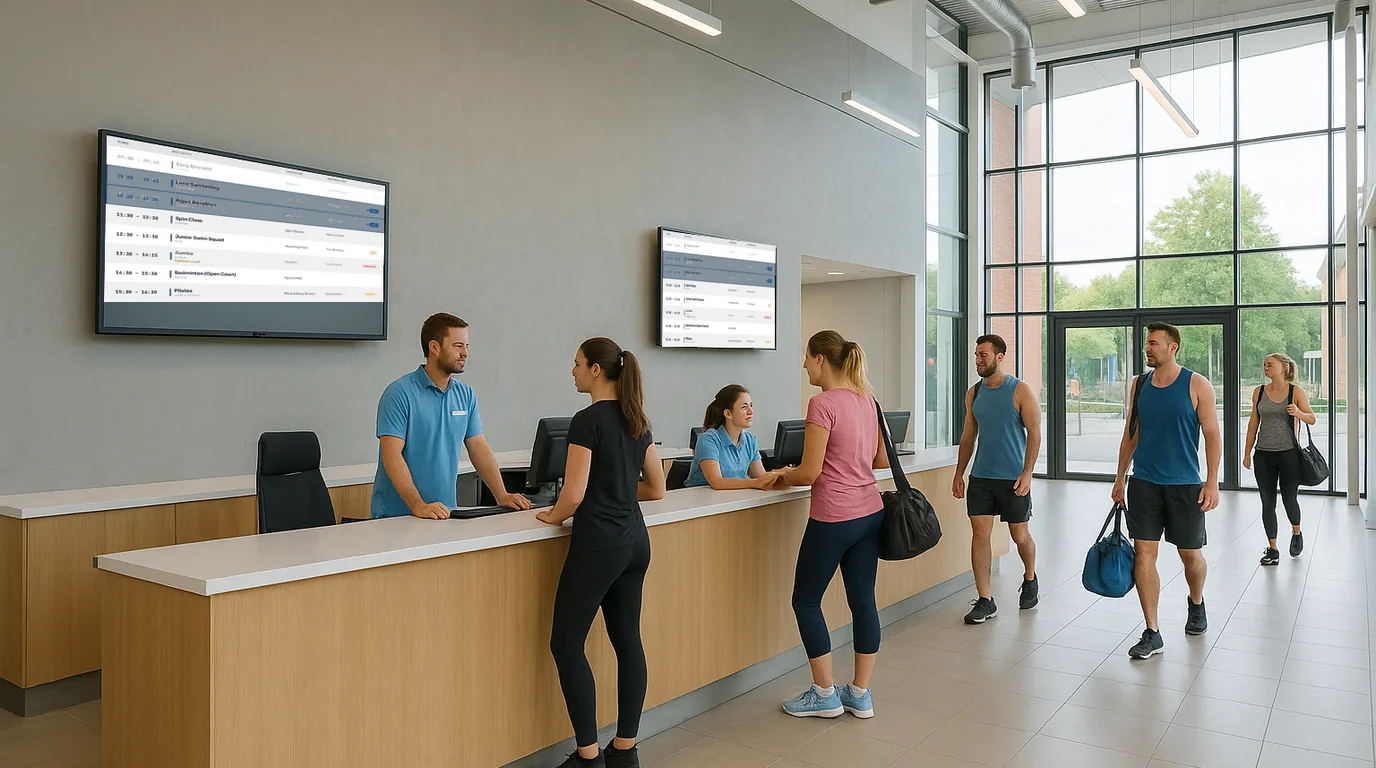
A leisure centre has more moving parts than most buildings: a main pool, a learner pool, studios, courts, a gym floor and a café, each with its own hours and its own bad days. This guide gives you a screen-by-screen plan for the building, then shows how to keep pool sessions, facility status and opening hours right as the day changes.
Start with the questions, then place the screens
Spend a morning at reception with a notepad and write down every question customers ask. In most centres the list settles into a handful of themes: is the pool open, which lanes are public, is my class on, is the sauna working, and what time do you close tonight. Each theme points to a spot in the building where the answer belongs.
A screen at the turnstile that answers "is the pool open?" saves a walk to the changing rooms. The same answer on a screen inside the pool hall arrives too late.
The screen-by-screen plan
| Where | What it answers | What to show |
|---|---|---|
| Entrance and reception | Opening hours for each facility, today's highlights | Opening Times with a session for the pool, gym and sauna; Announcements for closures |
| Turnstile or queue | Is it open, is it busy | Places, with a status for each facility |
| Pool entrance | Today's pool sessions and lane use | A Timetable of pool sessions, a Lane Availability Board, the water temperature |
| Studio corridor | Which class, which studio, is it still on | Timetable or Now & Next, filtered to the studios |
| Sports hall corridor | Which court is booked | Rooms and bookings, with one room per court |
| Café | What's available, what's sold out | Menu Board, with sold-out items marked from a phone |
Mount reception and turnstile screens above head height so the queue does not block them. Screens beside studio doors and the pool entrance read best near eye level, where a customer stops to check before going in. Keep the player and the cables out of reach of pool spray and steam; the hardware page lists the options.
Pool sessions and lane changes
Enter the pool programme as a Timetable. Give each session a room (Main pool, Learner pool) and a category (Public swim, Lane swim, Lessons, Aqua), and set it to repeat on the right days. The pool screen then lists the sessions that are on now or start later, and drops each one an hour after it ends.
When the school gala overruns or a lifeguard shortage closes the learner pool, the duty manager opens the NowBoard Operator App, finds the session under Today, and taps Cancel today with a note such as "Learner pool closed until 14:00". A one-off replacement session goes in with the plus button. The change reaches the pool screen and reception at the same time, and next week's timetable stays as it was.
For lane-by-lane detail, a Lane Availability Board shows a list of Places, one per lane or area. A Pool Conditions Board shows Live figures such as the water temperature, and the Board can show how long ago you last changed the figure.
Facility status with Places
Places is a list of named areas, each with a status: Open, Closed, Busy, Out of order or Quiet. Each place can carry a status note ("Reopens Monday"), a location ("Lower ground"), an optional wait in minutes and a photo. You can also upload a floor plan and drop a numbered pin for each place.
Set up one list for the whole centre: main pool, learner pool, gym, sauna, steam room, sports hall, café. A duty manager can change a status in the browser on a phone in a few seconds. Marking the steam room Out of order before customers reach the changing rooms saves your reception team a run of complaints.
Change the screens through the day
A Channel plays its Playlist all day unless you add time-of-day slots. Each slot has a start and end time and its own Playlist. For example, you could give the pool entrance Channel a slot from 15:30 to 18:30 that leads with the swimming lessons timetable, then let the evening Playlist put lane swimming first.
Set display hours on every Channel so the screens sleep after closing and wake before the first swim. Put bank holiday hours into Opening Times as exceptions ahead of time; the UK bank holidays button adds New Year's Day, Christmas Day and Boxing Day, and you add the others by hand.
Many screens, one building
In NowBoard, the building is a Site and each area is a Channel: reception, pool, studios, sports hall, café. A Channel can play on several TVs, so two screens either side of the turnstile can show the same thing. Each connected TV needs its own Player Licence.
On the Professional plan and higher, two more tools help a large building. A Takeover sends one Board to selected Channels now, or at a set time with a start and an end, which suits a planned pool closure for a gala. Emergency alerts switch every screen on the Site to an evacuation message at once, and Deactivate puts them back.
Before the screens go live
- Every pool session has a room and a category
- The Places list matches the names on your signs
- Opening Times include the next bank holiday
- Each Channel has display hours set
- Duty managers have the Operator App on their phones
Next steps
See the Boards built for this kind of building on the leisure centre page and the class timetable page. Paid plans start at £10 a month per TV, ex VAT, and the Free plan covers one TV; details are on the pricing page. To walk through a screen plan for your own centre, book a demo.
See it on your own screens
We show you NowBoard with the Boards for your kind of place. Or sign up free.