
12 ideas for office screens that staff will read
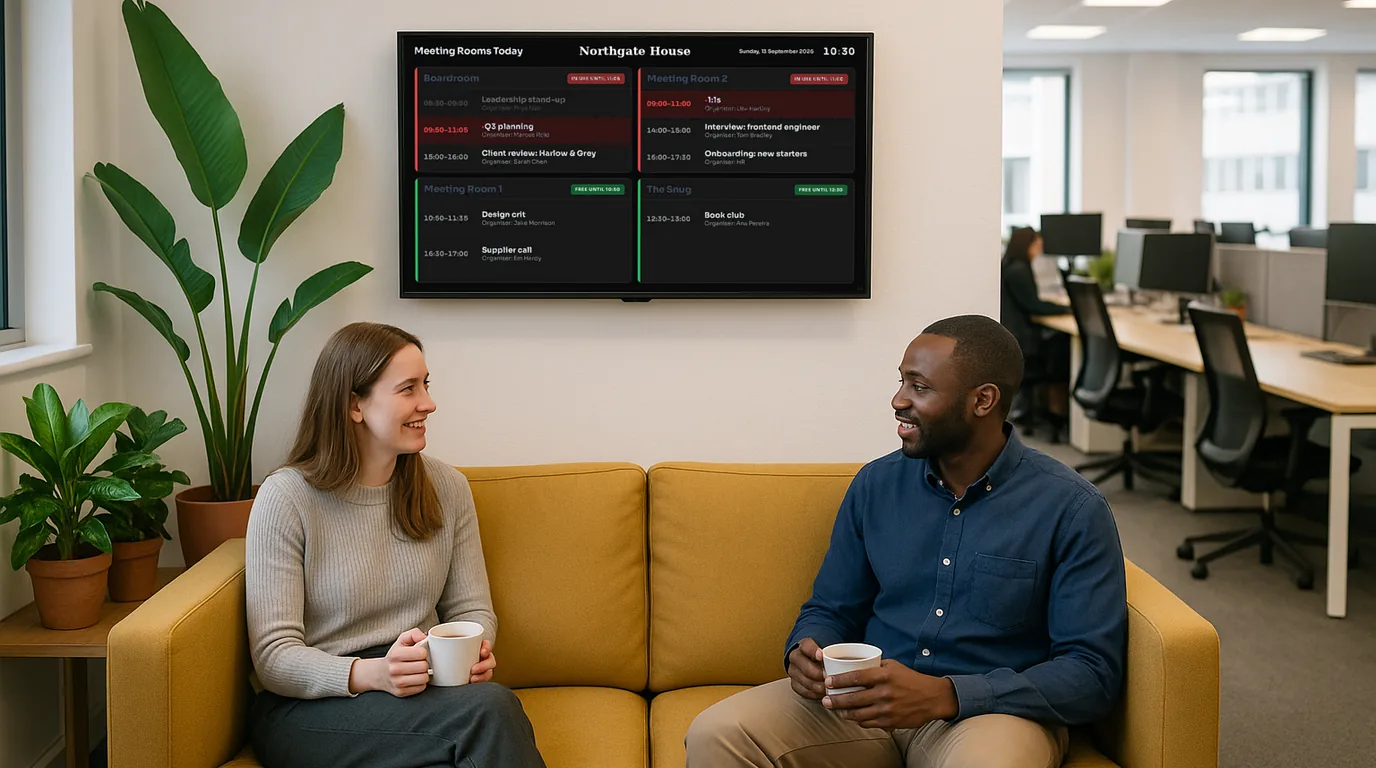
An office screen that shows the company logo all day teaches staff to stop looking at it. Below are twelve ideas for internal comms screens, grouped by the job they do, with a note on where each one works best. Pick four or five to start, not all twelve.
Ideas that put people on the screen
1. Welcome new starters by name and face
A new starter's first week is easier when colleagues already know their name. Put up a card with their photo, their team and one line about them on the Monday they join, and leave it up for that week. Ask the starter before you use their photo.
2. Say goodbye properly
A farewell card on the kitchen screen tells people when the leaving drinks are and gives the whole floor a chance to say goodbye, not only the people on the email thread.
3. Mark work anniversaries
Five years in a role deserves more than an automated email. A card with the number of years, shown in the fortnight before the date, gives colleagues time to notice. Birthdays work the same way, if your staff agree to share them.
4. Introduce the people others need to find
First aiders, fire wardens, mental health first aiders and the IT contact for each floor. A Meet the Team Board with photos and extension numbers answers "who do I ask?" without anyone opening the intranet.
Ideas that keep people safe
5. A days-since-last-accident counter
In a warehouse, a workshop, a lab or a kitchen, one large number by the door reminds everyone of safety each time they walk in. When there is an accident, reset the counter to zero on every screen at once. Keep recording accidents in your accident book as before.
6. Fire drill and evacuation messages ready to go
Write the fire evacuation message and the assembly point now, while things are calm. On a drill day, one person sends it to every floor, then stands it down. Practise the stand-down too, so the drill message does not survive until Monday.
Ideas that replace the all-staff email
7. Announcements that remove themselves
"Car park closed Thursday for resurfacing" matters on Wednesday and Thursday, then it is noise. Give every announcement a start date and an end date, and give the urgent ones a higher priority so they look different from the routine notices. An office screen full of expired notices is worse than a blank one.
8. Today's meeting rooms, from the calendar
A list of today's bookings by the lifts saves people walking the corridor to find a free room. If your rooms already have calendars in Google Calendar or Microsoft 365 (Outlook), the screen can read them, so nobody retypes a booking.
9. Team numbers people can act on
Calls waiting, tickets open, orders picked, sales this month against target. A number with a label and an arrow for the trend says more on a wall than a chart in a slide deck. Keep it to numbers the team can change today; a quarterly figure on a live screen goes stale.
10. A quick poll
Ask the floor something small: the theme for the summer social, the charity of the quarter, which day suits the team lunch. Staff scan a QR code on the screen and vote from their phone, and the results show on the same screen.
11. Internal vacancies
Your best candidate for the new team lead role may already sit on the second floor. A "We're hiring" Board with a QR code to the application page puts internal roles in front of people who do not read the jobs page.
12. Something new each day
A quiet screen needs a reason to look at it. A daily fact, a quote, or a card for an awareness day gives people a reason to glance over, and then they see the notice next to it.
For example
For example, you could run a kitchen screen with a rotation of five Boards: today's meeting rooms, this week's announcements, the celebrations of the next two weeks, the team's live numbers and a daily fill-in. At 30 seconds each, the full loop takes two and a half minutes, about the time it takes the kettle to boil.
Where office screens work best
- The kitchen or tea point. People stand still and wait, so it suits longer reading.
- Lift lobbies. People wait here too, but for less time. One message per Board.
- Reception. Visitors read this screen, so keep internal news off it.
- Near the exit or the clocking-in point. Good for the shift team and for safety messages.
Avoid mounting a screen in a desk area where it sits in someone's eyeline all day. It distracts the person facing it and nobody else reads it.
How NowBoard does it
Each idea above maps to a content type you fill in once. Every Board that uses it then updates when you edit it.
| Idea | NowBoard content | Board |
|---|---|---|
| Welcomes, farewells, anniversaries, birthdays | Dates for people | Celebrations |
| First aiders and contacts | People | Meet the Team |
| Days since last accident | Safety Counters | Days Without an Accident |
| Notices with expiry | Announcements (priority, start and end dates) | Announcements |
| Meeting rooms | Rooms & bookings, synced from an iCal calendar | Room and Studio Schedules |
| Team numbers | Live figures, filled from a Google Sheet if you like | Figures Grid |
| Polls | Polls | Live Poll |
| Vacancies | Job Vacancies | We're Hiring |
| Daily facts and awareness days | Daily fill-ins | Daily Fill-ins |
Give the internal screens their own Channel and set its visibility to staff only, so reception keeps its own Playlist. Office managers can post an announcement from the NowBoard Operator App on their phone. Fire evacuation messages use emergency alerts, on the Professional plan and higher.
More ideas for workplaces are on the office digital signage page and the staff noticeboards page. See the pricing page for plans, or book a demo to see these Boards running.
See it on your own screens
We show you NowBoard with the Boards for your kind of place. Or sign up free.