
What to show on a welcome screen: 12 ideas for reception
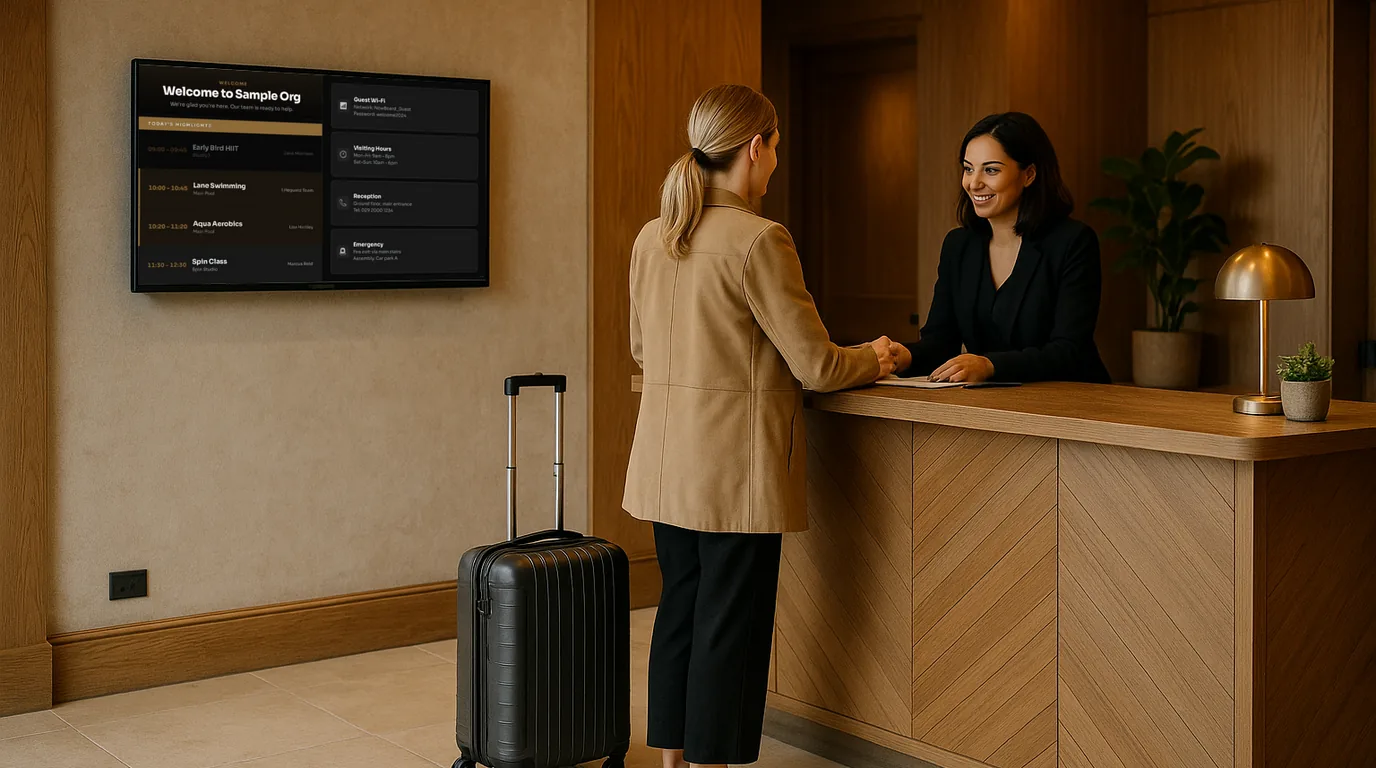
A welcome screen earns its place when it answers the questions your front desk hears every day. Below are twelve ideas for what to put on a reception screen in an office, a hotel, a surgery or a venue, grouped by the job each one does, with a note on greeting visitors by name without causing a problem.
Before you choose: where the screen sits
Put the screen where a visitor looks while they wait to be greeted: behind the desk at eye level, or on the wall they face as they come through the door. A visitor standing two or three metres away should read the main line without stepping closer, so keep headings large and limit each Board to one job. Check the spot at different times of day. A screen opposite a glass door can disappear behind reflections in the afternoon.
Ideas that greet
1. Your name and logo, in your colours
Set your brand colours and logo once in NowBoard, and each Board can use them. A screen in your own colours looks like part of the building, where a default theme looks like a TV someone left on.
2. A named welcome for an expected visitor
"Welcome, Priya. Your 2pm meeting is in the Birch Room, second floor." A line like this tells a visitor they are in the right place and saves the receptionist a phone call. The section below covers when to do this and when not to.
3. New starters and leavers
For staff, a welcome on someone's first day matters more than a visitor greeting. In NowBoard, add the person to Dates for people with the kind set to Welcome or Farewell, and a Celebrations Board shows a card for them with an optional photo and a note.
4. The team behind the desk
A Meet the Team Board with photos and roles helps in places where visitors come back often, such as a surgery, a care home or a hotel. People can put a name to the face they spoke to on the phone.
Ideas that answer questions
5. The Wi-Fi, as a QR code
Create a QR code with the purpose set to Wi-Fi and enter the network name, security type and password. A Guest Wi-Fi Board shows the name and password in large text next to the code, so visitors can scan or type. When you change the password, change it once and every Board that links the code updates.
6. Opening times, including bank holidays
Opening Times holds your weekly hours and the exceptions. Add the UK bank holidays with one button, plus any one-off closure, and the Opening Times Board shows today's hours at the top with the week below.
7. Directions and practical notes
Info Cards are short tiles for directions, reception instructions, safety notes and visiting hours. Use the Starter cards as a base and edit the text. Keep each card to two or three lines.
8. The weather
NowBoard shows the weather for each Site. It helps a hotel guest decide on a coat, and it gives a quiet screen something that changes through the day.
Ideas that show what is on
9. Today's events
Enter talks, tours, classes or meetings as Events, and set the Board to show Today. Each morning it shows that day's list, and the Events block can highlight the event that is on now.
10. Meeting rooms
If visitors come for meetings, a meeting rooms Board shows today's bookings for every room. Add each room's calendar address (Google Calendar or Microsoft 365) as a calendar feed and NowBoard keeps the bookings in sync, about every 15 minutes.
11. Notices with an end date
Lift out of service, car park resurfacing, fire alarm test at 11am. Post each one as an Announcement with an end date, and it leaves the screen when it stops being true.
12. Something new each day
Daily fill-ins add a quote, a fun fact or an awareness day card that changes once a day. Hide the items that do not suit your reception, or add your own.
Greeting visitors by name, with care
A named welcome is friendly, and it also tells everyone in the lobby who is in the building. Before you show a name, ask yourself who else will read it.
- Ask the host to check with the visitor first, or mention it in the meeting invite.
- Use a first name, or a first name and a company. Leave out the surname and the reason for the visit.
- Do not name visitors for interviews, disciplinary meetings, legal or medical appointments, or anything a visitor would not want a stranger to know.
- In a building the public walks into, such as a clinic or a council office, leave named greetings off.
- Post the greeting as an Announcement with a start and end time on the day, so it goes off the screen when the meeting ends and nobody has to remember to remove it.
A simple starting rotation
- Welcome Board with your logo, today's events and any named greeting.
- Guest Wi-Fi Board.
- Opening Times Board.
- Info Cards with directions and notices.
Building it in NowBoard
Start from the Reception Welcome template, then add the other Boards to the Channel's Playlist and set how many seconds each one shows. Staff on the desk can post an announcement or add a visitor's greeting from the NowBoard Operator App on their phone. The welcome screens page shows the reception Boards, and the offices page covers meeting rooms and visitor welcomes in more detail. The Free plan covers one TV; see pricing for more screens, or book a demo to see a reception set up.
See it on your own screens
We show you NowBoard with the Boards for your kind of place. Or sign up free.