
Holiday park screens: entertainment, arrivals and changeover day
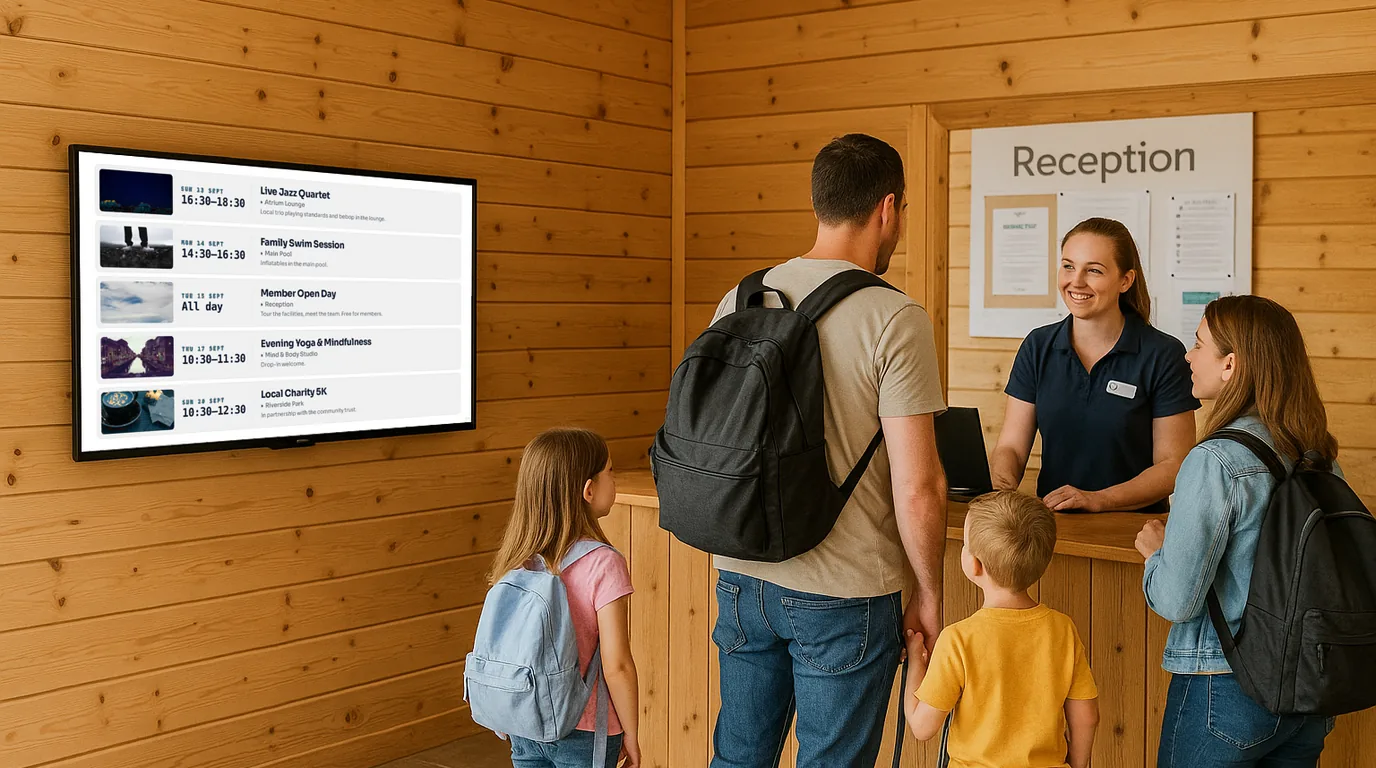
On a holiday park, the guest list turns over each week and the questions start again on changeover day. This guide covers what to show at reception, the clubhouse and the facilities, and gives you a weekly routine built around changeover, so the screens stay right from arrival day to the last night.
Arrival day and day five want different screens
A family arriving at 4pm on changeover day needs practical answers: where to park, the Wi-Fi password, what time the shop shuts, and whether the pool is open tonight. By day five the same family knows the site. They want tonight's act, tomorrow's kids club sessions and whether the rain will clear for crazy golf.
Plan two kinds of content. Arrival content (welcome, site information, opening times) stays on the reception screen all week. Programme content (entertainment, activities, specials) changes each day and belongs where guests gather.
Where the screens go
Reception
Mount the screen where arriving guests queue to check in, above the heads of the people at the desk. Rotate a Welcome Board, the Weather Board, a Guest Wi-Fi Board with a QR Code that phones join by scanning, and an Opening Times Board for the shop, pool, bar and restaurant. Opening Times has an Advanced mode with named sessions per day, so the pool can show "Family swim 10:00 to 12:00" and "Adults only 18:00 to 19:00" on separate lines.
Clubhouse and bar entrance
This is where tonight's programme lives. Add each show, quiz and disco as an Event with a start time and a category, such as Kids, Family or Adults. On a Board, the Events block can show Today or This week, and can highlight the event that is on now. Put the screen where families walk past in daylight, on the route from the caravans to the pool, so they plan the evening before dinner.
Pool, shop and play areas
Places gives each facility a status: Open, Closed, Busy, Out of order or Quiet, with a short note such as "Reopens 14:00". One list covering the pool, splash zone, shop, launderette and soft play tells guests what is running before they walk across the park.
Sales office
If you sell or let lodges, Holiday listings (on Starter and higher plans) show each property with its photos, price per night or per week, and an Available, Booked or Unavailable status.
The changeover-day routine
Changeover day already has a rhythm: guests out by 10am, cleaning through the middle of the day, new arrivals from mid-afternoon. Give the screens a slot in it.
| When | Task | Who |
|---|---|---|
| Changeover day, morning | Check the week's Events are in and published, with the right categories | Entertainment manager |
| Changeover day, morning | Clear last week's notices. Announcements whose End date has passed have already left the screens. | Reception |
| Changeover day, before arrivals | Check the Welcome Board message and the Wi-Fi details | Reception |
| Each morning | Glance at the weather, add a wet-weather notice if needed | Duty manager |
| Each evening | Mark any cancelled act, post tomorrow's highlight | Entertainment team |
| Last full day | Post a check-out reminder with the departure time | Reception |
Dates do the tidying for you. Give a check-out reminder a Start date of the last full day and an End date of departure day, and it leaves the screens on its own. Show from and Show until keep a notice to part of each day, so a "Kids club pick-up by 17:00" reminder can run in the afternoons only.
For example
You could load the whole season's entertainment in March as Events, each with a date and category. On changeover day the entertainment manager only checks for changes, and the clubhouse screen moves on to the new week without anyone building it.
Weather and wet-day plans
Weather works per Site. Set the park's GPS coordinates, turn weather on, and Boards at that Site can show current conditions and a 5-day forecast. NowBoard refreshes the reading about every 30 minutes, so nobody types a forecast.
Wet days are when guests come to reception. Prepare a wet-weather Announcement in advance and keep it hidden. When the rain arrives, a staff member switches it to Live from the NowBoard Operator App on their phone, with a High priority so it stands out. Switch it back to Hidden when the sun returns, ready for next time.
Small things that guests remember
- A guest photo wall: guests scan a QR code and send photos from the talent show or the fun run. You approve each photo before it appears, and NowBoard removes location data from the files.
- A Countdown: count down to the end-of-season firework night or the Saturday final, with your own Finished text when the moment arrives.
- Separate kids and adults screens: filter one Board to the Kids category for the kids club door and another to Adults for the bar.
Mistakes to avoid
- Putting the entertainment screen inside the bar, where families with young children do not go.
- Using one long Playlist for reception and the clubhouse. Give each location its own Channel.
- Forgetting display hours. A screen glowing in an empty clubhouse at 3am wastes power.
Getting started
The holiday park page shows ready-made Boards for reception and the clubhouse, and welcome screens covers the arrival screen in more detail. A seasonal park can start with the Free plan on one TV; paid plans start at £10 a month per TV, ex VAT (see pricing). On any plan you can also sell space on your screens to local businesses through advertising. To plan the screens for your own site, book a demo.
See it on your own screens
We show you NowBoard with the Boards for your kind of place. Or sign up free.