
Pub screens beyond the football: specials, fixtures and quiz night
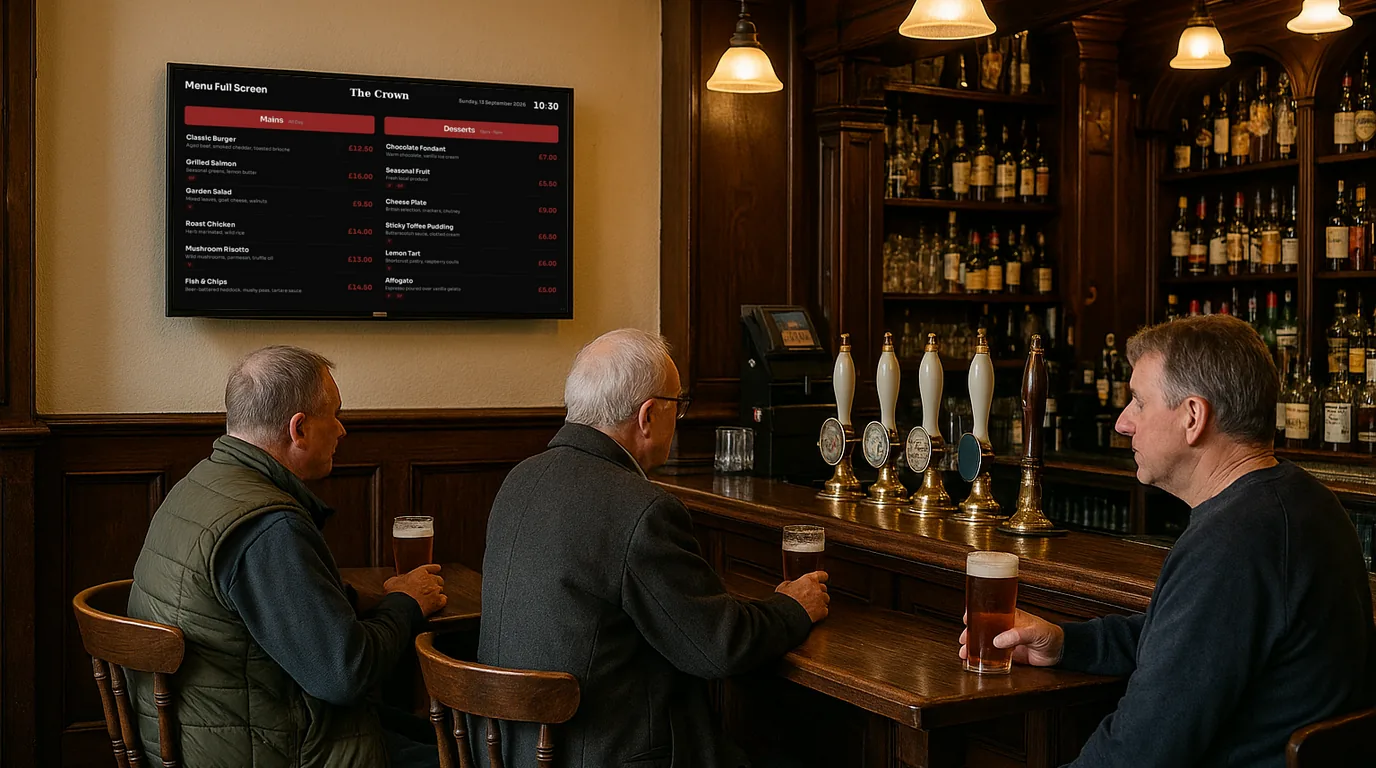
Most pubs already have TVs on the wall, and most of them show sport or nothing. A screen that shows the specials, the week's fixtures, quiz night and a local advert between matches works harder for you. This guide covers what to show, where to put it, and a weekly routine from Monday to Sunday.
What regulars and visitors look for
People in a pub want answers to a short list of questions: is food on, what's the special, which game is on which TV, and what's happening this week. A screen that answers those four saves your bar staff from answering them all evening. Anything else on the screen should earn its slot.
Pick one job per screen. The TV above the bar can carry food and drink. The one by the door can carry this week's events and fixtures. A screen in the corridor to the toilets, where people stand and wait, is a good spot for a local advert or the quiz poster.
Where to put the screens
- By the entrance. Put it at eye level for someone walking in, not over the door. People decide to stay for food in the first few seconds.
- Above or beside the bar. Customers face it while they wait to order, which makes it the right place for specials and drinks offers.
- In view of the tables. For fixtures and quiz scores, choose a wall that most tables can see without turning round.
Keep your sport TVs for sport. A NowBoard Player uses its own HDMI input, so a TV can switch to the signage input between matches and back for kick-off.
Food specials
The chalkboard specials are wrong by Wednesday because nobody has time to rewrite them. Put the specials on screen as a short list with prices and dietary badges, and let the chef or the shift lead mark a dish sold out from a phone when it runs out. Show the kitchen hours on the same Board, so "is food still on?" gets answered at the bar without a word.
Fixtures and results
A fixtures list tells regulars when to come back. Enter the week's games with the kick-off time, the competition and which TV or room shows it. When a game is postponed, change its status and it stays on the list with the right label. On match day, show the next fixture on its own, large, and put the score in as the game goes on.
If you run your own teams, such as darts, pool or a Sunday football side, the same list works for their matches and results.
Quiz night
- Before: an announcement from Monday to Thursday with the start time and "Book a table at the bar".
- On the night: a countdown to the first round on the screen by the door.
- After: the team scores on a leaderboard, so the winners see their name on the wall.
- Next week: a poll with a QR code that lets customers vote for the next theme from their phone.
Local ads
The brewery, the taxi firm and the takeaway round the corner all want to reach your customers. A paid slot in the rotation on the door or corridor screen gives them a way to do it, and pays for part of the screen. Keep adverts off the screen people watch the match on. The screens that pay page explains how bookings and payment work.
A weekly routine, Monday to Sunday
| Day | Job (10 minutes or less) | What the screens show |
|---|---|---|
| Monday | Enter this week's fixtures and which TV shows each one. Post the quiz announcement to run until Thursday. | Fixtures, this week's events, food menu |
| Tuesday | Set the midweek specials. Check last week's events have gone. | Specials, quiz notice, local advert |
| Wednesday | Close last week's theme poll and open a new one. | Specials, quiz poll, fixtures |
| Thursday | Quiz night. Add the team scores to the leaderboard after the last round. | Countdown to the start, then the scores |
| Friday | Swap in weekend specials. Add any live music or late opening. | Weekend specials, events, drinks offers |
| Saturday | Match day. Update scores and mark any postponed game. | Next fixture, results, food menu |
| Sunday | Switch the roast items on in the morning and off when they run out. | Sunday roast menu, next week's events |
How NowBoard runs it
Each kind of content lives in one place and any Board can show it. Menus hold your food and drink with prices, dietary badges and a Sold out switch per item. Fixtures and results hold each game with a kick-off time, venue, competition, status (Scheduled, Live, Postponed, Cancelled or Finished) and score; the Next Fixture, Fixture List, Match Day and Results Boards display them. Ranked lists feed the Leaderboard Board for quiz scores, and the Live Poll template shows a question, a QR code and the results.
Announcements take a start date, an end date and optional daily times, so the quiz notice appears on Monday and goes on its own after Thursday. Events power a what's-on Board for the week, and a Countdown Board counts to the quiz start. Staff update menus and announcements from the NowBoard Operator App. Advertising is on every plan: you create an Ad Space, add an Ad Board slot to a Channel's Playlist and send the booking link to local businesses.
On Professional, a Takeover at a set time can put a match-day Playlist on every screen for the afternoon and switch back on its own. See NowBoard for pubs for templates built for bars, and the pricing page for per-TV plans. To see your specials and fixtures on a screen, book a demo.
See it on your own screens
We show you NowBoard with the Boards for your kind of place. Or sign up free.