
Already have room booking software in Outlook or Google? Put the bookings on a screen
You may not need new room booking software. Your team keeps booking rooms in Microsoft 365 (Outlook) or Google Calendar. NowBoard shows those bookings on a screen by each door, or on one screen in reception.
Free on 1 screen • No credit card required • Then from £10/TV/month ex VAT
- Keep Outlook or Google People book rooms in their calendar, as they do now.
- Read-only calendar feeds NowBoard reads each room calendar about every 15 minutes.
- Free or in use Each door shows free until, or in use until, a time.
- From £10 a month Per TV, ex VAT. One TV is free.
Why you may not need new room booking software
Most offices already have room booking software: Microsoft 365 or Google Workspace. Staff add a room to a meeting invite, and the room calendar holds the booking.
NowBoard does not take bookings. It reads each room's calendar from its published iCal address about every 15 minutes and shows the bookings on a screen. The calendar feed is read only. NowBoard never books a room and never writes to your calendar, so your bookings stay in Outlook or Google, as they are now.
This works with Office 365 and Microsoft 365 room calendars, Outlook calendars and Google Calendar. You do not install anything on your mail server, and NowBoard does not ask for access to your mailboxes.
What a screen by the door shows

Now
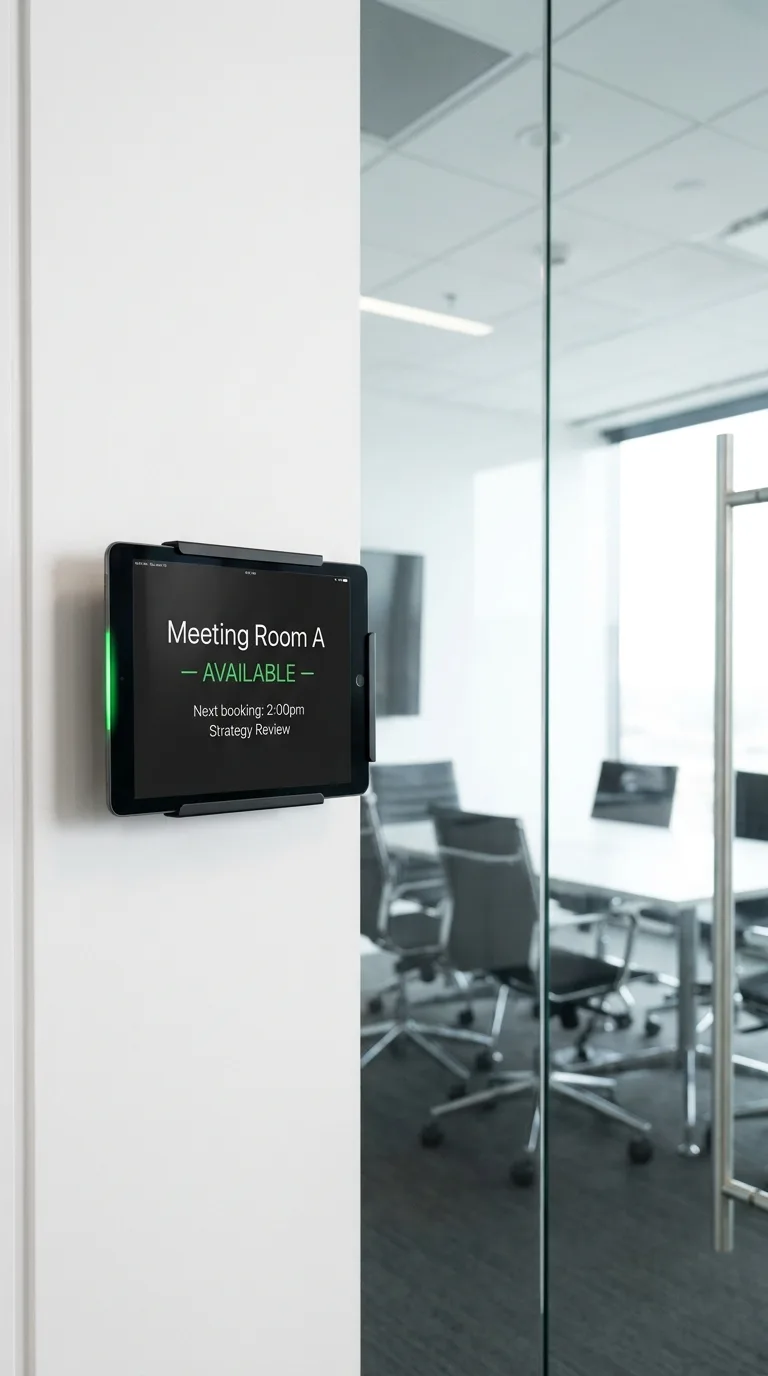
The room name, the meeting in the room now and the time it ends.
Next
The next booking and its start time, so people do not walk into a room that is about to fill.
Free until
When nothing is booked, the screen shows the room as free and the time of the next booking.
Every room in reception
One TV in reception or by the lifts can show today's bookings for every room. For more on door screens, see meeting room displays.
What the screens cost
NowBoard bills per TV. Each calendar feed reads one room's calendar.
Starter: up to 5 rooms
£10 per TV a month ex VAT. Starter includes up to 5 calendar feeds. For example, a screen by each of 5 meeting rooms costs £50 a month ex VAT.
Professional: more rooms
£20 per TV a month ex VAT. Professional and Enterprise have no limit on calendar feeds, so every room can have its own feed. See pricing.
The screen you have
Use any TV or monitor with an HDMI input, or a tablet beside the door. You do not need to buy room booking panels. See digital signage screens.
A player for each screen
The NowBoard Player App on a Google Play Certified Android TV stick or Android tablet, or the Windows App on a PC. Each app needs a Player Licence. You can also use a NowBoard Player (£149 ex VAT, UK only). Compare players.
A free room booking display to try first
The Free plan runs 1 screen. On the Free plan, you type the bookings in by hand from your phone or computer. Use it to try a room display before you connect a calendar on a paid plan.
Sign up free
Create your account. You do not need a credit card.
Add a Room
Give the Room a name, for example "Boardroom".
Add the bookings
Type the bookings in. On a paid plan, paste the room calendar's iCal address from Outlook or Google Calendar into a calendar feed.
Put the Board on the screen
Pick a room Board and pair the screen.
Questions about room booking software and screens
Is there a free meeting room booking system for Office 365?
Microsoft 365 already lets your team book rooms: add the room to a meeting invite in Outlook. NowBoard shows those bookings on a screen. The Free plan runs 1 screen with bookings typed in by hand. Calendar feeds start on Starter at £10 per TV a month ex VAT.
Do I need room booking panels?
No. Any TV, monitor or Android tablet with a NowBoard player can show the room bookings. One TV in reception can show every room.
Can a screen show bookings from Outlook?
Yes. Publish the room calendar from Outlook or Microsoft 365, copy its iCal address and paste it into a calendar feed. NowBoard reads the calendar about every 15 minutes. It only reads, and never writes to your calendar.
Keep your booking system. Add the screens.
Start free on 1 screen, then connect your room calendars when you are ready.
No credit card required • Cancel anytime • UK-based support • From £10/TV/month ex VAT